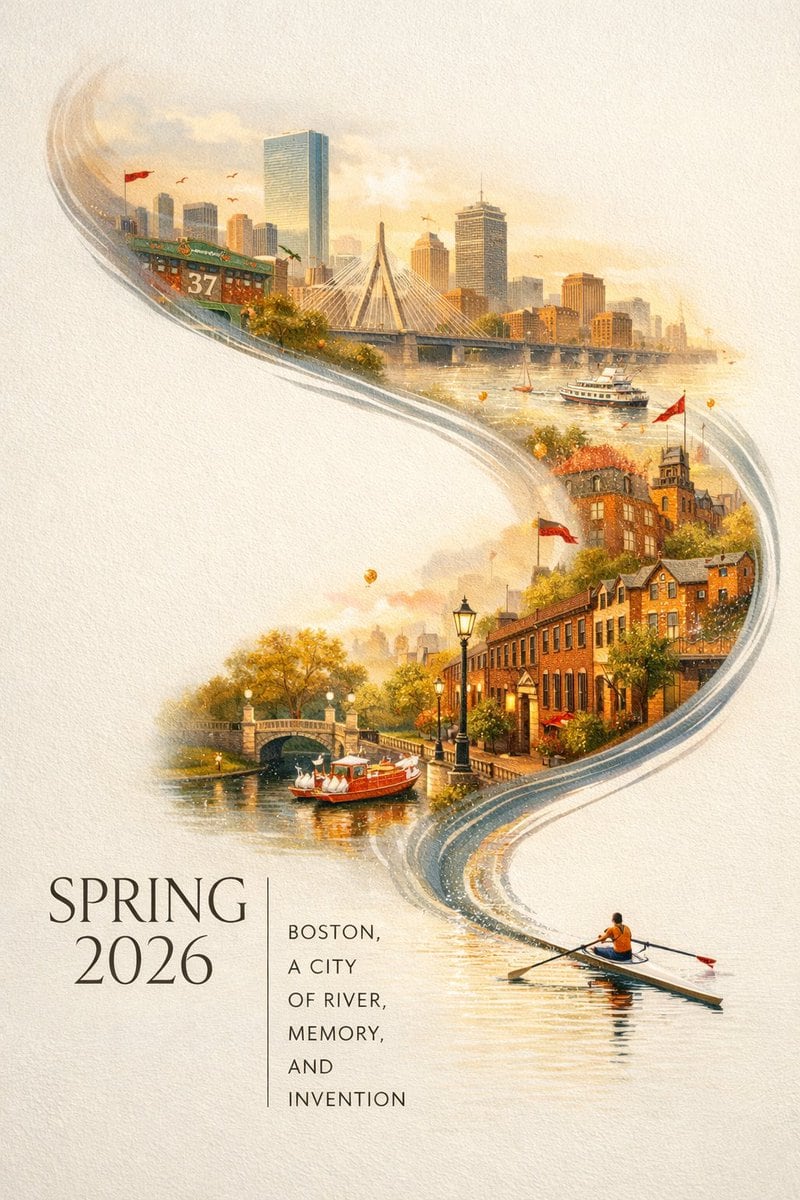
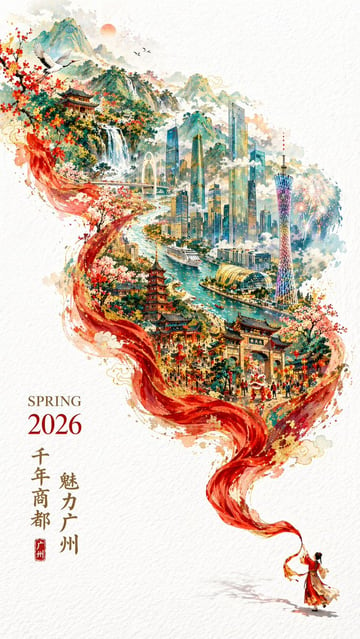
PromptA striking Spring 2026 city poster for Boston with an elegant celebratory mood and a bold contemporary design. On a clean off-white textured background with large areas of negative space, a miniature single sculler rows across the lower right corner of the image on a narrow ribbon of reflective water. The wake from the oar sweeps upward in a dynamic calligraphic curve, gradually transforming into the Charles River and then into a dreamlike hand-painted panorama of Boston. Inside this flowing river-shaped composition are iconic Boston elements: the Back Bay skyline, Beacon Hill brownstones, Acorn Street, Boston Public Garden, Swan Boats, Zakim Bridge, Fenway-inspired details, historic brick architecture, harbor ferries, and the city’s waterfront atmosphere. Soft morning fog, golden spring light, subtle festive accents in crimson and gold, rich detail, layered depth, sophisticated city-poster aesthetics, fresh and refined, visually powerful but not overcrowded. Elegant typography in the lower left reads “SPRING 2026” with a vertical slogan “BOSTON, A CITY OF RIVER, MEMORY, AND INVENTION”, text clear and beautifully composed, premium graphic design, 9:16
Prompt structure- Modelgpt-image-2
- Use casecampaign-poster
- Styleminimal, luxury, watercolor, isometric
- Aspect ratioFlexible
Best used for- Use casecampaign-poster
- Styleminimal, luxury, watercolor, isometric
- Recommended specs1:1, 4:5, 16:9, or 9:16
- ModelGPT Image 2
How to customizeUse this Boston Spring 2026 City Poster prompt as a base. Replace the subject, product details, environment, lighting, brand colors, and output ratio while keeping the campaign-poster intent and minimal, luxury, watercolor, isometric direction stable.
Editable variables- SubjectReplace the product, person, scene, interface, or object being generated.
- Use caseKeep or rewrite the destination as campaign poster, ad creative, cover image, poster, or ecommerce hero.
- FrameChoose 1:1, 4:5, 16:9, or 9:16 based on the final placement.
- Brand cuesAdd colors, materials, props, text-safe space, and the platform where the image will be used.
Recommended specsChoose the frame for the destination first, then use 1K, 2K, or 4K based on output quality needs. Product images and posters usually benefit from higher resolution.
Pre-generation checklist- CheckSubject, lighting, composition, and frame are specific enough to review.
- CheckText-safe space is included when the image will carry a headline or ad copy.
- CheckResolution, credit cost, and final destination are checked before generation.
Why this prompt worksBoston Spring 2026 City Poster works because it starts from the image job, then controls subject, composition, lighting, style, and frame. It is best for campaign poster while keeping the minimal, luxury, watercolor, isometric direction stable.
Common questions- Can I use it directly?Yes. Replace the subject, brand cues, and frame, then generate in Image2Studio.
- Which ratio should I use?Choose 1:1, 4:5, 16:9, or 9:16 based on the destination.