Image2Studio
Examples

gpt-image-2

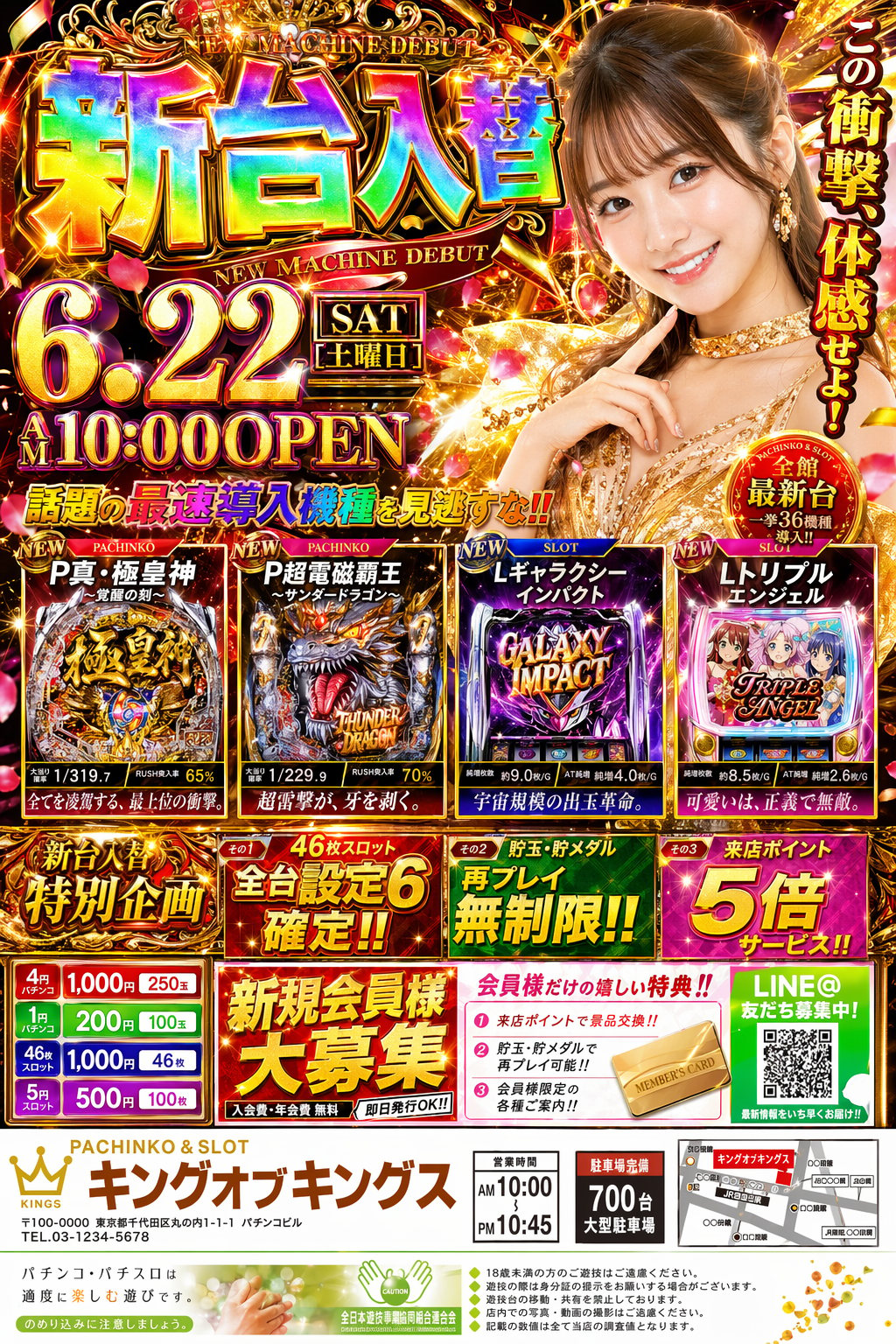
Japanese pachinko rainbow flyer

Campaign Poster prompt for poster, ready to edit and generate in Image2Studio.

Campaign Poster prompt for poster, ready to edit and generate in Image2Studio.
Prompt

パチンコ屋のギラギラチラシを3:4で作って。リアルで精密な今どきの可愛い日本人女性を1人配置。ギラギラで立体感のあるリッチな装飾のレインボーフォントなどを駆使し、とにかく豪華に。実在しない架空の新台の紹介をいくつか並べて。価格・特典・煽り文句・小さな注意書きまで入れて、日本の量販広告らしい情報量と熱量で仕上げて。

Prompt structure
  • Modelgpt-image-2
  • Use casecampaign-poster
  • Styleprompt-defined style
  • Aspect ratioportrait
Best used for
  • Use casecampaign-poster
  • Styleprompt-defined style
  • Recommended specsportrait
  • ModelGPT Image 2
How to customize

Use this Japanese pachinko rainbow flyer prompt as a base. Replace the subject, product details, environment, lighting, brand colors, and output ratio while keeping the campaign-poster intent and the visual style direction stable.

Editable variables
  • SubjectReplace the product, person, scene, interface, or object being generated.
  • Use caseKeep or rewrite the destination as campaign poster, ad creative, cover image, poster, or ecommerce hero.
  • Frameportrait
  • Brand cuesAdd colors, materials, props, text-safe space, and the platform where the image will be used.
Recommended specs

Choose the frame for the destination first, then use 1K, 2K, or 4K based on output quality needs. Product images and posters usually benefit from higher resolution.

Pre-generation checklist
  • CheckSubject, lighting, composition, and frame are specific enough to review.
  • CheckText-safe space is included when the image will carry a headline or ad copy.
  • CheckResolution, credit cost, and final destination are checked before generation.
Why this prompt works

Japanese pachinko rainbow flyer works because it starts from the image job, then controls subject, composition, lighting, style, and frame. It is best for campaign poster while keeping the prompt-defined style direction stable.

Common questions
  • Can I use it directly?Yes. Replace the subject, brand cues, and frame, then generate in Image2Studio.
  • Which ratio should I use?portrait