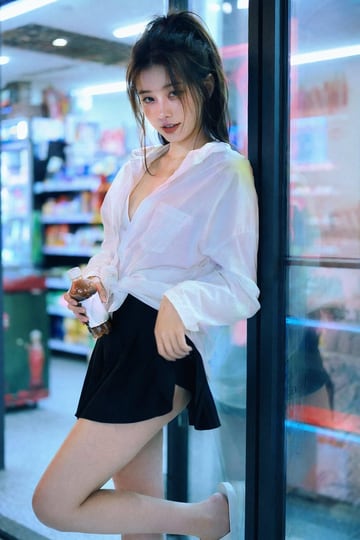
Convenience Store Neon Portrait
35mm film photography with harsh convenience store fluorescent lighting mixed with colorful neon signs from outside, authentic film grain, high contrast, slight color cast, cinematic street editorial style, intimate medium shot, early 20s sexy Chinese female idol with ultra-realistic delicate refined Chinese features, seductive almond-shaped fox eyes with natural double eyelids, high nose bridge, small sharp V-shaped jawline, flawless porcelain skin with cool ivory undertone and visible specular highlights from fluorescent light, subtle skin texture and micro pores, natural dewy makeup with soft flush on cheeks, glossy natural pink lips slightly parted, subtle natural freckles across nose and cheeks, long dark brown hair in a messy high ponytail with many loose strands falling around face and neck, wearing an oversized white button-up shirt as the only top, unbuttoned at the top with deep cleavage and loosely tied at the waist, paired with a tiny black pleated mini skirt, barefoot in simple white slides, seductive casual leaning pose against the glass door of a 24-hour convenience store at late night, body slightly arched, one leg bent with foot resting against the door frame, the other leg straight, one hand holding a bottle of iced drink, the other hand lightly pulling the hem of her mini skirt, intensely seductive playful yet slightly vulnerable gaze straight at the viewer with soft doe eyes full of quiet temptation and teasing smile, bright cold fluorescent store light from inside mixed with pink and blue neon glow from outside signs, realistic reflections on glass door, blurred convenience store interior with shelves and snacks in background, authentic 35mm film color grading with harsh lighting and neon accents, extremely sharp yet soft skin rendering, natural hair strands, realistic fabric wrinkles and drape on the oversized shirt and mini skirt, no plastic skin, no digital over-sharpening, no airbrushing, no blemishes, no moles, no oily skin, no watermark, no text, authentic late-night convenience store atmosphere