
Image2Studio
案例

gpt-image-2

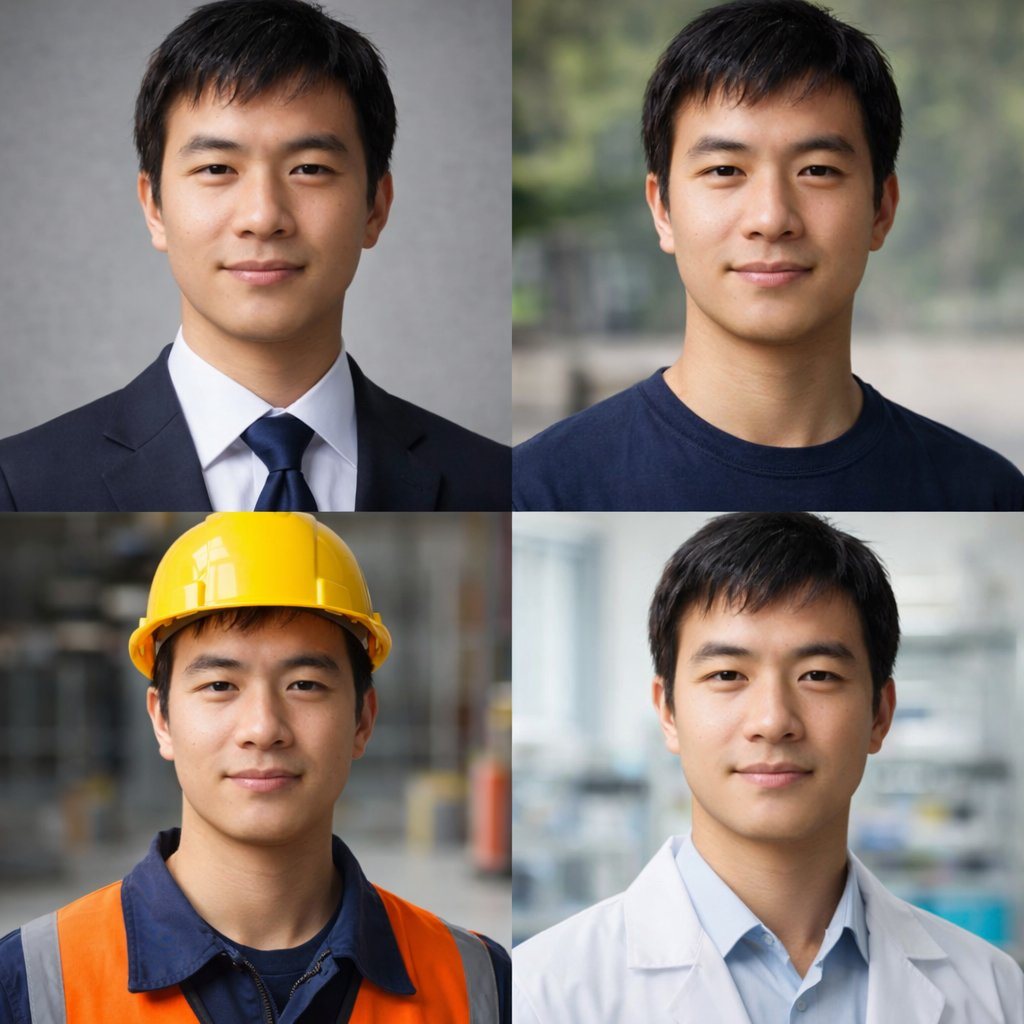
4-Panel Professional Avatar Grid

Generates a 2x2 grid of photorealistic portraits showing the same person in four different professional and casual outfits.

Generates a 2x2 grid of photorealistic portraits showing the same person in four different professional and casual outfits.
提示词

{ "type": "2x2 portrait grid", "subject": "{argument name=\"subject description\" default=\"young adult East Asian male with short black hair and a slight smile\"}", "style": "photorealistic, high-resolution, professional lighting, consistent facial identity across all panels", "layout": { "format": "2x2 grid", "panel_count": 4, "panels": [ { "position": "top-left", "description": "{argument name=\"profession 1\" default=\"Corporate professional wearing a dark navy suit, white shirt, and blue tie against a gray textured background\"}" }, { "position": "top-right", "description": "{argument name=\"profession 2\" default=\"Casual attire wearing a dark blue crew neck t-shirt against a blurred outdoor park background\"}" }, { "position": "bottom-left", "description": "{argument name=\"profession 3\" default=\"Construction worker wearing a yellow hard hat, navy blue work shirt, and bright orange high-visibility vest against a blurred warehouse background\"}" }, { "position": "bottom-right", "description": "{argument name=\"profession 4\" default=\"Medical professional wearing a white lab coat over a light blue collared shirt against a blurred laboratory background\"}" } ] } }

提示词结构
  • 模型gpt-image-2
  • 用途avatar
  • 风格photorealistic, editorial
  • 画幅Flexible
适用场景
  • 用途avatar
  • 风格photorealistic, editorial
  • 推荐规格1:1, 4:5, 16:9, or 9:16
  • 模型GPT Image 2
如何修改

把这个 4-Panel Professional Avatar Grid 提示词当作起点。替换主体、产品细节、场景、光线、品牌颜色和输出画幅,同时保留 avatar 的用途和 photorealistic, editorial 的视觉方向。

可替换变量
  • 主体替换成你的产品、人物、场景或界面对象。
  • 用途保留或改写为 avatar、广告图、封面、海报或电商主图。
  • 画幅按投放位置选择 1:1、4:5、16:9 或 9:16。
  • 品牌线索补充颜色、材质、道具、文案安全区和最终使用平台。
推荐规格

先按目标平台选择画幅,再根据用途选择 1K、2K 或 4K。产品图和海报通常适合更高清晰度。

生成前检查
  • 检查主体、光线、构图和画幅都足够明确。
  • 检查如果图片要承载标题或广告文案,已经预留文字安全区。
  • 检查生成前确认分辨率、额度成本和最终使用位置。
为什么有效

4-Panel Professional Avatar Grid 的重点是先固定图片用途,再用主体、构图、光线、风格和画幅控制生成结果。它适合 avatar,并保留 photorealistic, editorial 的视觉方向。

常见问题
  • 能直接用吗?可以。先替换主体、品牌线索和画幅,再进入 Image2Studio 生成。
  • 适合什么比例?按平台选择 1:1、4:5、16:9 或 9:16。




