
Image2Studio
案例

gpt-image-2

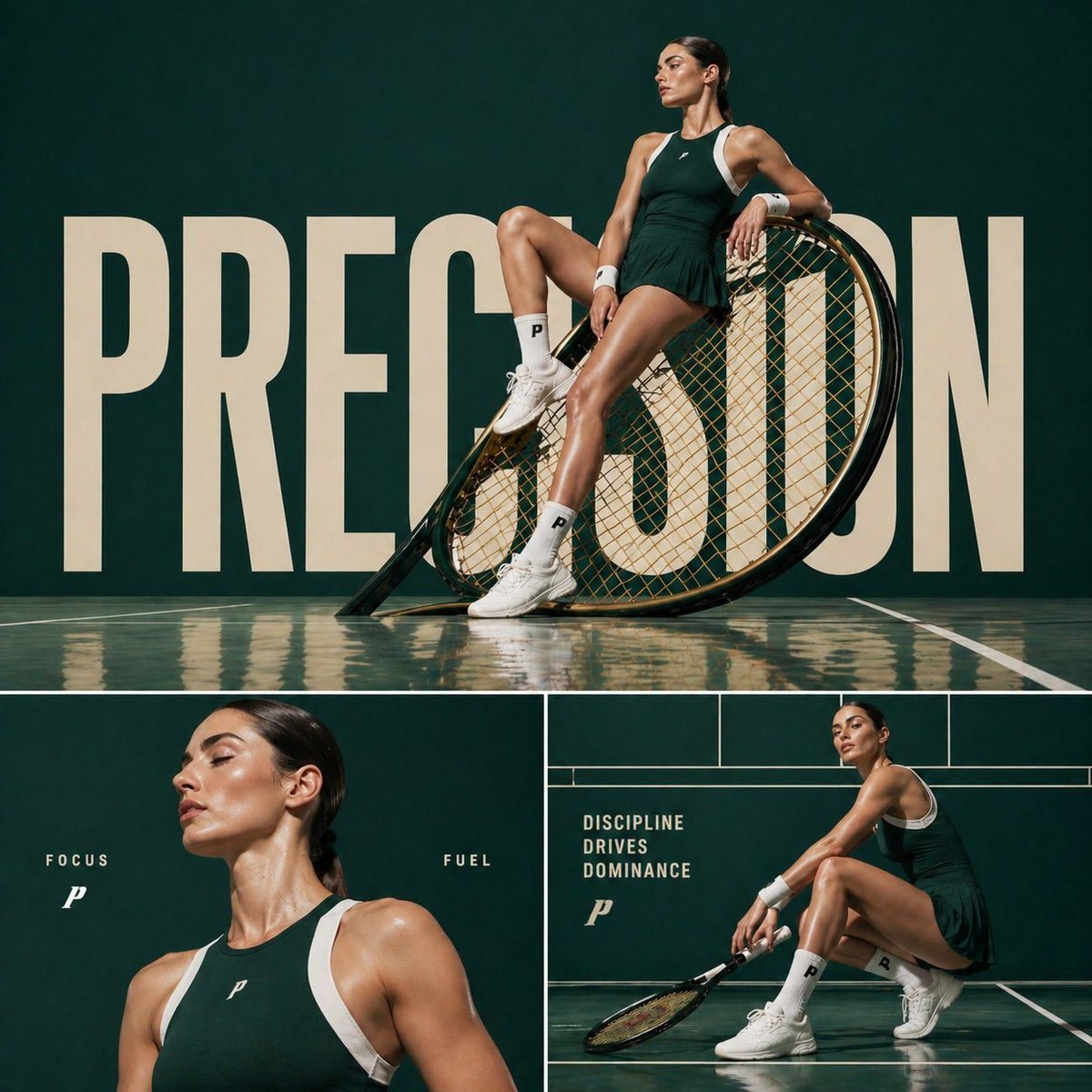
Cinematic sports fashion collage prompt

A layout prompt for a three-panel sports fashion collage with consistent lighting and branding elements.

A layout prompt for a three-panel sports fashion collage with consistent lighting and branding elements.
提示词

Cinematic sports fashion collage, 3-panel layout, top panel large hero shot of a {argument name="athlete type" default="female tennis athlete"} sitting confidently on an oversized tilted tennis racket, deep green luxury court backdrop, reflective glossy floor, bold oversized typography “{argument name="main text" default="PRECISION"}” in background, dramatic editorial lighting, ultra-clean composition, high-fashion athletic aesthetic bottom left panel: close-up portrait of the athlete with glowing skin, minimal makeup, soft light, text “FOCUS” and “FUEL” placed subtly bottom right panel: full-body crouched pose holding racket, strong posture, text “DISCIPLINE DRIVES DOMINANCE”, grid-based layout lines, premium sports branding feel consistent color grading, {argument name="color palette" default="dark green and white"} palette, sharp details, cinematic shadows, luxury campaign style, 1:1 aspect ratio

提示词结构
  • 模型gpt-image-2
  • 用途social-media-post
  • 风格cinematic, editorial, luxury, minimal
  • 画幅Flexible
适用场景
  • 用途social-media-post
  • 风格cinematic, editorial, luxury, minimal
  • 推荐规格1:1, 4:5, 16:9, or 9:16
  • 模型GPT Image 2
如何修改

把这个 Cinematic sports fashion collage prompt 提示词当作起点。替换主体、产品细节、场景、光线、品牌颜色和输出画幅,同时保留 social-media-post 的用途和 cinematic, editorial, luxury, minimal 的视觉方向。

可替换变量
  • 主体替换成你的产品、人物、场景或界面对象。
  • 用途保留或改写为 social media post、广告图、封面、海报或电商主图。
  • 画幅按投放位置选择 1:1、4:5、16:9 或 9:16。
  • 品牌线索补充颜色、材质、道具、文案安全区和最终使用平台。
推荐规格

先按目标平台选择画幅,再根据用途选择 1K、2K 或 4K。产品图和海报通常适合更高清晰度。

生成前检查
  • 检查主体、光线、构图和画幅都足够明确。
  • 检查如果图片要承载标题或广告文案,已经预留文字安全区。
  • 检查生成前确认分辨率、额度成本和最终使用位置。
为什么有效

Cinematic sports fashion collage prompt 的重点是先固定图片用途,再用主体、构图、光线、风格和画幅控制生成结果。它适合 social media post,并保留 cinematic, editorial, luxury, minimal 的视觉方向。

常见问题
  • 能直接用吗?可以。先替换主体、品牌线索和画幅,再进入 Image2Studio 生成。
  • 适合什么比例?按平台选择 1:1、4:5、16:9 或 9:16。




