
Image2Studio
提示词

gpt-image-2

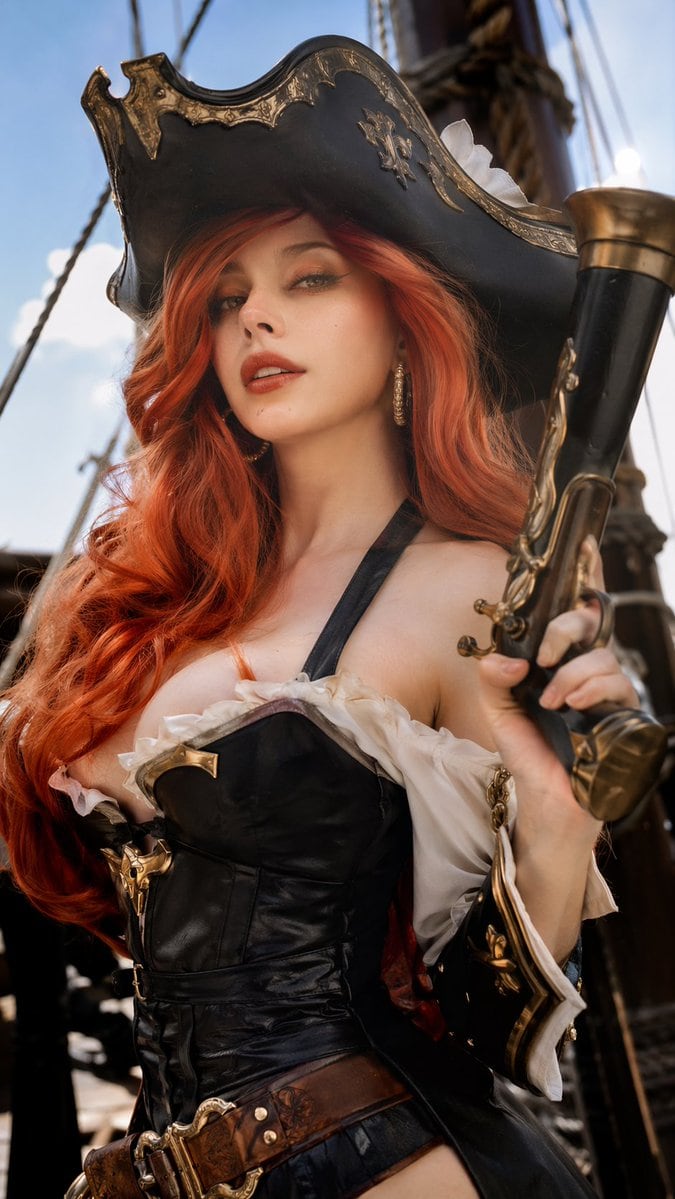
写实海盗 Cosplay 肖像

生成一张高度写实、经过专业修图的女性 Cosplayer 肖像,身着精致的海盗服饰并手持道具武器。

Copy this GPT Image 2 prompt for social media post and character design with Photorealistic, Luxury, Cinematic, Editorial styling. Use it in Image2Studio.
提示词

A highly realistic, professionally retouched photograph of a female cosplayer dressed as {argument name="character" default="Miss Fortune from League of Legends"}. She has a {argument name="facial features" default="French woman's face"} with subtle makeup, green eyes, and long, voluminous wavy {argument name="hair color" default="red"} hair. Her detailed pirate costume features a weathered black tricorn hat with gold filigree, a black leather corset with a deep neckline and gold accents, white ruffled off-the-shoulder sleeves, and a wide brown leather belt. She holds a large, ornate {argument name="prop" default="flintlock pistol"} with brass detailing in her right hand. The background shows the wooden masts and rope rigging of a sailing ship under a bright blue sky. The cinematic, natural lighting highlights the rich textures of leather, metal, and skin, creating a photorealistic editorial portrait.

提示词结构
  • 模型gpt-image-2
  • 用途social-media-post
  • 风格photorealistic, luxury, cinematic, editorial
  • 画幅Flexible
适用场景
  • 用途social-media-post
  • 风格photorealistic, luxury, cinematic, editorial
  • 推荐规格1:1, 4:5, 16:9, or 9:16
  • 模型GPT Image 2
如何修改

把这个 写实海盗 Cosplay 肖像 提示词当作起点。替换主体、产品细节、场景、光线、品牌颜色和输出画幅,同时保留 social-media-post 的用途和 photorealistic, luxury, cinematic, editorial 的视觉方向。

可替换变量
  • 主体替换成你的产品、人物、场景或界面对象。
  • 用途保留或改写为 social media post、广告图、封面、海报或电商主图。
  • 画幅按投放位置选择 1:1、4:5、16:9 或 9:16。
  • 品牌线索补充颜色、材质、道具、文案安全区和最终使用平台。
推荐规格

先按目标平台选择画幅,再根据用途选择 1K、2K 或 4K。产品图和海报通常适合更高清晰度。

生成前检查
  • 检查主体、光线、构图和画幅都足够明确。
  • 检查如果图片要承载标题或广告文案,已经预留文字安全区。
  • 检查生成前确认分辨率、额度成本和最终使用位置。
为什么有效

写实海盗 Cosplay 肖像 的重点是先固定图片用途,再用主体、构图、光线、风格和画幅控制生成结果。它适合 social media post,并保留 photorealistic, luxury, cinematic, editorial 的视觉方向。

常见问题
  • 能直接用吗?可以。先替换主体、品牌线索和画幅,再进入 Image2Studio 生成。
  • 适合什么比例?按平台选择 1:1、4:5、16:9 或 9:16。




