
Image2Studio
案例

gpt-image-2

Goth Style Transformation

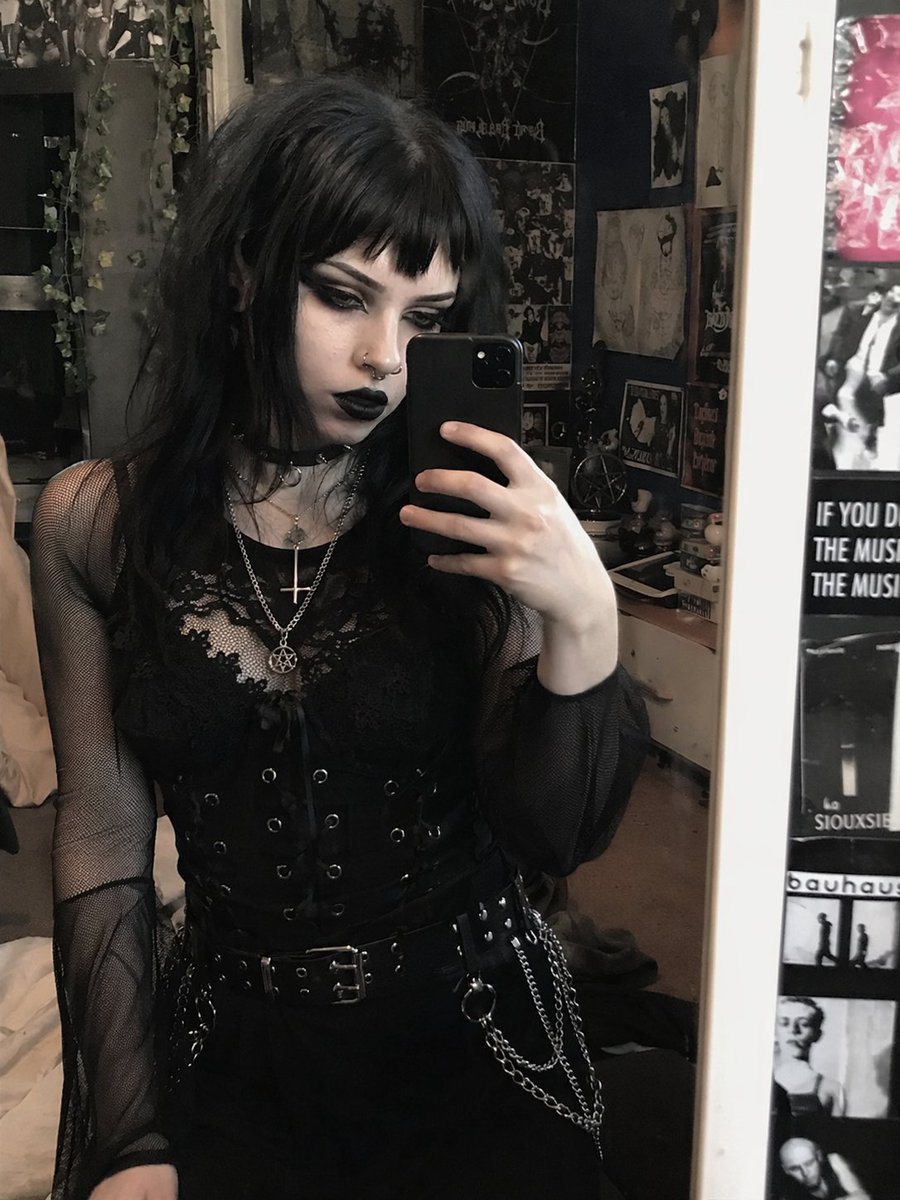
Transforms a reference portrait into a heavy goth aesthetic by altering hair, makeup, and jewelry while preserving the original pose and outfit.

Transforms a reference portrait into a heavy goth aesthetic by altering hair, makeup, and jewelry while preserving the original pose and outfit.
提示词

Using REFERENCE_0, transform the subject's appearance to a {argument name="style" default="trad goth"} aesthetic while preserving the exact pose, clothing structure, and background. Change her hair to {argument name="hair color" default="black"} with {argument name="hair style" default="choppy bangs"}. Apply heavy dark makeup, specifically {argument name="lip color" default="black"} lipstick and intense dark eyeshadow, and make her skin tone slightly paler. Add 2 facial piercings: a septum ring and a nostril stud. Finally, modify her layered necklaces to feature {argument name="necklace pendants" default="an inverted cross and a pentagram"}.

提示词结构
  • 模型gpt-image-2
  • 用途avatar
  • 风格photorealistic
  • 画幅Flexible
适用场景
  • 用途avatar
  • 风格photorealistic
  • 推荐规格1:1, 4:5, 16:9, or 9:16
  • 模型GPT Image 2
如何修改

把这个 Goth Style Transformation 提示词当作起点。替换主体、产品细节、场景、光线、品牌颜色和输出画幅,同时保留 avatar 的用途和 photorealistic 的视觉方向。

可替换变量
  • 主体替换成你的产品、人物、场景或界面对象。
  • 用途保留或改写为 avatar、广告图、封面、海报或电商主图。
  • 画幅按投放位置选择 1:1、4:5、16:9 或 9:16。
  • 品牌线索补充颜色、材质、道具、文案安全区和最终使用平台。
推荐规格

先按目标平台选择画幅,再根据用途选择 1K、2K 或 4K。产品图和海报通常适合更高清晰度。

生成前检查
  • 检查主体、光线、构图和画幅都足够明确。
  • 检查如果图片要承载标题或广告文案,已经预留文字安全区。
  • 检查生成前确认分辨率、额度成本和最终使用位置。
为什么有效

Goth Style Transformation 的重点是先固定图片用途,再用主体、构图、光线、风格和画幅控制生成结果。它适合 avatar,并保留 photorealistic 的视觉方向。

常见问题
  • 能直接用吗?可以。先替换主体、品牌线索和画幅,再进入 Image2Studio 生成。
  • 适合什么比例?按平台选择 1:1、4:5、16:9 或 9:16。




