
Image2Studio
提示词

gpt-image-2

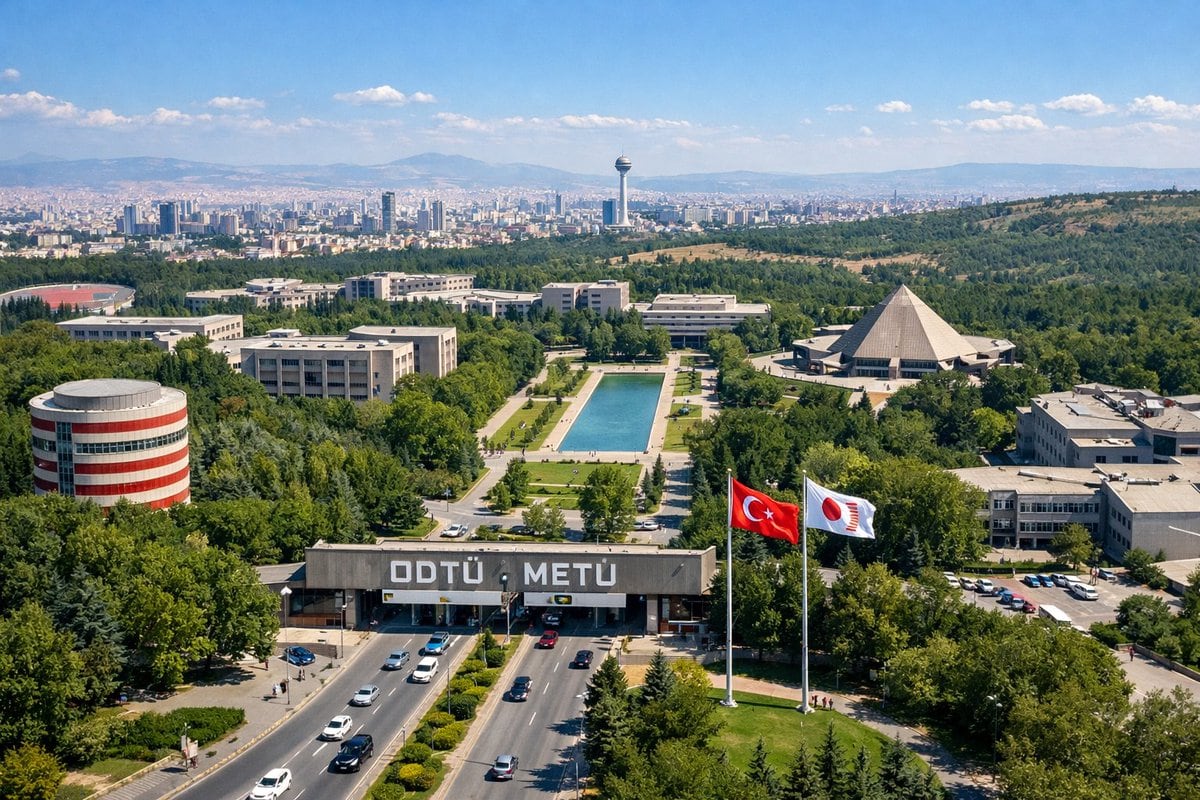
大学校园航拍图

生成一张逼真的大学校园航拍照片,包含特定的建筑地标、入口大门以及远处的城市天际线。

Copy this GPT Image 2 prompt for brand identity and logo branding with Photorealistic styling. Use it in Image2Studio to generate, edit, and save.
提示词

An aerial drone photograph of a sprawling, lush green university campus on a sunny day. In the foreground, a wide multi-lane road with cars passes through a large concrete entrance gate bearing the large white text "{argument name="university name" default="ODTÜ METÜ"}". To the right of the gate, two tall flagpoles fly a {argument name="flag 1" default="Turkish flag"} and a {argument name="flag 2" default="white flag with a red circular logo"}. The midground features a long rectangular reflecting pool surrounded by green lawns and pedestrian paths, flanked by various modernist concrete academic buildings. Notable structures include a cylindrical building with red and white horizontal stripes on the left and a large pyramid-shaped building on the right. In the background, a dense city skyline representing {argument name="city skyline" default="Ankara"} stretches across the horizon, featuring a prominent tall observation tower, backed by rolling hills and mountains under a clear blue sky with scattered white clouds.

提示词结构
  • 模型gpt-image-2
  • 用途brand-identity
  • 风格photorealistic
  • 画幅Flexible
适用场景
  • 用途brand-identity
  • 风格photorealistic
  • 推荐规格1:1, 4:5, 16:9, or 9:16
  • 模型GPT Image 2
如何修改

把这个 大学校园航拍图 提示词当作起点。替换主体、产品细节、场景、光线、品牌颜色和输出画幅,同时保留 brand-identity 的用途和 photorealistic 的视觉方向。

可替换变量
  • 主体替换成你的产品、人物、场景或界面对象。
  • 用途保留或改写为 brand identity、广告图、封面、海报或电商主图。
  • 画幅按投放位置选择 1:1、4:5、16:9 或 9:16。
  • 品牌线索补充颜色、材质、道具、文案安全区和最终使用平台。
推荐规格

先按目标平台选择画幅,再根据用途选择 1K、2K 或 4K。产品图和海报通常适合更高清晰度。

生成前检查
  • 检查主体、光线、构图和画幅都足够明确。
  • 检查如果图片要承载标题或广告文案,已经预留文字安全区。
  • 检查生成前确认分辨率、额度成本和最终使用位置。
为什么有效

大学校园航拍图 的重点是先固定图片用途,再用主体、构图、光线、风格和画幅控制生成结果。它适合 brand identity,并保留 photorealistic 的视觉方向。

常见问题
  • 能直接用吗?可以。先替换主体、品牌线索和画幅,再进入 Image2Studio 生成。
  • 适合什么比例?按平台选择 1:1、4:5、16:9 或 9:16。




