
Image2Studio
案例

gpt-image-2

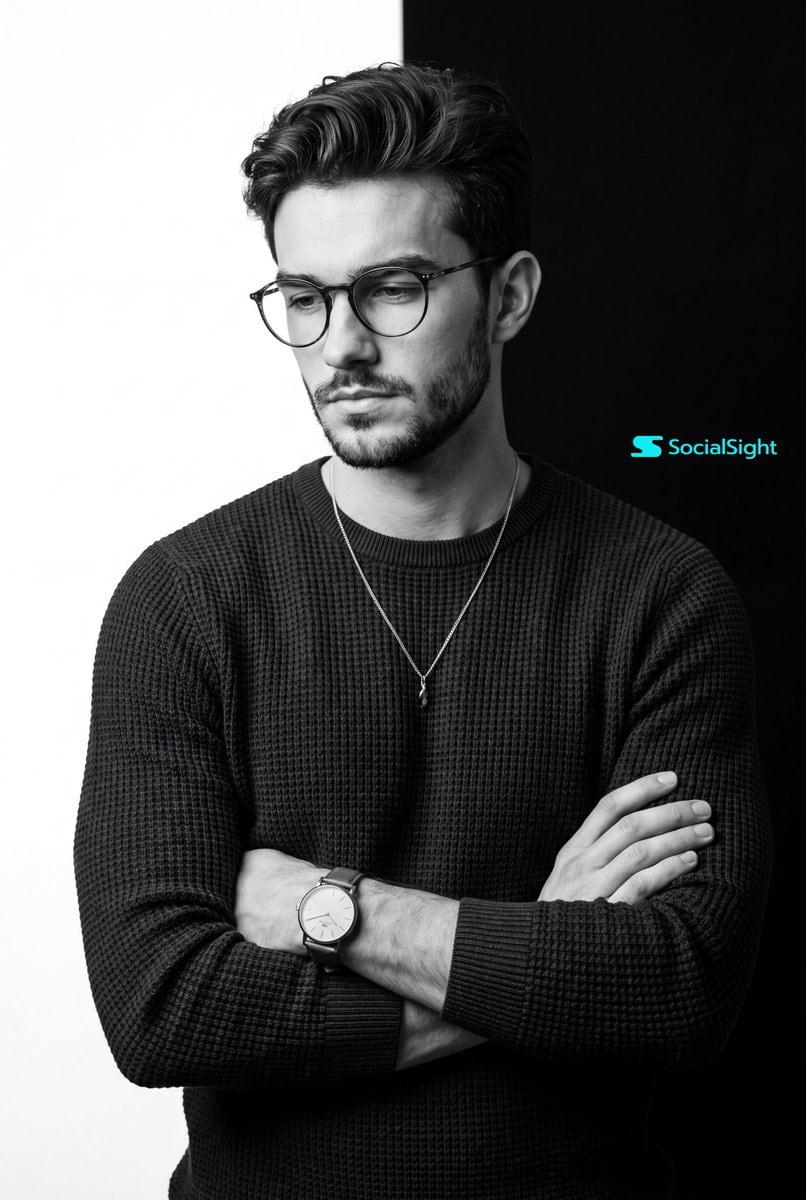
Monochrome Studio Portrait

A high-end commercial photography prompt for a monochrome portrait with a distinctive split-background and dramatic studio lighting.

A high-end commercial photography prompt for a monochrome portrait with a distinctive split-background and dramatic studio lighting.
提示词

A stunning black and white studio portrait of {argument name="subject" default="uploaded person"}. Eye-level medium shot, framed from the waist up. The subject is standing with his arms casually but firmly crossed over his chest. He is looking downward and slightly off-camera to the left with a calm, contemplative posture. He is wearing a {argument name="outfit" default="dark, heavy-textured waffle-knit long-sleeve sweater"} and a delicate silver chain necklace with a small pendant. He is wearing a classic analog watch with a light dial and leather strap on the lower arm. The background is a {argument name="background style" default="stark, graphic vertical split: pure white on the left half and pure deep black on the right half"}. High-end commercial photography, monochrome masterpiece. Soft but dramatic directional studio lighting originating from the left, highlighting the textures of the clothing and skin while casting natural, smooth shadows on the right side. Crisp focus, hyper-realistic,8k resolution, cinematic composition. ar 4:5

提示词结构
  • 模型gpt-image-2
  • 用途avatar
  • 风格photorealistic, cinematic, luxury
  • 画幅Flexible
适用场景
  • 用途avatar
  • 风格photorealistic, cinematic, luxury
  • 推荐规格1:1, 4:5, 16:9, or 9:16
  • 模型GPT Image 2
如何修改

把这个 Monochrome Studio Portrait 提示词当作起点。替换主体、产品细节、场景、光线、品牌颜色和输出画幅,同时保留 avatar 的用途和 photorealistic, cinematic, luxury 的视觉方向。

可替换变量
  • 主体替换成你的产品、人物、场景或界面对象。
  • 用途保留或改写为 avatar、广告图、封面、海报或电商主图。
  • 画幅按投放位置选择 1:1、4:5、16:9 或 9:16。
  • 品牌线索补充颜色、材质、道具、文案安全区和最终使用平台。
推荐规格

先按目标平台选择画幅,再根据用途选择 1K、2K 或 4K。产品图和海报通常适合更高清晰度。

生成前检查
  • 检查主体、光线、构图和画幅都足够明确。
  • 检查如果图片要承载标题或广告文案,已经预留文字安全区。
  • 检查生成前确认分辨率、额度成本和最终使用位置。
为什么有效

Monochrome Studio Portrait 的重点是先固定图片用途,再用主体、构图、光线、风格和画幅控制生成结果。它适合 avatar,并保留 photorealistic, cinematic, luxury 的视觉方向。

常见问题
  • 能直接用吗?可以。先替换主体、品牌线索和画幅,再进入 Image2Studio 生成。
  • 适合什么比例?按平台选择 1:1、4:5、16:9 或 9:16。




