Image2Studio
Examples

gpt-image-2

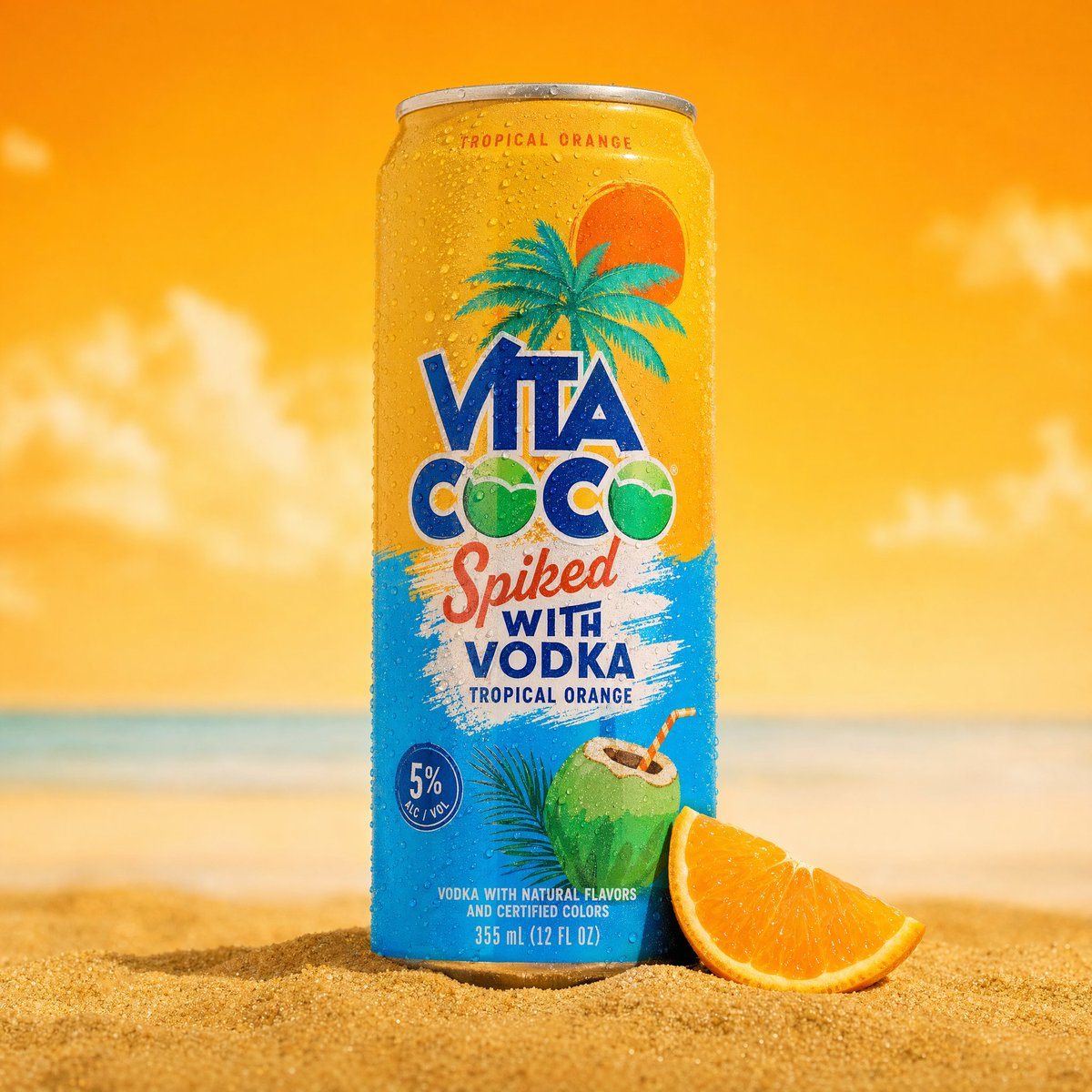
A professional product photography shot of a cold sparkling water

Product Hero Shot prompt for product photography, ready to edit and generate in Image2Studio.

Product Hero Shot prompt for product photography, ready to edit and generate in Image2Studio.
Prompt

A professional product photography shot of a cold sparkling water can placed upright in golden beach sand. The can is silver and teal, covered in realistic water droplets condensation, with a pineapple illustration and tropical branding. The can is slightly tilted, planted in a small mound of fine golden sand with tiny white pebbles and small green tropical leaves/grass scattered around the base. Background features a bold split composition - bright sky-blue on the left and vivid yellow on the right, with a large blurred real pineapple placed behind the can on the right side. A blurred tropical palm leaf drapes in from the upper left corner, adding depth and framing. Macro-level water condensation droplets visible on the can surface. Lighting is bright, vibrant, commercial studio lighting with clean shadows. Shallow depth of field - can in sharp focus, background softly blurred. Mood: summer, tropical, fresh, refreshing. Commercial product photography, ultra-detailed, 8K.

Prompt structure
  • Modelgpt-image-2
  • Use caseproduct-hero-shot
  • Stylephotorealistic, watercolor, minimal
  • Aspect ratioFlexible
Best used for
  • Use caseproduct-hero-shot
  • Stylephotorealistic, watercolor, minimal
  • Recommended specs1:1, 4:5, 16:9, or 9:16
  • ModelGPT Image 2
How to customize

Use this A professional product photography shot of a cold sparkling water prompt as a base. Replace the subject, product details, environment, lighting, brand colors, and output ratio while keeping the product-hero-shot intent and photorealistic, watercolor, minimal direction stable.

Editable variables
  • SubjectReplace the product, person, scene, interface, or object being generated.
  • Use caseKeep or rewrite the destination as product hero shot, ad creative, cover image, poster, or ecommerce hero.
  • FrameChoose 1:1, 4:5, 16:9, or 9:16 based on the final placement.
  • Brand cuesAdd colors, materials, props, text-safe space, and the platform where the image will be used.
Recommended specs

Choose the frame for the destination first, then use 1K, 2K, or 4K based on output quality needs. Product images and posters usually benefit from higher resolution.

Pre-generation checklist
  • CheckSubject, lighting, composition, and frame are specific enough to review.
  • CheckText-safe space is included when the image will carry a headline or ad copy.
  • CheckResolution, credit cost, and final destination are checked before generation.
Why this prompt works

A professional product photography shot of a cold sparkling water works because it starts from the image job, then controls subject, composition, lighting, style, and frame. It is best for product hero shot while keeping the photorealistic, watercolor, minimal direction stable.

Common questions
  • Can I use it directly?Yes. Replace the subject, brand cues, and frame, then generate in Image2Studio.
  • Which ratio should I use?Choose 1:1, 4:5, 16:9, or 9:16 based on the destination.