
Image2Studio
Examples

gpt-image-2

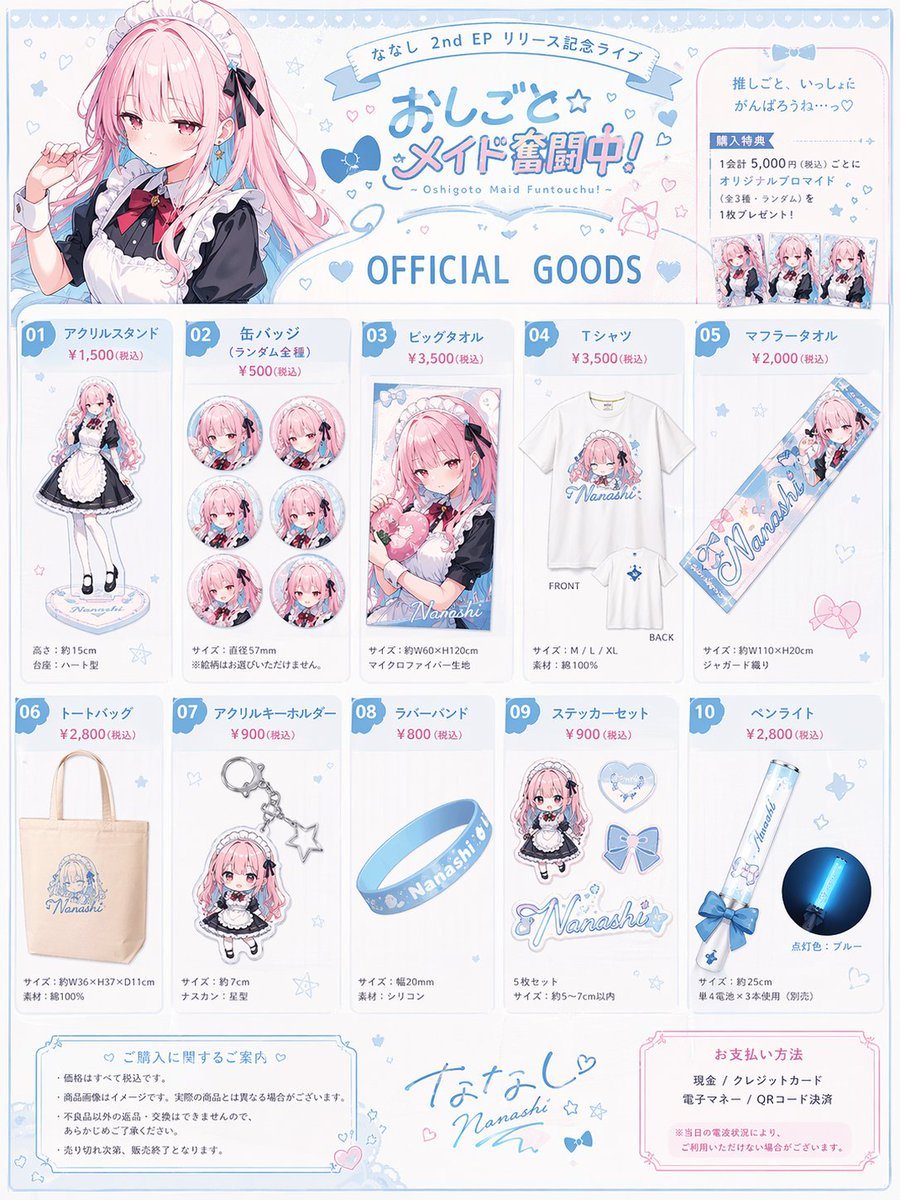
Anime Idol Merchandise Catalog

Generates a highly detailed, multi-section merchandise catalog flyer for an anime character's live event.

Generates a highly detailed, multi-section merchandise catalog flyer for an anime character's live event.
Prompt

{ "type": "anime idol merchandise catalog flyer", "theme_colors": "{argument name=\"theme color\" default=\"pastel blue and pink\"}", "character": { "name": "{argument name=\"character name\" default=\"ななし\"}", "appearance": "anime girl, long {argument name=\"hair color\" default=\"pink\"} hair, blue eyes", "attire": "{argument name=\"outfit\" default=\"black and white maid outfit with a red bow tie\"} and blue hair ribbons" }, "layout": { "header": { "left": "upper body portrait of the character looking slightly to the side", "center": { "top_banner": "ななし 2nd EP リリース記念ライブ", "main_title": "{argument name=\"event title\" default=\"おしごと☆メイド奮闘中!\"}", "subtitle": "~ Oshigoto Maid Funtouchu! ~", "section_header": "OFFICIAL GOODS" }, "right": "purchase bonus info box containing 3 small rectangular photo prints" }, "merchandise_grid": [ { "id": "01", "name": "アクリルスタンド", "description": "full body acrylic stand of the character" }, { "id": "02", "name": "缶バッジ", "description": "set of 6 circular can badges featuring different facial expressions" }, { "id": "03", "name": "ビッグタオル", "description": "large rectangular towel showing the character holding a heart pillow" }, { "id": "04", "name": "Tシャツ", "description": "white t-shirt showing FRONT with character graphic and BACK with small logo" }, { "id": "05", "name": "マフラータオル", "description": "long narrow muffler towel with character art and logo" }, { "id": "06", "name": "トートバッグ", "description": "canvas tote bag with blue logo" }, { "id": "07", "name": "アクリルキーホルダー", "description": "chibi character acrylic keychain with a star-shaped clasp" }, { "id": "08", "name": "ラバーバンド", "description": "blue silicone wristband with logo" }, { "id": "09", "name": "ステッカーセット", "description": "set of 4 visible stickers: chibi character, heart, ribbon bow, and logo" }, { "id": "10", "name": "ペンライト", "description": "blue glowing concert penlight" } ], "footer": { "left": "purchase notes and guidelines box", "center": "character signature 'Nanashi' with hand-drawn hearts and stars", "right": "payment methods box" } } }

Prompt structure
  • Modelgpt-image-2
  • Use casebrand-identity
  • Styleanime, photorealistic, editorial
  • Aspect ratioFlexible
Best used for
  • Use casebrand-identity
  • Styleanime, photorealistic, editorial
  • Recommended specs1:1, 4:5, 16:9, or 9:16
  • ModelGPT Image 2
How to customize

Use this Anime Idol Merchandise Catalog prompt as a base. Replace the subject, product details, environment, lighting, brand colors, and output ratio while keeping the brand-identity intent and anime, photorealistic, editorial direction stable.

Editable variables
  • SubjectReplace the product, person, scene, interface, or object being generated.
  • Use caseKeep or rewrite the destination as brand identity, ad creative, cover image, poster, or ecommerce hero.
  • FrameChoose 1:1, 4:5, 16:9, or 9:16 based on the final placement.
  • Brand cuesAdd colors, materials, props, text-safe space, and the platform where the image will be used.
Recommended specs

Choose the frame for the destination first, then use 1K, 2K, or 4K based on output quality needs. Product images and posters usually benefit from higher resolution.

Pre-generation checklist
  • CheckSubject, lighting, composition, and frame are specific enough to review.
  • CheckText-safe space is included when the image will carry a headline or ad copy.
  • CheckResolution, credit cost, and final destination are checked before generation.
Why this prompt works

Anime Idol Merchandise Catalog works because it starts from the image job, then controls subject, composition, lighting, style, and frame. It is best for brand identity while keeping the anime, photorealistic, editorial direction stable.

Common questions
  • Can I use it directly?Yes. Replace the subject, brand cues, and frame, then generate in Image2Studio.
  • Which ratio should I use?Choose 1:1, 4:5, 16:9, or 9:16 based on the destination.




