Examples
gpt-image-2
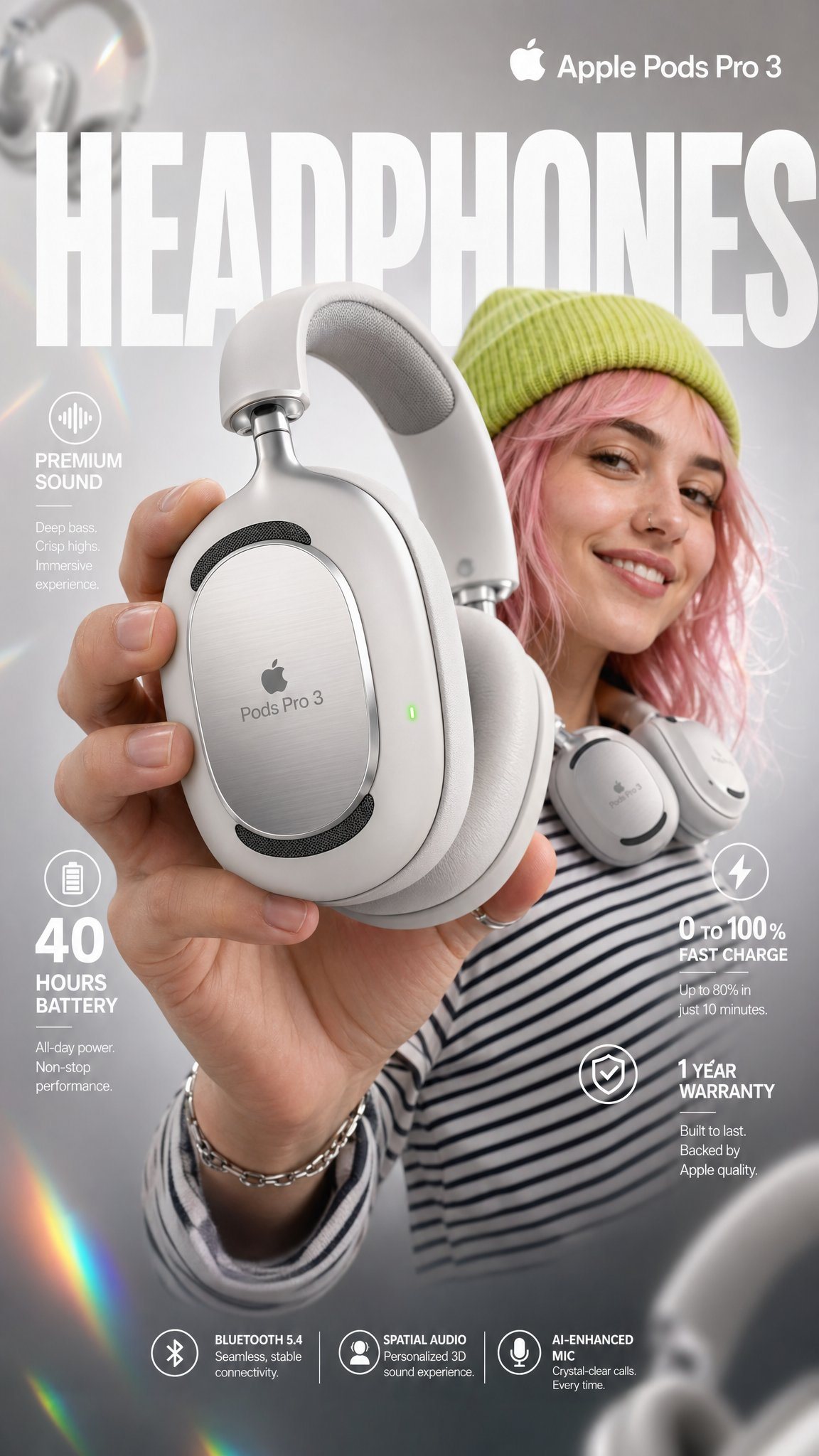
Apple Pods Pro 3 Headphone E-Commerce Infographic
Product Hero Shot prompt for product photography, ready to edit and generate in Image2Studio.
Prompt
High-impact e-commerce infographic for "Apple Pods Pro 3" premium wireless over-ear headphones. FOREGROUND - PRODUCT HERO SHOT Extreme close-up of a hand holding a sleek, matte-white premium over-ear headphone toward the camera at a slight angle. The headphone features: - Glossy white ear cushions with soft memory foam padding - Brushed aluminum silver headband with subtle Apple Pods Pro 3 embossed branding - Black mesh speaker grille visible on the ear cup face - A tiny glowing green LED status indicator on the right ear cup edge - Subtle touch-control icons etched on the outer cup surface Macro-lens shallow depth of field — hand and headphone slightly blurred at edges to create cinematic depth. Product remains razor-sharp in center frame. CENTRAL SUBJECT — MODEL In the mid-ground: a smiling young woman with freckles and wavy pastel-pink hair. She wears: - A vibrant lime-green knit beanie - A psychedelic black and white-striped long-sleeve shirt - The white over-ear headphones resting stylishly around her neck (not on ears) — one hand casually touching the ear cup Expression: relaxed, confident, joyful. She is glancing slightly off-camera with a natural smile. BACKGROUND & ATMOSPHERE Clean soft-focus studio backdrop — light gray gradient fading to warm white at center. Atmospheric overlays: - Diagonal rainbow prism lens flares cutting across upper-left to lower-right - Soft pastel light leaks in pink and yellow at corners - 4–5 blurred white over-ear headphones floating artistically in the background at various depths and rotation angles - Subtle bokeh circles from background studio lights Lighting: Soft professional three-point studio lighting. Key light from upper-left, fill light right side. Rim light behind model for separation. Glossy highlights on headphone surfaces catching light naturally. TYPOGRAPHY & LAYOUT — Sans-Serif, Clean white TOP CENTER (behind model, large background text): → Massive bold oversized text: "HEADPHONES" Semi-transparent white, spanning full width behind subject TOP RIGHT CORNER: → Bold clean text: "Apple Pods Pro 3" Subtitle smaller text: "Over-Ear Wireless" MID LEFT: → Icon: small sound wave symbol → Bold text: "Premium Sound" → Sub-text: "Active Noise Cancellation + Transparency Mode" MID RIGHT: → Extra-large bold numeral: "40" → Smaller text below: "hours of battery life" LOWER LEFT: → Extra-large bold numeral: "0" with "to" beside it → then bold "100%" → Sub-text: "Fast charge — 10 min = 3hrs playback" BOTTOM RIGHT: → Extra-large bold numeral: "1" → Sub-text: "Year Warranty Included" BOTTOM CENTER (fine print style): → Small elegant text: "Bluetooth 5.4 | Hi-Res Audio Certified | Foldable Design | USB-C Charging" TECHNICAL SPECS Resolution: 8K ultra-sharp Style: Commercial product photography meets editorial fashion advertising Color Palette: White, lime green, pastel pink, rainbow prism accents Focus: Tack-sharp on headphone product — shallow DOF on everything else Lens: 85mm macro, slight low angle Render Quality: Hyperrealistic, clean ad aesthetic, vibrant yet professional color grading
Prompt structure
- Modelgpt-image-2
- Use caseproduct-hero-shot
- Stylephotorealistic, minimal, luxury, editorial
- Aspect ratioFlexible
Best used for
- Use caseproduct-hero-shot
- Stylephotorealistic, minimal, luxury, editorial
- Recommended specs1:1, 4:5, 16:9, or 9:16
- ModelGPT Image 2
How to customize
Use this Apple Pods Pro 3 Headphone E-Commerce Infographic prompt as a base. Replace the subject, product details, environment, lighting, brand colors, and output ratio while keeping the product-hero-shot intent and photorealistic, minimal, luxury, editorial direction stable.
Editable variables
- SubjectReplace the product, person, scene, interface, or object being generated.
- Use caseKeep or rewrite the destination as product hero shot, ad creative, cover image, poster, or ecommerce hero.
- FrameChoose 1:1, 4:5, 16:9, or 9:16 based on the final placement.
- Brand cuesAdd colors, materials, props, text-safe space, and the platform where the image will be used.
Recommended specs
Choose the frame for the destination first, then use 1K, 2K, or 4K based on output quality needs. Product images and posters usually benefit from higher resolution.
Pre-generation checklist
- CheckSubject, lighting, composition, and frame are specific enough to review.
- CheckText-safe space is included when the image will carry a headline or ad copy.
- CheckResolution, credit cost, and final destination are checked before generation.
Why this prompt works
Apple Pods Pro 3 Headphone E-Commerce Infographic works because it starts from the image job, then controls subject, composition, lighting, style, and frame. It is best for product hero shot while keeping the photorealistic, minimal, luxury, editorial direction stable.
Common questions
- Can I use it directly?Yes. Replace the subject, brand cues, and frame, then generate in Image2Studio.
- Which ratio should I use?Choose 1:1, 4:5, 16:9, or 9:16 based on the destination.
Related prompts
More prompts in this direction
UI & social mockup
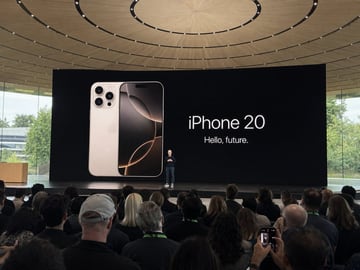
Amateur iPhone Keynote Snapshot
Amateur iPhone photo at Apple Park during the iPhone 20 keynote, Tim Cook presenting on stage. Shot from the crowd at a distance
UI & social mockup
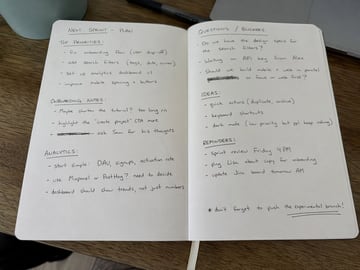
Handwritten Notebook Photo
Amateur photo of an open notebook lying flat, filled with handwritten notes in black ballpoint pen. The handwriting is casual and slightly messy, like personnal notes, natural imperfections, crossed out words, underlined headings. Shot from slightly above, natural daylight from a window, no flash. Casual desk setting, shot on iPhone
UI & social mockup
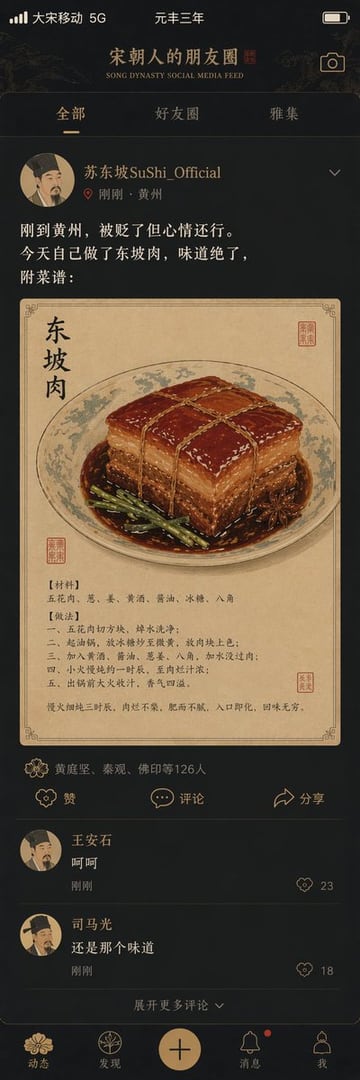
Song Dynasty Social Media Feed
"宋朝人的朋友圈"/"SONG DYNASTY SOCIAL MEDIA FEED",古今穿越幽默融合界面设计风格,画面模拟手机社交媒体界面,但内容全部是宋朝场景头像是宋代文人画像,用户名"苏东坡SuShi_Official",发布内容"刚到黄州,被贬了但心情还行。今天自己做了东坡肉,味道绝了,附菜谱:",配图为工笔画风格的东坡肉特写,点赞列表"黄庭坚、秦观、佛印等126人",评论区"王安石:呵呵""司马光:还是那个味道",界面元素如点赞图标用宋代花纹替代,状态栏显示"大宋移动 5G"和"元丰三年",配色为手机深色模式搭配宋代雅致色调,历史与社交媒体的趣味碰撞杰作
UI & social mockup
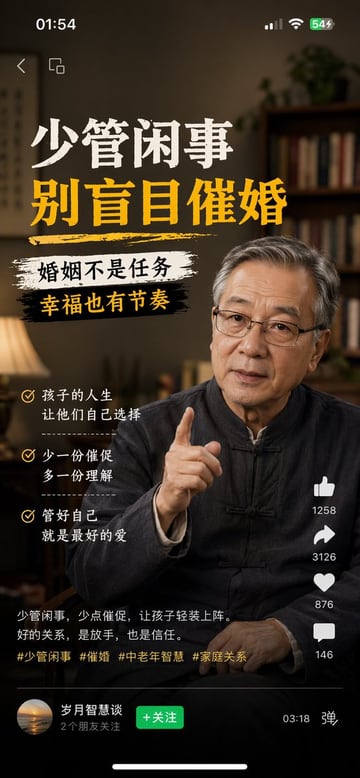
Multi-Platform Content Screenshots
1、生成视频号内容截图,主题:中老年不要盲目催婚,iPhone尺寸 2、生成抖音内容截图,主题:跟上AI浪潮9.9包教会,iPhone尺寸 3、生成小红书内容截图,主题:精致女孩背后都有网贷,iPhone尺寸 4、生成快手内容截图:主题:直播离婚预告,iPhone尺寸

UI & social mockup
Liu Yifei Douyin Livestream Screenshot
9:16 的图片比例,生成一张抖音直播的截图,里面是 刘亦菲 在直播,刘亦菲 手里拿着牌子,牌子里写着 今晚直播,欢迎来参亦菲畅聊!