
Image2Studio
Examples

gpt-image-2

Create A Clean 2x2 Grid Of Four Front-facing 3D Typographic Sculptures O

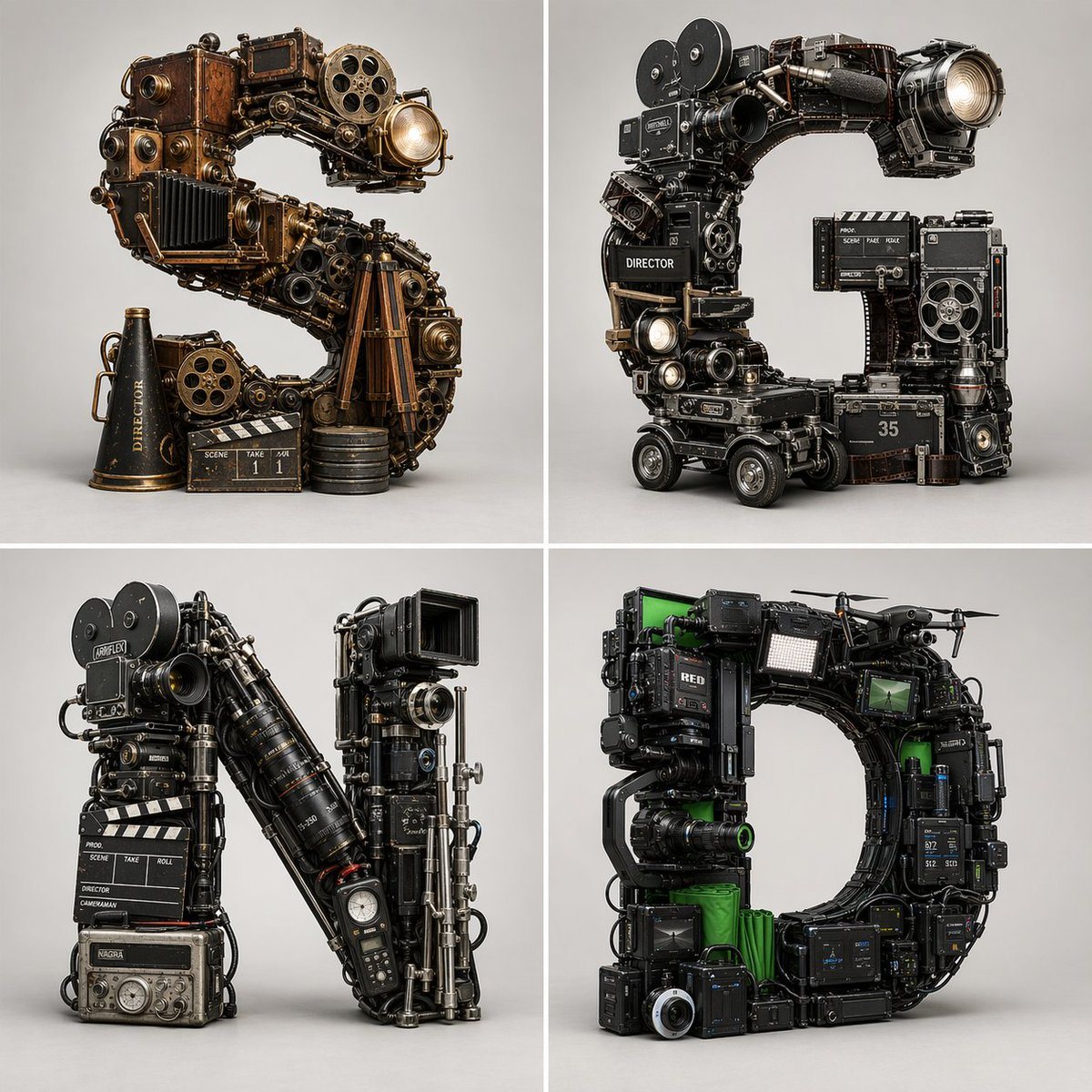
Create a clean 2x2 grid of four front-facing 3D typographic sculptures on a light gray seamless studio background, separated by thin white dividers. Each quadrant features a single giant...

Create a clean 2x2 grid of four front-facing 3D typographic sculptures on a light gray seamless studio background, separated by thin white dividers. Each quadrant features a single giant...
Prompt

Create a clean 2x2 grid of four front-facing 3D typographic sculptures on a light gray seamless studio background, separated by thin white dividers. Each quadrant features a single giant letter built entirely from dense, realistic filmmaking equipment and on-set props from a different cinematic era, with the letterform chaotic but clearly legible. Use high-end Cinema 4D product-render aesthetics, ambient occlusion, realistic scale relationships, intricate kit-bashing, subtle wear, metallic reflections, and three-point studio lighting with a soft overhead source. Top-left: the letter S, representing early silent-era or proto-cinema filmmaking, constructed from antique brass-and-wood cameras, exposed gears, film reels, projector parts, bellows, tripod wood legs, and vintage optical housings; warm bronze and copper tones; include 3 extra props at the base: a black megaphone labeled "DIRECTOR", a clapboard, and a short stack of film canisters; one projector-like lens at the upper right glows brightly. Top-right: the letter C, representing classical Hollywood film production, built from black metal film cameras, studio lenses, magazines, matte boxes, dolly components, control boxes, and analog set hardware; mostly black, steel, and gunmetal with subtle brass accents; include 4 extra props integrated around the base and inner right side: a clapperboard, a boxy side module, a film magazine marked "35", and a small cylindrical canister; a large forward-facing lamp or lens glows at the upper right. Bottom-left: the letter N, representing modern analog or late-20th-century cinema, assembled from Arriflex-style cameras, long cine zoom lenses, support rigs, rails, cables, a slate, and a field recorder; predominantly matte black with silver hardware and a few red accent rings; include 3 clearly visible base elements: a clapperboard section, a labeled director strip, and a rectangular audio recorder/control unit at the bottom. Bottom-right: the letter D, representing digital and virtual production, built from RED-style digital cinema cameras, monitors, battery packs, wireless transmitters, drones, LED panels, green-screen fabric inserts, and modular rig components; black technical bodies with vivid green accents and screen graphics; include 4 notable integrated device types: drone arms/propellers at the top, a rectangular LED light panel, multiple monitors, and a large camera lens at the lower left. Keep all objects grounded and physically connected, no floating pieces, no flat typography, no handwriting, no paper look, no messy background. Ultra-detailed, sharp, 8k, polished graphic design asset for a poster or visual comparison of filmmaking eras.

Prompt structure
  • Modelgpt-image-2
  • Use caseapp-ui-mockup
  • Stylecinematic, photorealistic, 3d-render, editorial
  • Aspect ratioFlexible
Best used for
  • Use caseapp-ui-mockup
  • Stylecinematic, photorealistic, 3d-render, editorial
  • Recommended specs1:1, 4:5, 16:9, or 9:16
  • ModelGPT Image 2
How to customize

Use this Create A Clean 2x2 Grid Of Four Front-facing 3D Typographic Sculptures O prompt as a base. Replace the subject, product details, environment, lighting, brand colors, and output ratio while keeping the app-ui-mockup intent and cinematic, photorealistic, 3d-render, editorial direction stable.

Editable variables
  • SubjectReplace the product, person, scene, interface, or object being generated.
  • Use caseKeep or rewrite the destination as app ui mockup, ad creative, cover image, poster, or ecommerce hero.
  • FrameChoose 1:1, 4:5, 16:9, or 9:16 based on the final placement.
  • Brand cuesAdd colors, materials, props, text-safe space, and the platform where the image will be used.
Recommended specs

Choose the frame for the destination first, then use 1K, 2K, or 4K based on output quality needs. Product images and posters usually benefit from higher resolution.

Pre-generation checklist
  • CheckSubject, lighting, composition, and frame are specific enough to review.
  • CheckText-safe space is included when the image will carry a headline or ad copy.
  • CheckResolution, credit cost, and final destination are checked before generation.
Why this prompt works

Create A Clean 2x2 Grid Of Four Front-facing 3D Typographic Sculptures O works because it starts from the image job, then controls subject, composition, lighting, style, and frame. It is best for app ui mockup while keeping the cinematic, photorealistic, 3d-render, editorial direction stable.

Common questions
  • Can I use it directly?Yes. Replace the subject, brand cues, and frame, then generate in Image2Studio.
  • Which ratio should I use?Choose 1:1, 4:5, 16:9, or 9:16 based on the destination.




