
Image2Studio
Examples

gpt-image-2

Centered Black-and-white Vintage Ink Illustration Of A Medieval Knight’s

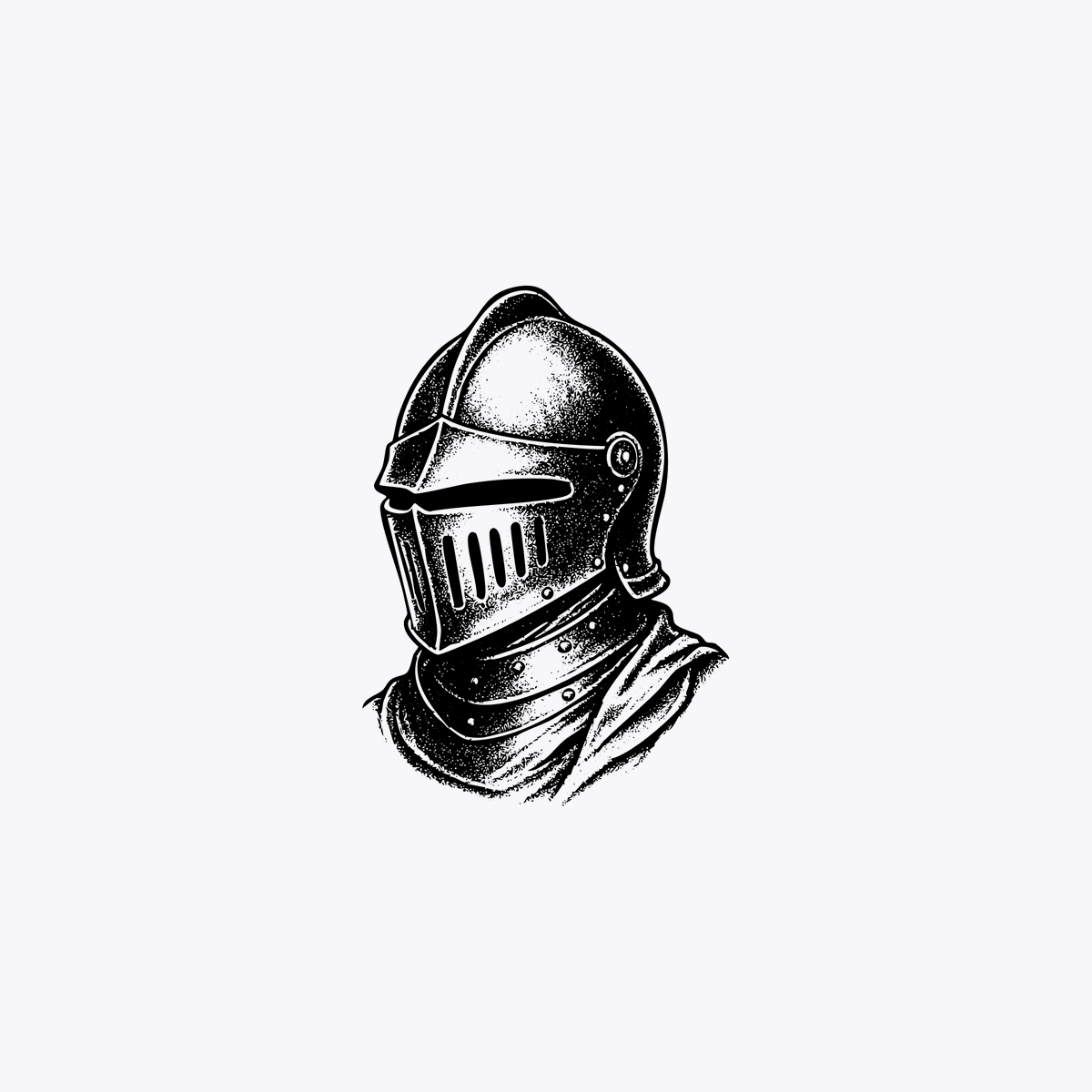
A centered black-and-white vintage ink illustration of a medieval knight’s helmet and upper neck guard, shown as a bust on a plain light gray background with lots of negative space. The h...

A centered black-and-white vintage ink illustration of a medieval knight’s helmet and upper neck guard, shown as a bust on a plain light gray background with lots of negative space. The h...
Prompt

A centered black-and-white vintage ink illustration of a medieval knight’s helmet and upper neck guard, shown as a bust on a plain light gray background with lots of negative space. The helmet is angled slightly to the left in three-quarter view, with a rounded domed top, a narrow horizontal visor slit, and a faceplate featuring 6 vertical ventilation slits. Include a riveted gorget with visible metal studs and a draped cloth or cape falling over the right shoulder. Render it in an engraved woodcut or etching style with bold black outlines, dense stippling, scratchy crosshatching, and high contrast shading, like an old heraldic emblem or antique book illustration. Clean isolated composition, no text, no border, no additional objects.

Prompt structure
  • Modelgpt-image-2
  • Use casebrand-identity
  • Styleminimal, watercolor, 3d-render
  • Aspect ratioFlexible
Best used for
  • Use casebrand-identity
  • Styleminimal, watercolor, 3d-render
  • Recommended specs1:1, 4:5, 16:9, or 9:16
  • ModelGPT Image 2
How to customize

Use this Centered Black-and-white Vintage Ink Illustration Of A Medieval Knight’s prompt as a base. Replace the subject, product details, environment, lighting, brand colors, and output ratio while keeping the brand-identity intent and minimal, watercolor, 3d-render direction stable.

Editable variables
  • SubjectReplace the product, person, scene, interface, or object being generated.
  • Use caseKeep or rewrite the destination as brand identity, ad creative, cover image, poster, or ecommerce hero.
  • FrameChoose 1:1, 4:5, 16:9, or 9:16 based on the final placement.
  • Brand cuesAdd colors, materials, props, text-safe space, and the platform where the image will be used.
Recommended specs

Choose the frame for the destination first, then use 1K, 2K, or 4K based on output quality needs. Product images and posters usually benefit from higher resolution.

Pre-generation checklist
  • CheckSubject, lighting, composition, and frame are specific enough to review.
  • CheckText-safe space is included when the image will carry a headline or ad copy.
  • CheckResolution, credit cost, and final destination are checked before generation.
Why this prompt works

Centered Black-and-white Vintage Ink Illustration Of A Medieval Knight’s works because it starts from the image job, then controls subject, composition, lighting, style, and frame. It is best for brand identity while keeping the minimal, watercolor, 3d-render direction stable.

Common questions
  • Can I use it directly?Yes. Replace the subject, brand cues, and frame, then generate in Image2Studio.
  • Which ratio should I use?Choose 1:1, 4:5, 16:9, or 9:16 based on the destination.