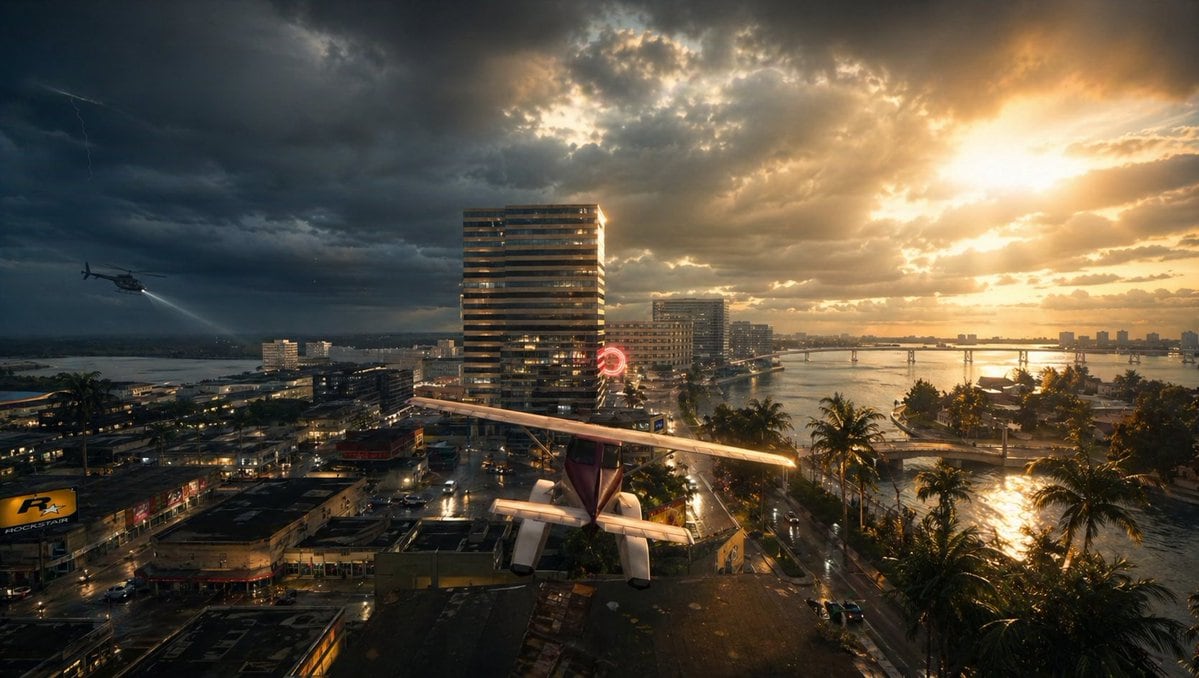
PromptA cinematic wide aerial view of a tropical coastal city at sunset during a violent storm, split dramatically between dark storm clouds on the left and blazing golden sunlight on the right. In the foreground, a small single-engine light airplane with a high wing and visible tail is parked or perched precariously on a flat rooftop, seen from behind and slightly above, centered near the bottom of the frame. To the left midair, 1 helicopter flies low over the city with its searchlight cast downward. In the sky, include 1 faint lightning bolt on the far left. The city below is dense with wet streets, reflective pavement, low-rise commercial buildings, and a few taller modern towers, including 1 prominent striped high-rise near the center. A glowing red circular neon sign is visible near the middle distance. On the right side, a calm bay or inlet curves through the city, lined with 1 row of tall palm trees along the waterfront road, and crossed by 1 long low bridge in the distance. The water and streets glisten from recent rain, reflecting the orange sunlight breaking through the clouds. Mood is tense, dramatic, and slightly surreal, like a movie still from an urban disaster thriller. Photorealistic, ultra-detailed, high dynamic range lighting, volumetric sun rays, storm atmosphere, wet surfaces, rich contrast, deep shadows, golden highlights, wide-angle lens, epic composition.
Prompt structure- Modelgpt-image-2
- Use casecampaign-poster
- Stylecinematic, photorealistic, cyberpunk, watercolor
- Aspect ratioFlexible
Best used for- Use casecampaign-poster
- Stylecinematic, photorealistic, cyberpunk, watercolor
- Recommended specs1:1, 4:5, 16:9, or 9:16
- ModelGPT Image 2
How to customizeUse this Stormy Tropical City With Rooftop Plane prompt as a base. Replace the subject, product details, environment, lighting, brand colors, and output ratio while keeping the campaign-poster intent and cinematic, photorealistic, cyberpunk, watercolor direction stable.
Editable variables- SubjectReplace the product, person, scene, interface, or object being generated.
- Use caseKeep or rewrite the destination as campaign poster, ad creative, cover image, poster, or ecommerce hero.
- FrameChoose 1:1, 4:5, 16:9, or 9:16 based on the final placement.
- Brand cuesAdd colors, materials, props, text-safe space, and the platform where the image will be used.
Recommended specsChoose the frame for the destination first, then use 1K, 2K, or 4K based on output quality needs. Product images and posters usually benefit from higher resolution.
Pre-generation checklist- CheckSubject, lighting, composition, and frame are specific enough to review.
- CheckText-safe space is included when the image will carry a headline or ad copy.
- CheckResolution, credit cost, and final destination are checked before generation.
Why this prompt worksStormy Tropical City With Rooftop Plane works because it starts from the image job, then controls subject, composition, lighting, style, and frame. It is best for campaign poster while keeping the cinematic, photorealistic, cyberpunk, watercolor direction stable.
Common questions- Can I use it directly?Yes. Replace the subject, brand cues, and frame, then generate in Image2Studio.
- Which ratio should I use?Choose 1:1, 4:5, 16:9, or 9:16 based on the destination.