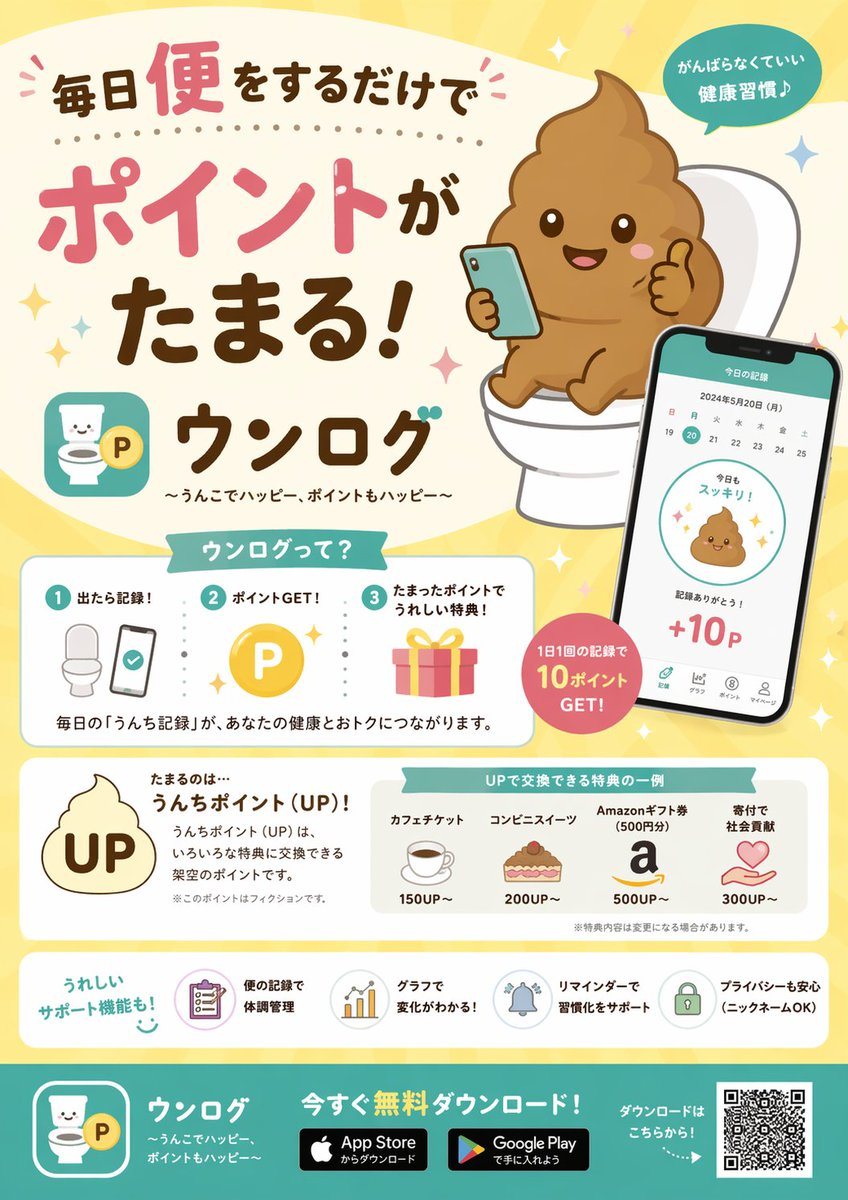
提示词{
"type": "promotional app infographic flyer",
"style": "cute, pastel colors, approachable, flat vector illustrations mixed with soft shading, Japanese promotional design",
"header": {
"headline": "{argument name=\"main headline\" default=\"毎日便をするだけでポイントがたまる!\"}",
"app_name": "{argument name=\"app name\" default=\"ウンログ\"}",
"subtitle": "{argument name=\"app subtitle\" default=\"〜うんこでハッピー、ポイントもハッピー〜\"}",
"top_right_badge": "がんばらなくていい 健康習慣♪",
"main_illustration": "cute smiling brown poop emoji character sitting on a white toilet, holding a smartphone and giving a thumbs up"
},
"layout": {
"sections": [
{
"title": "ウンログって?",
"position": "middle-left",
"type": "how_it_works",
"count": 3,
"steps": [
{"number": 1, "label": "出たら記録!", "icon": "toilet and smartphone"},
{"number": 2, "label": "ポイントGET!", "icon": "gold P coin"},
{"number": 3, "label": "たまったポイントでうれしい特典!", "icon": "pink gift box"}
],
"description": "毎日の「うんち記録」が、あなたの健康とおトクにつながります。"
},
{
"type": "app_ui_mockup",
"position": "middle-right",
"description": "smartphone displaying a calendar, a cute poop icon saying '今日もスッキリ!', and '+10P'",
"floating_badge": "1日1回の記録で 10ポイント GET!"
},
{
"title": "たまるのは…",
"position": "lower-middle-left",
"point_system": "{argument name=\"point name\" default=\"うんちポイント (UP)!\"}",
"icon": "poop shape with UP text inside"
},
{
"title": "UPで交換できる特典の一例",
"position": "lower-middle-right",
"type": "rewards_list",
"count": 4,
"items": [
{"label": "カフェチケット", "cost": "150UP~", "icon": "coffee cup"},
{"label": "コンビニスイーツ", "cost": "200UP~", "icon": "cake"},
{"label": "Amazonギフト券 (500円分)", "cost": "500UP~", "icon": "letter a"},
{"label": "寄付で社会貢献", "cost": "300UP~", "icon": "heart in hands"}
]
},
{
"title": "うれしいサポート機能も!",
"position": "bottom-above-footer",
"type": "features_list",
"count": 4,
"items": [
{"label": "便の記録で体調管理", "icon": "clipboard"},
{"label": "グラフで変化がわかる!", "icon": "bar chart"},
{"label": "リマインダーで習慣化をサポート", "icon": "bell"},
{"label": "プライバシーも安心 (ニックネームOK)", "icon": "lock"}
]
}
],
"footer": {
"background_color": "teal",
"call_to_action": "{argument name=\"call to action\" default=\"今すぐ無料ダウンロード!\"}",
"elements": ["app logo", "App Store badge", "Google Play badge", "QR code"]
}
}
}