
Image2Studio
Examples

gpt-image-2

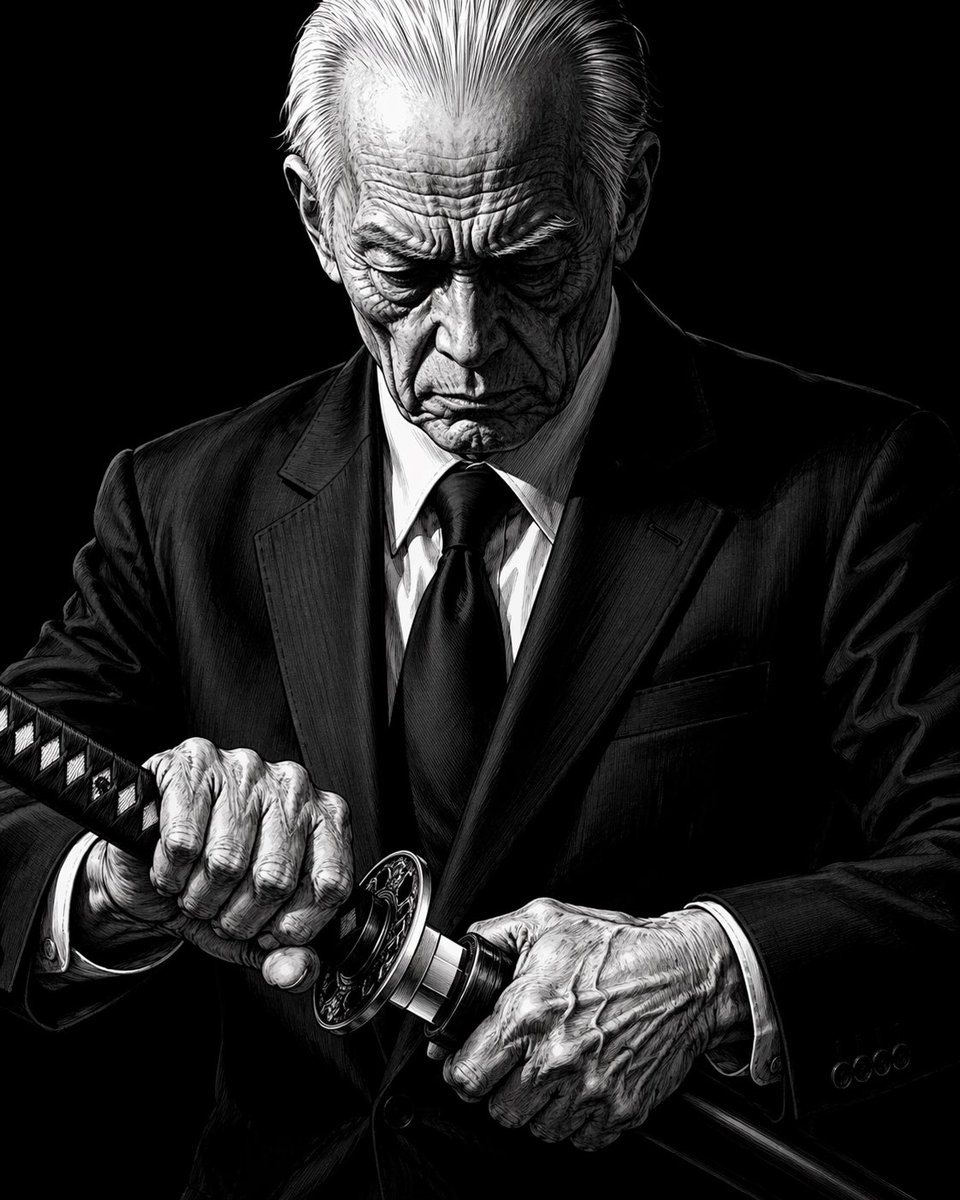
Elderly Yakuza Drawing Katana

Generates a dramatic, high-contrast black-and-white illustration of an elderly man in a suit drawing a katana, suitable for manga or graphic novel concepts.

Generates a dramatic, high-contrast black-and-white illustration of an elderly man in a suit drawing a katana, suitable for manga or graphic novel concepts.
Prompt

A high-contrast, black-and-white illustration of an elderly man in a sharp suit, drawing a katana. The man has slicked-back white hair, deep wrinkles, and an intense, focused expression, looking down at the blade. He wears a dark suit, white shirt, and dark tie. His hands are prominently featured in the foreground, showing pronounced veins and wrinkles as they grip the ornate handle and scabbard of the katana. The background is completely black, emphasizing the dramatic lighting and intricate cross-hatching details on the man's face, hands, and clothing. The style resembles a detailed, gritty manga or graphic novel.

Prompt structure
  • Modelgpt-image-2
  • Use caseavatar
  • Stylecinematic, anime, watercolor
  • Aspect ratioFlexible
Best used for
  • Use caseavatar
  • Stylecinematic, anime, watercolor
  • Recommended specs1:1, 4:5, 16:9, or 9:16
  • ModelGPT Image 2
How to customize

Use this Elderly Yakuza Drawing Katana prompt as a base. Replace the subject, product details, environment, lighting, brand colors, and output ratio while keeping the avatar intent and cinematic, anime, watercolor direction stable.

Editable variables
  • SubjectReplace the product, person, scene, interface, or object being generated.
  • Use caseKeep or rewrite the destination as avatar, ad creative, cover image, poster, or ecommerce hero.
  • FrameChoose 1:1, 4:5, 16:9, or 9:16 based on the final placement.
  • Brand cuesAdd colors, materials, props, text-safe space, and the platform where the image will be used.
Recommended specs

Choose the frame for the destination first, then use 1K, 2K, or 4K based on output quality needs. Product images and posters usually benefit from higher resolution.

Pre-generation checklist
  • CheckSubject, lighting, composition, and frame are specific enough to review.
  • CheckText-safe space is included when the image will carry a headline or ad copy.
  • CheckResolution, credit cost, and final destination are checked before generation.
Why this prompt works

Elderly Yakuza Drawing Katana works because it starts from the image job, then controls subject, composition, lighting, style, and frame. It is best for avatar while keeping the cinematic, anime, watercolor direction stable.

Common questions
  • Can I use it directly?Yes. Replace the subject, brand cues, and frame, then generate in Image2Studio.
  • Which ratio should I use?Choose 1:1, 4:5, 16:9, or 9:16 based on the destination.




