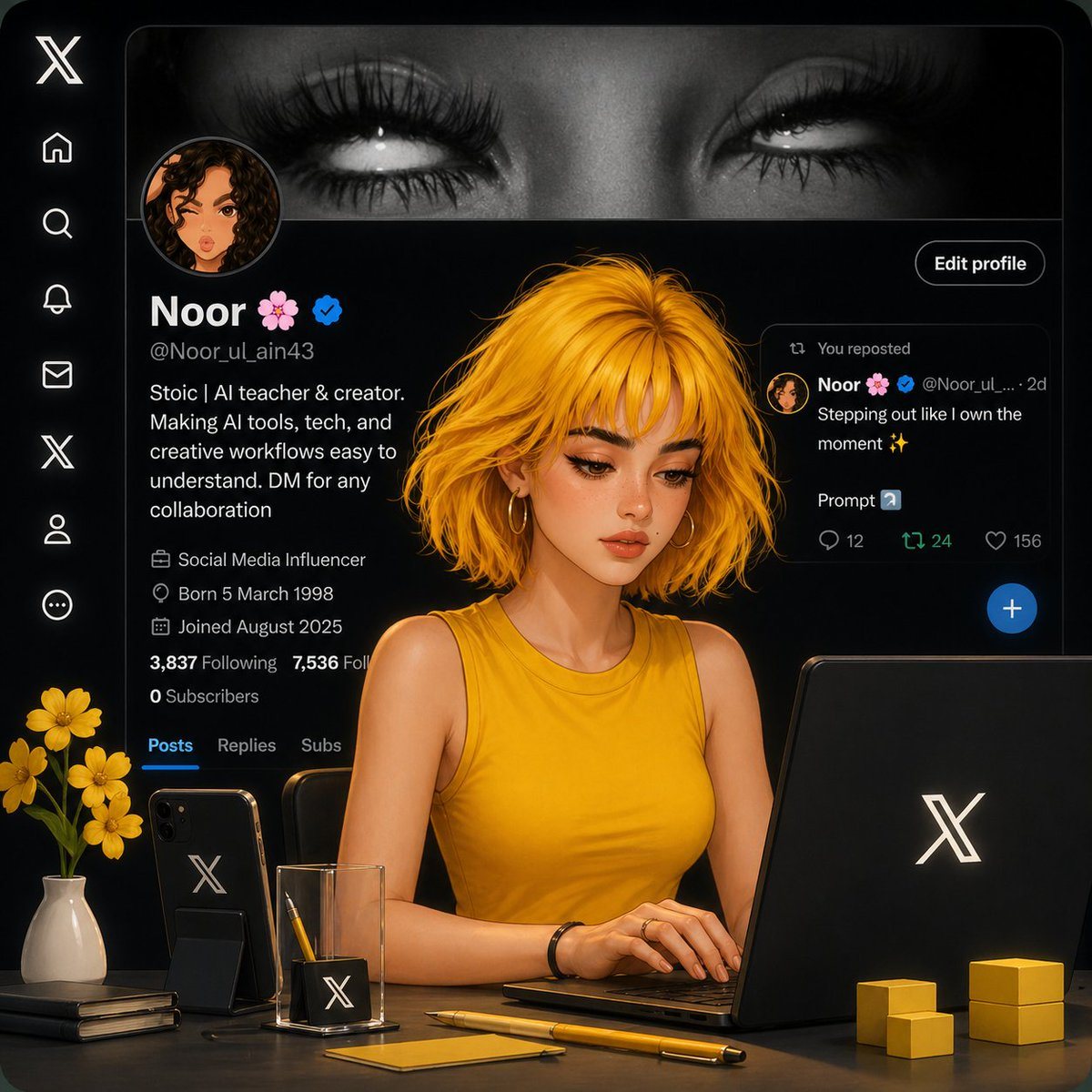
PromptAesthetic AI workspace scene inside an X (Twitter) profile interface, dark theme UI in the background showing a profile named "Noor 🌸" with a verified badge. In the foreground, a stylized semi-realistic digital girl with {argument name="hair style" default="short messy golden-yellow hair"} and soft glowing skin, wearing a {argument name="outfit" default="sleeveless mustard-yellow top"}, sitting at a desk and working on a laptop with the X logo.
Desk setup includes: a black smartphone with X logo, a minimal glass pen holder with pencil, a yellow pen, sticky notes, stacked notebooks, small yellow cube decor, and a {argument name="decor" default="vase with yellow flowers"}. Lighting is soft, cinematic, warm tones with high contrast against the dark UI.
Composition: centered subject, slightly angled view, sharp focus on the girl, blurred background interface. Hyper-detailed, smooth rendering, 3D + illustration hybrid style, trending on ArtStation, ultra clean, professional, cozy creator workspace vibe.
Prompt structure- Modelgpt-image-2
- Use caseapp-ui-mockup
- Styleminimal, cinematic, photorealistic, 3d-render
- Aspect ratioFlexible
Best used for- Use caseapp-ui-mockup
- Styleminimal, cinematic, photorealistic, 3d-render
- Recommended specs1:1, 4:5, 16:9, or 9:16
- ModelGPT Image 2
How to customizeUse this Aesthetic AI Workspace Scene prompt as a base. Replace the subject, product details, environment, lighting, brand colors, and output ratio while keeping the app-ui-mockup intent and minimal, cinematic, photorealistic, 3d-render direction stable.
Editable variables- SubjectReplace the product, person, scene, interface, or object being generated.
- Use caseKeep or rewrite the destination as app ui mockup, ad creative, cover image, poster, or ecommerce hero.
- FrameChoose 1:1, 4:5, 16:9, or 9:16 based on the final placement.
- Brand cuesAdd colors, materials, props, text-safe space, and the platform where the image will be used.
Recommended specsChoose the frame for the destination first, then use 1K, 2K, or 4K based on output quality needs. Product images and posters usually benefit from higher resolution.
Pre-generation checklist- CheckSubject, lighting, composition, and frame are specific enough to review.
- CheckText-safe space is included when the image will carry a headline or ad copy.
- CheckResolution, credit cost, and final destination are checked before generation.
Why this prompt worksAesthetic AI Workspace Scene works because it starts from the image job, then controls subject, composition, lighting, style, and frame. It is best for app ui mockup while keeping the minimal, cinematic, photorealistic, 3d-render direction stable.
Common questions- Can I use it directly?Yes. Replace the subject, brand cues, and frame, then generate in Image2Studio.
- Which ratio should I use?Choose 1:1, 4:5, 16:9, or 9:16 based on the destination.