
Image2Studio
Examples

gpt-image-2

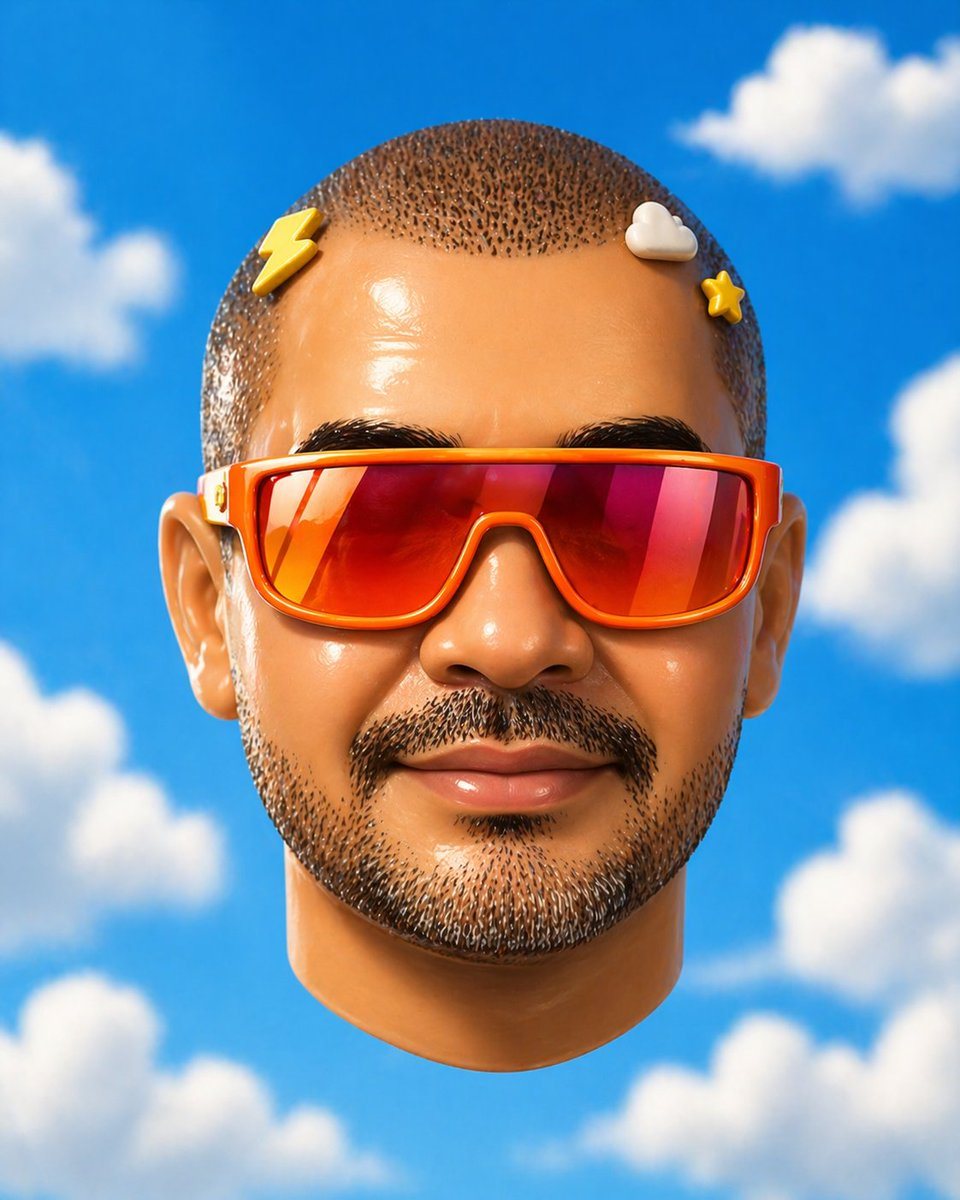
Surreal Studio Portrait Of A Floating Human Head Seen Straight-on

A surreal studio portrait of a floating human head seen straight-on, centered in the frame against a vivid saturated blue sky with soft fluffy white clouds. The face is entirely obscured...

A surreal studio portrait of a floating human head seen straight-on, centered in the frame against a vivid saturated blue sky with soft fluffy white clouds. The face is entirely obscured...
Prompt

A surreal studio portrait of a floating human head seen straight-on, centered in the frame against a vivid saturated blue sky with soft fluffy white clouds. The face is entirely obscured by a large smooth rectangular censor block in the center, covering from forehead to chin and most of the cheeks, with a subtle gradient of warm tan to muted blue-gray. Only the outer features remain visible: a close-cropped buzz cut with tight dark speckled hair texture on top, 2 visible ears, and the lower rounded chin and jaw. The head wears colorful eyeglass temples wrapping around the sides only, with no visible front lenses because the center is blocked; the left temple is pale cream with a tiny red-and-gold decorative mark, and the right temple is bright red-orange. Add 2 small rounded nubs peeking above the censor block near the top edge, one yellow on the left and one off-white on the right, creating a quirky toy-like feel. Render it as a hyperreal yet slightly uncanny 3D illustration, smooth skin, soft daylight, minimal composition, shallow depth of field, clean whimsical pop-surreal aesthetic.

Prompt structure
  • Modelgpt-image-2
  • Use caseavatar
  • Style3d-render, minimal, watercolor, luxury
  • Aspect ratioFlexible
Best used for
  • Use caseavatar
  • Style3d-render, minimal, watercolor, luxury
  • Recommended specs1:1, 4:5, 16:9, or 9:16
  • ModelGPT Image 2
How to customize

Use this Surreal Studio Portrait Of A Floating Human Head Seen Straight-on prompt as a base. Replace the subject, product details, environment, lighting, brand colors, and output ratio while keeping the avatar intent and 3d-render, minimal, watercolor, luxury direction stable.

Editable variables
  • SubjectReplace the product, person, scene, interface, or object being generated.
  • Use caseKeep or rewrite the destination as avatar, ad creative, cover image, poster, or ecommerce hero.
  • FrameChoose 1:1, 4:5, 16:9, or 9:16 based on the final placement.
  • Brand cuesAdd colors, materials, props, text-safe space, and the platform where the image will be used.
Recommended specs

Choose the frame for the destination first, then use 1K, 2K, or 4K based on output quality needs. Product images and posters usually benefit from higher resolution.

Pre-generation checklist
  • CheckSubject, lighting, composition, and frame are specific enough to review.
  • CheckText-safe space is included when the image will carry a headline or ad copy.
  • CheckResolution, credit cost, and final destination are checked before generation.
Why this prompt works

Surreal Studio Portrait Of A Floating Human Head Seen Straight-on works because it starts from the image job, then controls subject, composition, lighting, style, and frame. It is best for avatar while keeping the 3d-render, minimal, watercolor, luxury direction stable.

Common questions
  • Can I use it directly?Yes. Replace the subject, brand cues, and frame, then generate in Image2Studio.
  • Which ratio should I use?Choose 1:1, 4:5, 16:9, or 9:16 based on the destination.




