
Image2Studio
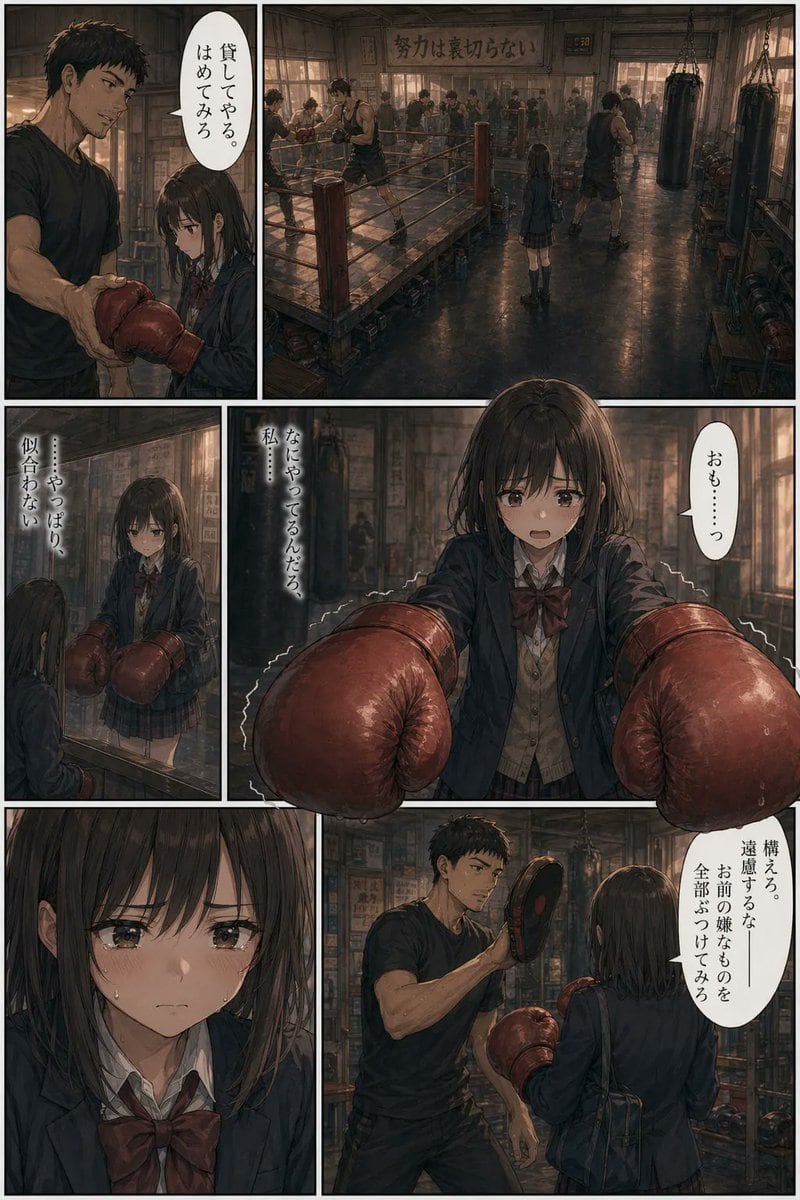
Ready-to-edit manga page image prompt.
Prompt

{"type":"manga page","style":"cinematic seinen manga, painterly realism, moody dramatic lighting, highly detailed interior, muted brown and charcoal palette, soft film-grain texture","reading":"right-to-left Japanese manga layout","page":{"panel_count":6,"gutter":"thin white borders evenly spaced","background":"old-school boxing gym with worn wooden floors, boxing ring, hanging heavy bags, posters on the walls, warm dusty window light, crowded trainees in the distance"},"characters":{"girl":{"role":"high school girl beginner boxer","age_appearance":"teenage","hair":"straight dark bob cut with bangs","outfit":["dark school blazer","white shirt","large burgundy ribbon bow","plaid skirt","shoulder bag"],"gloves":"oversized red boxing gloves, clearly too large for her hands","expression":"nervous, self-conscious, uncertain but trying to be brave"},"trainer":{"role":"boxing coach","build":"tall muscular man","hair":"short dark messy hair","outfit":["black T-shirt","dark athletic shorts"],"prop":"focus mitt in one hand"}},"layout":{"sections":[{"position":"top-left vertical panel","count":1,"scene":"the trainer hands the girl a pair of red boxing gloves at close range"},{"position":"top-wide panel","count":1,"scene":"wide establishing shot of the busy boxing gym; the girl stands small in the middle while multiple boxers train around the ring"},{"position":"middle-left narrow panel","count":1,"scene":"the girl looks at herself in a mirror wearing the oversized gloves"},{"position":"middle-wide panel","count":1,"scene":"front-facing medium close shot of the girl extending both giant gloves toward the viewer, slightly trembling"},{"position":"bottom-left panel","count":1,"scene":"close-up portrait of the girl’s face and school uniform bow, quiet emotional beat"},{"position":"bottom-right panel","count":1,"scene":"the trainer instructs her while holding up a mitt, the girl seen from behind in gloves preparing to practice"}],"speech_balloons":{"count":6,"language":"Japanese","labels":["貸してやる。はめてみろ","おも……っ","……やっぱり、似合わない","なにやってるんだろ 私に…","構える。遠慮するな―― お前が嫌なものを全部ぶつけてみろ","努力は裏切らない"]}},"composition":"dramatic paneling with one large establishing panel and one large emotional action panel, intimate character framing, realistic anatomy, subtle perspective depth","quality":"polished manga illustration suitable for a full comic page"}

Prompt structure
  • Modelgpt-image-2
  • Use caseavatar
  • Stylecinematic, anime, editorial, photorealistic
  • Aspect ratioFlexible
Best used for
  • Use caseavatar
  • Stylecinematic, anime, editorial, photorealistic
  • Recommended specs1:1, 4:5, 16:9, or 9:16
  • ModelGPT Image 2
How to customize

Use this Manga Page prompt as a base. Replace the subject, product details, environment, lighting, brand colors, and output ratio while keeping the avatar intent and cinematic, anime, editorial, photorealistic direction stable.

Editable variables
  • SubjectReplace the product, person, scene, interface, or object being generated.
  • Use caseKeep or rewrite the destination as avatar, ad creative, cover image, poster, or ecommerce hero.
  • FrameChoose 1:1, 4:5, 16:9, or 9:16 based on the final placement.
  • Brand cuesAdd colors, materials, props, text-safe space, and the platform where the image will be used.
Recommended specs

Choose the frame for the destination first, then use 1K, 2K, or 4K based on output quality needs. Product images and posters usually benefit from higher resolution.

Pre-generation checklist
  • CheckSubject, lighting, composition, and frame are specific enough to review.
  • CheckText-safe space is included when the image will carry a headline or ad copy.
  • CheckResolution, credit cost, and final destination are checked before generation.
Why this prompt works

Manga Page works because it starts from the image job, then controls subject, composition, lighting, style, and frame. It is best for avatar while keeping the cinematic, anime, editorial, photorealistic direction stable.

Common questions
  • Can I use it directly?Yes. Replace the subject, brand cues, and frame, then generate in Image2Studio.
  • Which ratio should I use?Choose 1:1, 4:5, 16:9, or 9:16 based on the destination.




