
Image2Studio
Examples

gpt-image-2

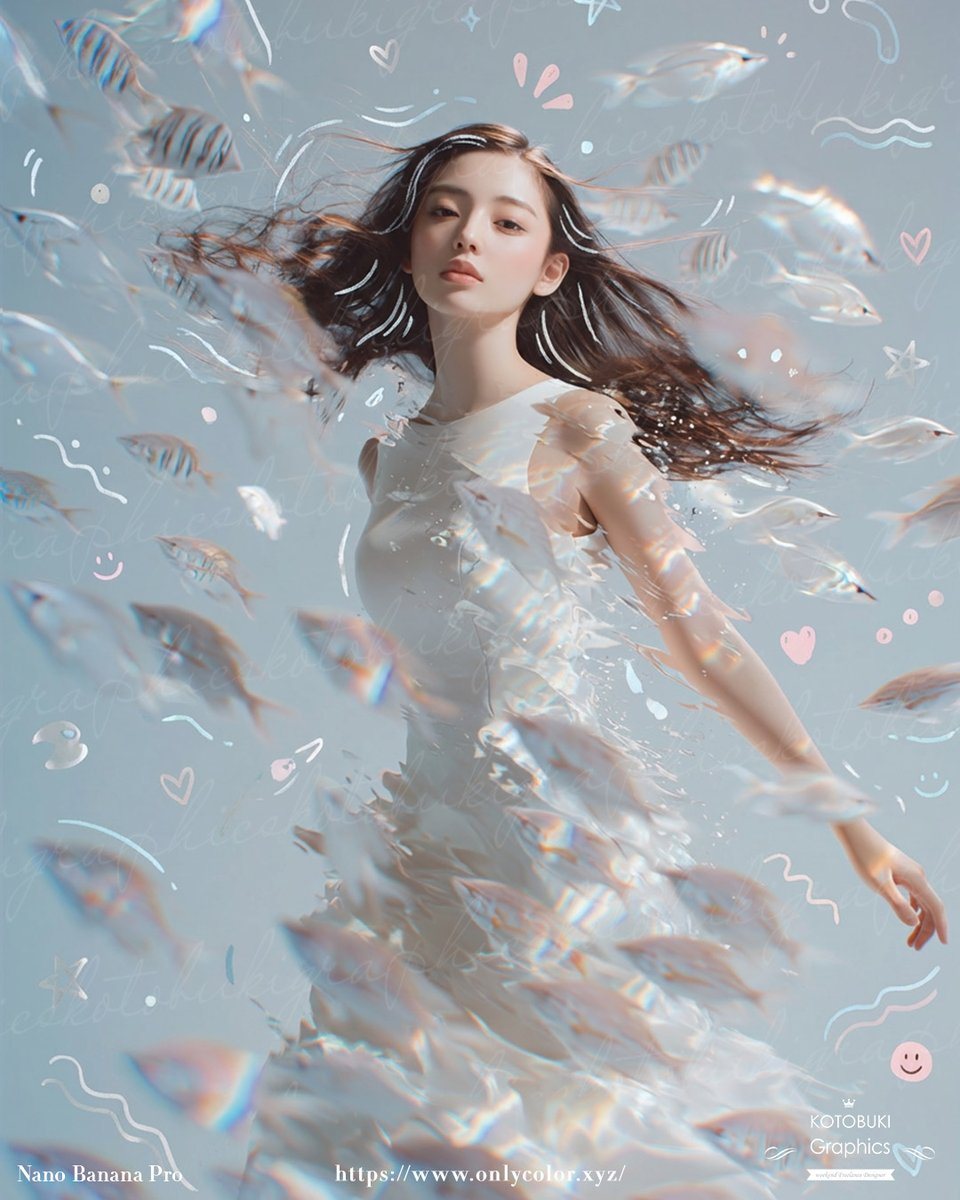
Dreamy Surreal Portrait Of A Young Woman Standing Underwater Or In A Liq

A dreamy surreal portrait of a young woman standing underwater or in a liquid-like ethereal space, shown from about mid-thigh up, wearing a flowing sleeveless white dress that appears to...

A dreamy surreal portrait of a young woman standing underwater or in a liquid-like ethereal space, shown from about mid-thigh up, wearing a flowing sleeveless white dress that appears to...
Prompt

A dreamy surreal portrait of a {argument name="subject" default="young woman"} standing underwater or in a liquid-like ethereal space, shown from about mid-thigh up, wearing a flowing sleeveless white dress that appears to dissolve into translucent water and shimmering fragments. Her long {argument name="hair color" default="dark brown"} hair streams dramatically sideways as if suspended in water, and her face is intentionally obscured by a soft vertical blur block for anonymity. Surround her with an exact count of about 30 small translucent fish, some striped and some pale silvery white, swimming in multiple depths of field across the foreground, midground, and background, with several fish passing in front of her body and hair to create strong motion and depth. Use a soft pastel {argument name="background color" default="powder blue"} background with faint handwritten script texture layered across it, plus whimsical doodles scattered throughout: white and pale pink hearts, stars, curved squiggles, wave lines, dots, sparkles, and 2 smiley faces. Add prismatic rainbow refractions, glossy caustic highlights, and subtle lens-like chromatic shimmer on the fish and dress. The mood should feel delicate, introspective, airy, and magical, with high-key lighting, gentle contrast, soft focus in the foreground, and crisp detail on the torso and hair. Compose the figure slightly off-center with one arm relaxed downward and the body turned lightly in motion, as if drifting peacefully through a school of fish. Include tiny elegant footer text in white near the bottom edge, with a left signature, a centered website URL, and a small right credit mark, resembling an art-poster or social-media showcase image.

Prompt structure
  • Modelgpt-image-2
  • Use caseavatar
  • Stylephotorealistic, luxury
  • Aspect ratioFlexible
Best used for
  • Use caseavatar
  • Stylephotorealistic, luxury
  • Recommended specs1:1, 4:5, 16:9, or 9:16
  • ModelGPT Image 2
How to customize

Use this Dreamy Surreal Portrait Of A Young Woman Standing Underwater Or In A Liq prompt as a base. Replace the subject, product details, environment, lighting, brand colors, and output ratio while keeping the avatar intent and photorealistic, luxury direction stable.

Editable variables
  • SubjectReplace the product, person, scene, interface, or object being generated.
  • Use caseKeep or rewrite the destination as avatar, ad creative, cover image, poster, or ecommerce hero.
  • FrameChoose 1:1, 4:5, 16:9, or 9:16 based on the final placement.
  • Brand cuesAdd colors, materials, props, text-safe space, and the platform where the image will be used.
Recommended specs

Choose the frame for the destination first, then use 1K, 2K, or 4K based on output quality needs. Product images and posters usually benefit from higher resolution.

Pre-generation checklist
  • CheckSubject, lighting, composition, and frame are specific enough to review.
  • CheckText-safe space is included when the image will carry a headline or ad copy.
  • CheckResolution, credit cost, and final destination are checked before generation.
Why this prompt works

Dreamy Surreal Portrait Of A Young Woman Standing Underwater Or In A Liq works because it starts from the image job, then controls subject, composition, lighting, style, and frame. It is best for avatar while keeping the photorealistic, luxury direction stable.

Common questions
  • Can I use it directly?Yes. Replace the subject, brand cues, and frame, then generate in Image2Studio.
  • Which ratio should I use?Choose 1:1, 4:5, 16:9, or 9:16 based on the destination.




