
Image2Studio
Examples

gpt-image-2

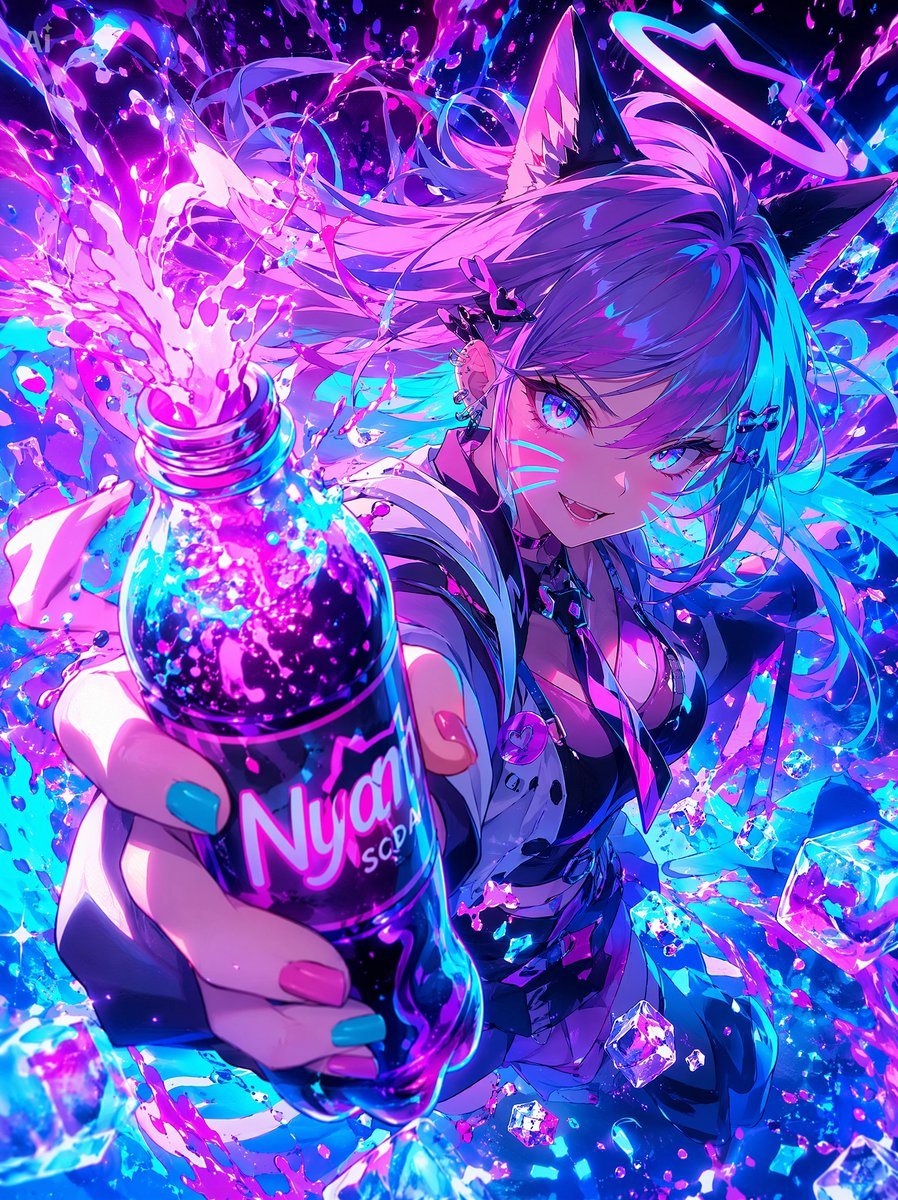
Neon Catgirl Soda Burst

This prompt generates a high-energy anime-style vertical poster of a cat-eared idol girl presenting a glowing soda bottle amid explosive neon splashes, ideal for ad-style key art or social media illustration.

This prompt generates a high-energy anime-style vertical poster of a cat-eared idol girl presenting a glowing soda bottle amid explosive neon splashes, ideal for ad-style key art or social media illustration.
Prompt

A hyper-dynamic anime illustration of a neon cyber idol catgirl thrusting a soda bottle toward the viewer in extreme foreshortened perspective, with the bottle dominating the foreground and the character filling the background. She has {argument name="hair color" default="long lavender-to-cyan gradient hair"}, 2 black cat ears with soft pink inner fur, and 1 glowing halo ring floating above her head. Her face is mostly hidden by a solid square censor block in the center-right of the image, while her wild flowing hair explodes outward in ribbons and strands. She wears a glossy black and white futuristic streetwear outfit with a deep neckline, a cropped jacket, metallic straps, small accessories, and a round pink badge near the chest. Her visible hand grips 1 plastic soda bottle labeled {argument name="brand name" default="Nyan SODA"}, with long nails painted in 2 colors: cyan and pink. The bottle is transparent and filled with sparkling dark purple soda, glowing bubbles, and neon highlights, and it erupts upward in a dramatic splash of vivid magenta liquid. Surround the scene with 1 shower of crystalline ice cubes, countless droplets, paint-like splashes, glittering particles, and energy arcs. Use an intense palette of electric magenta, violet, indigo, and cyan with high contrast, glossy reflections, bloom lighting, and luminous rim light. The background should be an abstract explosion of liquid, light, and motion rather than a realistic setting. Make it feel like an aggressive soda advertisement mixed with idol key art, chaotic, cute, and high-energy, with ultra-detailed anime rendering, crisp linework, sparkling highlights, and a vertical poster composition.

Prompt structure
  • Modelgpt-image-2
  • Use casesocial-media-post
  • Stylecinematic, cyberpunk, anime, watercolor
  • Aspect ratioFlexible
Best used for
  • Use casesocial-media-post
  • Stylecinematic, cyberpunk, anime, watercolor
  • Recommended specs1:1, 4:5, 16:9, or 9:16
  • ModelGPT Image 2
How to customize

Use this Neon Catgirl Soda Burst prompt as a base. Replace the subject, product details, environment, lighting, brand colors, and output ratio while keeping the social-media-post intent and cinematic, cyberpunk, anime, watercolor direction stable.

Editable variables
  • SubjectReplace the product, person, scene, interface, or object being generated.
  • Use caseKeep or rewrite the destination as social media post, ad creative, cover image, poster, or ecommerce hero.
  • FrameChoose 1:1, 4:5, 16:9, or 9:16 based on the final placement.
  • Brand cuesAdd colors, materials, props, text-safe space, and the platform where the image will be used.
Recommended specs

Choose the frame for the destination first, then use 1K, 2K, or 4K based on output quality needs. Product images and posters usually benefit from higher resolution.

Pre-generation checklist
  • CheckSubject, lighting, composition, and frame are specific enough to review.
  • CheckText-safe space is included when the image will carry a headline or ad copy.
  • CheckResolution, credit cost, and final destination are checked before generation.
Why this prompt works

Neon Catgirl Soda Burst works because it starts from the image job, then controls subject, composition, lighting, style, and frame. It is best for social media post while keeping the cinematic, cyberpunk, anime, watercolor direction stable.

Common questions
  • Can I use it directly?Yes. Replace the subject, brand cues, and frame, then generate in Image2Studio.
  • Which ratio should I use?Choose 1:1, 4:5, 16:9, or 9:16 based on the destination.




