
Image2Studio
Examples

gpt-image-2

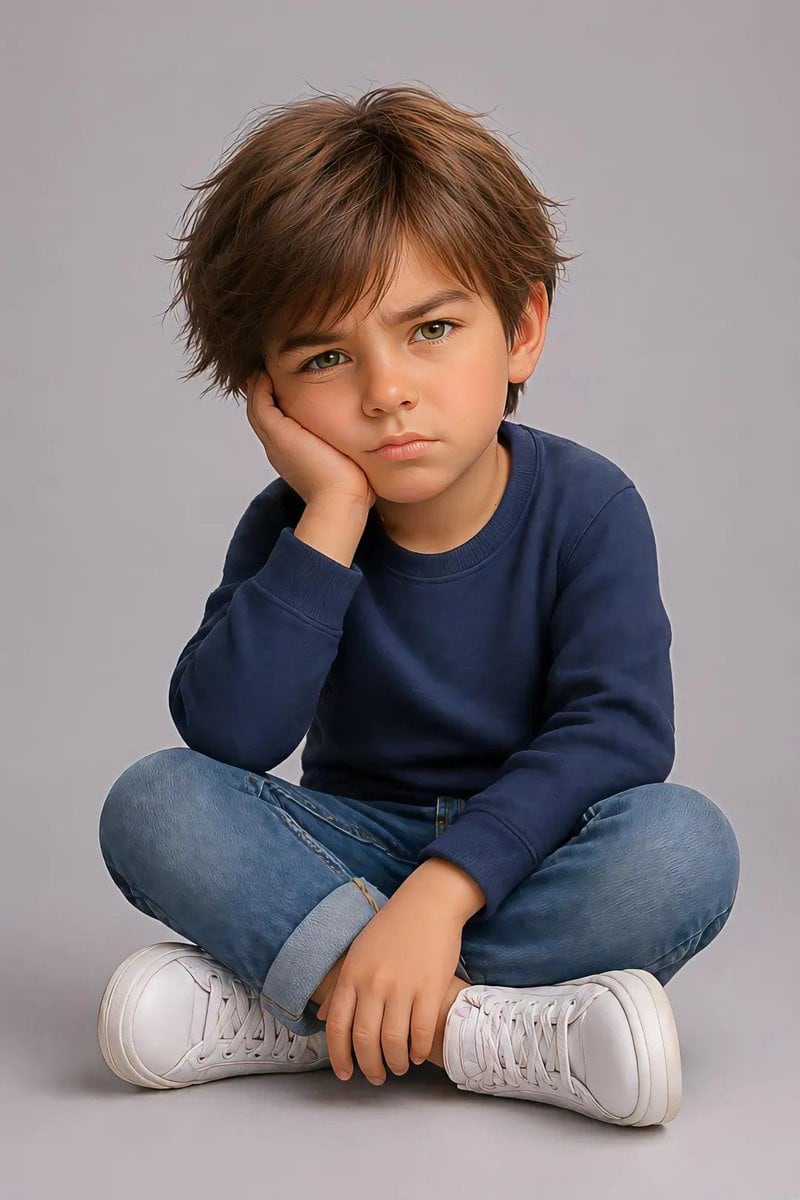
Pixar Style Identity Preservation

A highly technical prompt for transforming a reference photo of a child into a 3D Pixar-style portrait while maintaining exact facial identity and pose.

A highly technical prompt for transforming a reference photo of a child into a 3D Pixar-style portrait while maintaining exact facial identity and pose.
Prompt

Create an image using the uploaded image. Ultra-detailed, hyper-realistic, 3d pixar portrait of a {argument name="gender" default="young child"}, preserving the exact facial identity, structure, and proportions from the reference image with high fidelity. Pose (must match exactly): Child is sitting on the floor with legs crossed. One elbow is resting on the knee, with the hand supporting the side of the face (cheek pressed into palm). The other hand rests relaxed near the ankle or shin. Head slightly tilted forward. Expression is mildly annoyed, pouting, or bored with furrowed brows and subtle frown. Eye contact directed toward camera. Body proportions: Natural child proportions with slightly stylized softness. Maintain realistic anatomy, no exaggeration. Face & expression: Preserve original eye shape, nose structure, lips, and skin tone. Expression should reflect subtle frustration or impatience (pout, slight brow tension). Hair: {argument name="hair style" default="medium to long natural hair, slightly tousled, soft volume"} Clothing: Casual modern outfit: Random color long-sleeve sweater or similar soft fabric top Denim jeans (rolled cuffs optional) Clean white sneakers Lighting: Soft studio lighting, evenly diffused, gentle shadows under chin and body, smooth skin rendering without over-processing. Background: Minimal clean studio backdrop (light grey or soft neutral tone), seamless and distraction-free. Details: Highly detailed skin texture, realistic fabric folds, natural hair strands with subtle flyaways, crisp focus, 8k resolution feel. Camera: Eye-level perspective, centered framing, shallow depth of field but subject fully sharp. Vertical portrait composition, full frame height emphasis, cinematic poster layout.

Prompt structure
  • Modelgpt-image-2
  • Use caseavatar
  • Stylephotorealistic, minimal, 3d-render, cinematic
  • Aspect ratioFlexible
Best used for
  • Use caseavatar
  • Stylephotorealistic, minimal, 3d-render, cinematic
  • Recommended specs1:1, 4:5, 16:9, or 9:16
  • ModelGPT Image 2
How to customize

Use this Pixar Style Identity Preservation prompt as a base. Replace the subject, product details, environment, lighting, brand colors, and output ratio while keeping the avatar intent and photorealistic, minimal, 3d-render, cinematic direction stable.

Editable variables
  • SubjectReplace the product, person, scene, interface, or object being generated.
  • Use caseKeep or rewrite the destination as avatar, ad creative, cover image, poster, or ecommerce hero.
  • FrameChoose 1:1, 4:5, 16:9, or 9:16 based on the final placement.
  • Brand cuesAdd colors, materials, props, text-safe space, and the platform where the image will be used.
Recommended specs

Choose the frame for the destination first, then use 1K, 2K, or 4K based on output quality needs. Product images and posters usually benefit from higher resolution.

Pre-generation checklist
  • CheckSubject, lighting, composition, and frame are specific enough to review.
  • CheckText-safe space is included when the image will carry a headline or ad copy.
  • CheckResolution, credit cost, and final destination are checked before generation.
Why this prompt works

Pixar Style Identity Preservation works because it starts from the image job, then controls subject, composition, lighting, style, and frame. It is best for avatar while keeping the photorealistic, minimal, 3d-render, cinematic direction stable.

Common questions
  • Can I use it directly?Yes. Replace the subject, brand cues, and frame, then generate in Image2Studio.
  • Which ratio should I use?Choose 1:1, 4:5, 16:9, or 9:16 based on the destination.




