Image2Studio
Examples

gpt-image-2

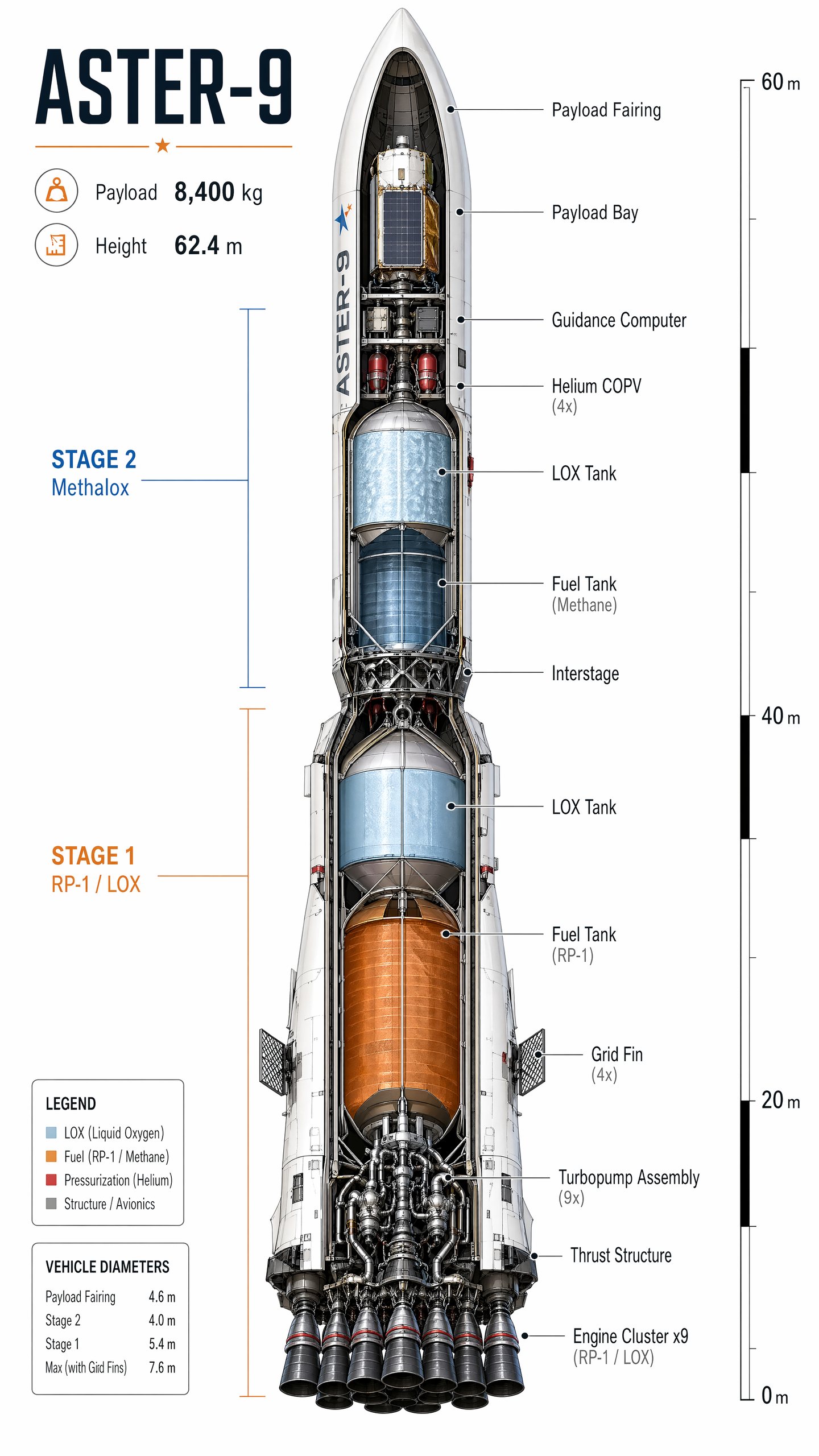
Rocket Cutaway Diagram

Social Media Post prompt for infographics, ready to edit and generate in Image2Studio.

Social Media Post prompt for infographics, ready to edit and generate in Image2Studio.
Prompt

Generate a highly detailed vertical cutaway illustration of a fictional two-stage launch vehicle named Aster-9 on a clean white technical background. Show the full rocket from nose cone to engines, sliced to reveal internal tanks, avionics, payload fairing, interstage, turbopumps, and thrust structure. Use a restrained palette of white, gunmetal, orange, pale blue, and safety red accents. Add precise leader lines and crisp labels. Include in-image text: "ASTER-9", "Payload 8,400 kg", "Height 62.4 m", "Stage 1 RP-1 / LOX", and "Stage 2 Methalox". Label internal parts such as "Payload Bay", "Guidance Computer", "LOX Tank", "Fuel Tank", "Helium COPV", and "Engine Cluster x9". Add a small scale marker with "0 m", "20 m", "40 m", and "60 m". Prioritize accurate engineering-diagram composition, clean typography, believable hardware detail, and razor-sharp annotations optimized for gpt-image-2.

Prompt structure
  • Modelgpt-image-2
  • Use casesocial-media-post
  • Styleminimal, watercolor
  • Aspect ratiotall
Best used for
  • Use casesocial-media-post
  • Styleminimal, watercolor
  • Recommended specstall
  • ModelGPT Image 2
How to customize

Use this Rocket Cutaway Diagram prompt as a base. Replace the subject, product details, environment, lighting, brand colors, and output ratio while keeping the social-media-post intent and minimal, watercolor direction stable.

Editable variables
  • SubjectReplace the product, person, scene, interface, or object being generated.
  • Use caseKeep or rewrite the destination as social media post, ad creative, cover image, poster, or ecommerce hero.
  • Frametall
  • Brand cuesAdd colors, materials, props, text-safe space, and the platform where the image will be used.
Recommended specs

Choose the frame for the destination first, then use 1K, 2K, or 4K based on output quality needs. Product images and posters usually benefit from higher resolution.

Pre-generation checklist
  • CheckSubject, lighting, composition, and frame are specific enough to review.
  • CheckText-safe space is included when the image will carry a headline or ad copy.
  • CheckResolution, credit cost, and final destination are checked before generation.
Why this prompt works

Rocket Cutaway Diagram works because it starts from the image job, then controls subject, composition, lighting, style, and frame. It is best for social media post while keeping the minimal, watercolor direction stable.

Common questions
  • Can I use it directly?Yes. Replace the subject, brand cues, and frame, then generate in Image2Studio.
  • Which ratio should I use?tall