Image2Studio
Examples

gpt-image-2

Treemap Budget Allocation

Social Media Post prompt for infographics, ready to edit and generate in Image2Studio.

Social Media Post prompt for infographics, ready to edit and generate in Image2Studio.
Prompt

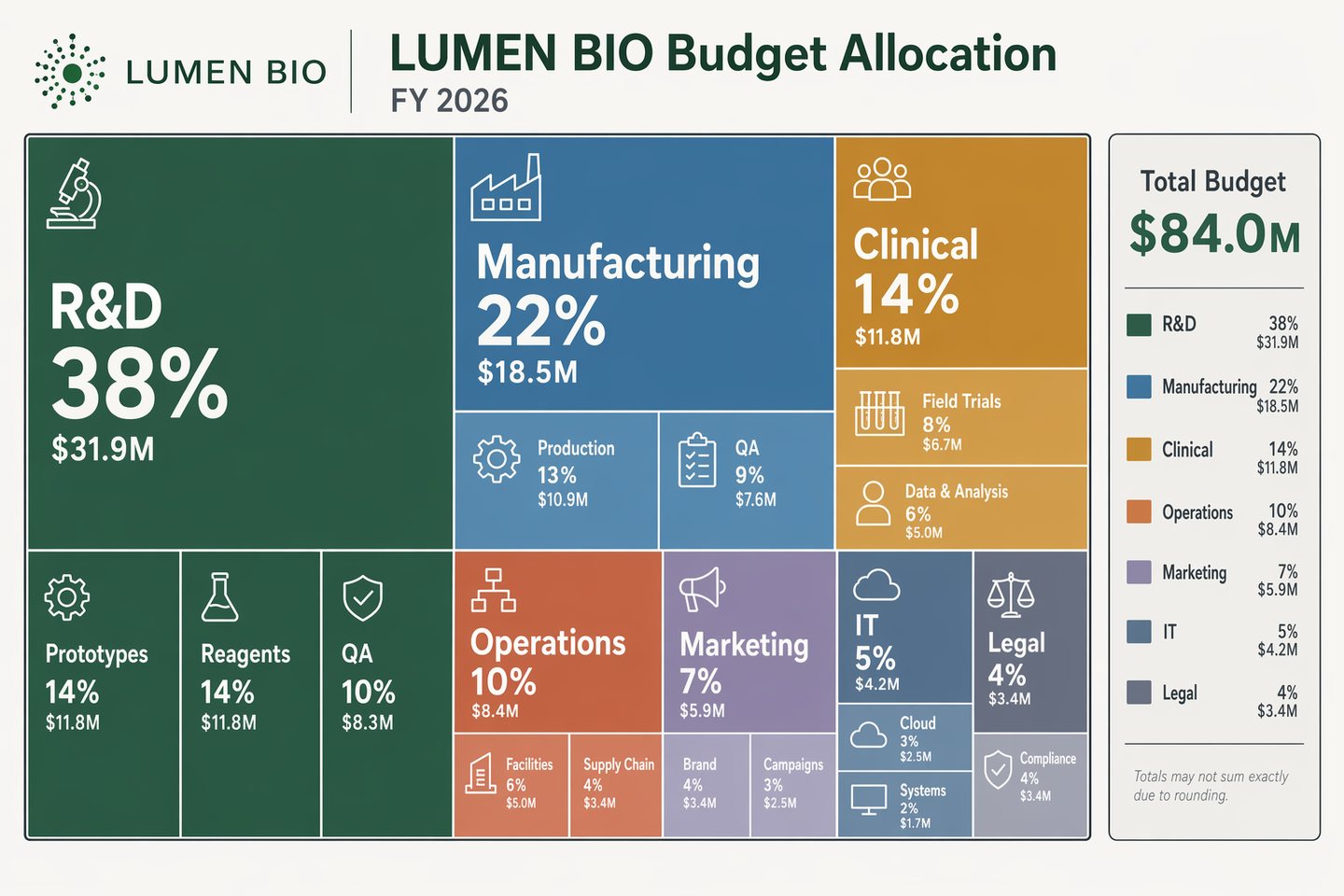
Design a modern treemap infographic showing a fictional company budget allocation for LUMEN BIO in fiscal year 2026. Use a light neutral background and a controlled palette of forest green, desaturated blue, amber, terracotta, lavender-gray, and charcoal outlines. The composition should be a clean rectangular treemap with strong visual grouping and crisp typography. Include a header with the in-image text "LUMEN BIO Budget Allocation" and "FY 2026". Major blocks should be labeled "R&D 38%", "Manufacturing 22%", "Clinical 14%", "Operations 10%", "Marketing 7%", "IT 5%", and "Legal 4%". Within some blocks, add smaller labels like "Prototypes", "Reagents", "QA", "Cloud", and "Field Trials". Include a compact side legend reading "Total Budget $84.0M". Ensure the chart has precise edges, balanced annotation density, clean hierarchy, and sharp text rendering suitable for a technical gallery prompt.

Prompt structure
  • Modelgpt-image-2
  • Use casesocial-media-post
  • Styleminimal
  • Aspect ratiolandscape
Best used for
  • Use casesocial-media-post
  • Styleminimal
  • Recommended specslandscape
  • ModelGPT Image 2
How to customize

Use this Treemap Budget Allocation prompt as a base. Replace the subject, product details, environment, lighting, brand colors, and output ratio while keeping the social-media-post intent and minimal direction stable.

Editable variables
  • SubjectReplace the product, person, scene, interface, or object being generated.
  • Use caseKeep or rewrite the destination as social media post, ad creative, cover image, poster, or ecommerce hero.
  • Framelandscape
  • Brand cuesAdd colors, materials, props, text-safe space, and the platform where the image will be used.
Recommended specs

Choose the frame for the destination first, then use 1K, 2K, or 4K based on output quality needs. Product images and posters usually benefit from higher resolution.

Pre-generation checklist
  • CheckSubject, lighting, composition, and frame are specific enough to review.
  • CheckText-safe space is included when the image will carry a headline or ad copy.
  • CheckResolution, credit cost, and final destination are checked before generation.
Why this prompt works

Treemap Budget Allocation works because it starts from the image job, then controls subject, composition, lighting, style, and frame. It is best for social media post while keeping the minimal direction stable.

Common questions
  • Can I use it directly?Yes. Replace the subject, brand cues, and frame, then generate in Image2Studio.
  • Which ratio should I use?landscape