Image2Studio
Examples

gpt-image-2

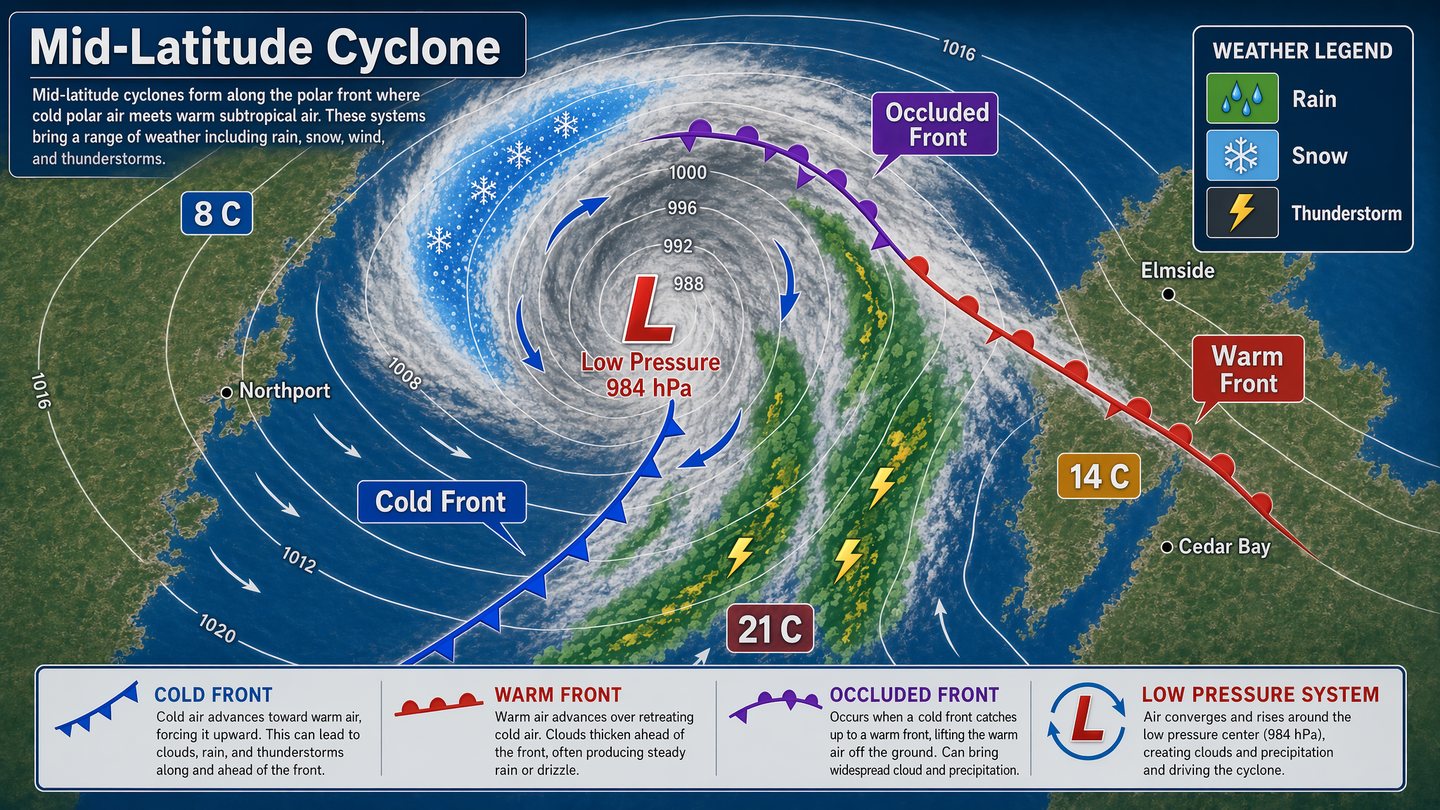
Weather Systems Diagram

Social Media Post prompt for infographics, ready to edit and generate in Image2Studio.

Social Media Post prompt for infographics, ready to edit and generate in Image2Studio.
Prompt

Create a polished meteorology infographic showing a mid-latitude cyclone system from a top-down synoptic view. Use a cool palette of ocean blue, cloud white, storm gray, crimson, and cobalt, with smooth contour lines and crisp symbols. Include pressure isobars, cloud bands, warm and cold fronts, arrows for wind direction, and rainfall zones. Add clear in-image text: "Mid-Latitude Cyclone", "Low Pressure 984 hPa", "Warm Front", "Cold Front", and "Occluded Front". Include city labels "Northport", "Elmside", and "Cedar Bay" for context, plus a legend reading "Rain", "Snow", and "Thunderstorm". Show temperature markers "8 C", "14 C", and "21 C" in different air masses. The composition should be educational and publication-ready, with sharp labels, clean hierarchy, accurate diagram conventions, and strong visual readability suitable for a textbook or science exhibit panel.

Prompt structure
  • Modelgpt-image-2
  • Use casesocial-media-post
  • Styleminimal
  • Aspect ratiowide
Best used for
  • Use casesocial-media-post
  • Styleminimal
  • Recommended specswide
  • ModelGPT Image 2
How to customize

Use this Weather Systems Diagram prompt as a base. Replace the subject, product details, environment, lighting, brand colors, and output ratio while keeping the social-media-post intent and minimal direction stable.

Editable variables
  • SubjectReplace the product, person, scene, interface, or object being generated.
  • Use caseKeep or rewrite the destination as social media post, ad creative, cover image, poster, or ecommerce hero.
  • Framewide
  • Brand cuesAdd colors, materials, props, text-safe space, and the platform where the image will be used.
Recommended specs

Choose the frame for the destination first, then use 1K, 2K, or 4K based on output quality needs. Product images and posters usually benefit from higher resolution.

Pre-generation checklist
  • CheckSubject, lighting, composition, and frame are specific enough to review.
  • CheckText-safe space is included when the image will carry a headline or ad copy.
  • CheckResolution, credit cost, and final destination are checked before generation.
Why this prompt works

Weather Systems Diagram works because it starts from the image job, then controls subject, composition, lighting, style, and frame. It is best for social media post while keeping the minimal direction stable.

Common questions
  • Can I use it directly?Yes. Replace the subject, brand cues, and frame, then generate in Image2Studio.
  • Which ratio should I use?wide