
Image2Studio
Prompts

gpt-image-2

①场景 跨海大桥的侧面,dramatic Cinematic Angle。 巨型 Bold Sans-serif 文字「___②文字内容 跨海大

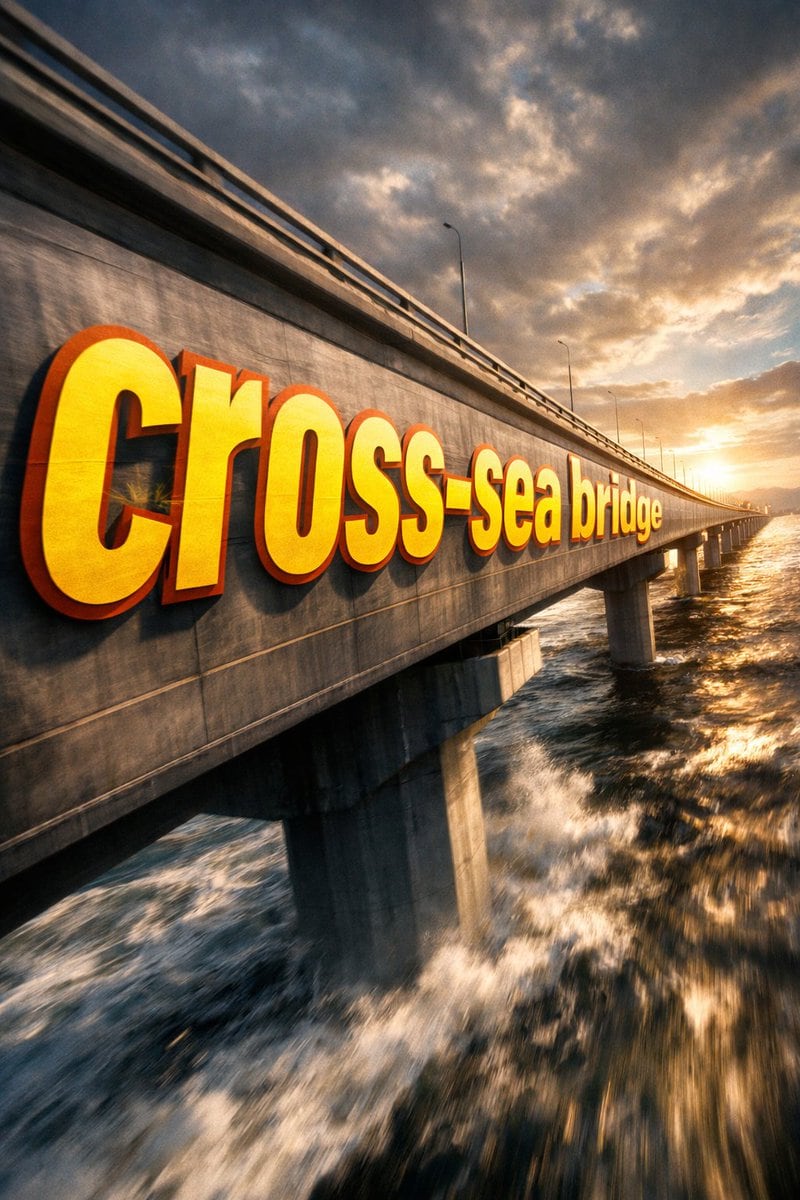
①场景 跨海大桥的侧面,dramatic cinematic angle。 巨型 bold sans-serif 文字「___②文字内容 跨海大桥」painted onto the surface of ___③主体物 无,从靠近镜头的前端开始,沿表面向远端 progressively foreshortens 逐渐透视压缩,letterforms conform to...

①场景 跨海大桥的侧面,dramatic cinematic angle。 巨型 bold sans-serif 文字「___②文字内容 跨海大桥」painted onto the surface of ___③主体物 无,从靠近镜头的前端开始,沿表面向远端 progressively foreshortens 逐渐透视压缩,letterforms conform to...
Prompt

①场景 {argument name="场景描述" default="跨海大桥的侧面"},dramatic cinematic angle。 巨型 bold sans-serif 文字「___②文字内容 {argument name="文字内容" default="跨海大桥"}」painted onto the surface of ___③主体物 无,从靠近镜头的前端开始,沿表面向远端 progressively foreshortens 逐渐透视压缩,letterforms conform to surface curvature 贴合物体曲面,surface-integrated not floating。 文字部分区域被 无___④前景遮挡物 无___ occluded and hidden,在间隙中露出, 形成 depth-layering 纵深穿插效果。 {argument name="文字颜色与样式" default="Oversized bright yellow + sharp orange outline"},extreme perspective distortion aligned to vanishing point。Cinematic lighting, motion blur, poster-grade dynamic integrated typography, modern advertising aesthetics。

Prompt structure
  • Modelgpt-image-2
  • Use casecampaign-poster
  • Stylecinematic, 3d-render, watercolor
  • Aspect ratioFlexible
Best used for
  • Use casecampaign-poster
  • Stylecinematic, 3d-render, watercolor
  • Recommended specs1:1, 4:5, 16:9, or 9:16
  • ModelGPT Image 2
How to customize

Use this ①场景 跨海大桥的侧面,dramatic Cinematic Angle。 巨型 Bold Sans-serif 文字「___②文字内容 跨海大 prompt as a base. Replace the subject, product details, environment, lighting, brand colors, and output ratio while keeping the campaign-poster intent and cinematic, 3d-render, watercolor direction stable.

Editable variables
  • SubjectReplace the product, person, scene, interface, or object being generated.
  • Use caseKeep or rewrite the destination as campaign poster, ad creative, cover image, poster, or ecommerce hero.
  • FrameChoose 1:1, 4:5, 16:9, or 9:16 based on the final placement.
  • Brand cuesAdd colors, materials, props, text-safe space, and the platform where the image will be used.
Recommended specs

Choose the frame for the destination first, then use 1K, 2K, or 4K based on output quality needs. Product images and posters usually benefit from higher resolution.

Pre-generation checklist
  • CheckSubject, lighting, composition, and frame are specific enough to review.
  • CheckText-safe space is included when the image will carry a headline or ad copy.
  • CheckResolution, credit cost, and final destination are checked before generation.
Why this prompt works

①场景 跨海大桥的侧面,dramatic Cinematic Angle。 巨型 Bold Sans-serif 文字「___②文字内容 跨海大 works because it starts from the image job, then controls subject, composition, lighting, style, and frame. It is best for campaign poster while keeping the cinematic, 3d-render, watercolor direction stable.

Common questions
  • Can I use it directly?Yes. Replace the subject, brand cues, and frame, then generate in Image2Studio.
  • Which ratio should I use?Choose 1:1, 4:5, 16:9, or 9:16 based on the destination.




