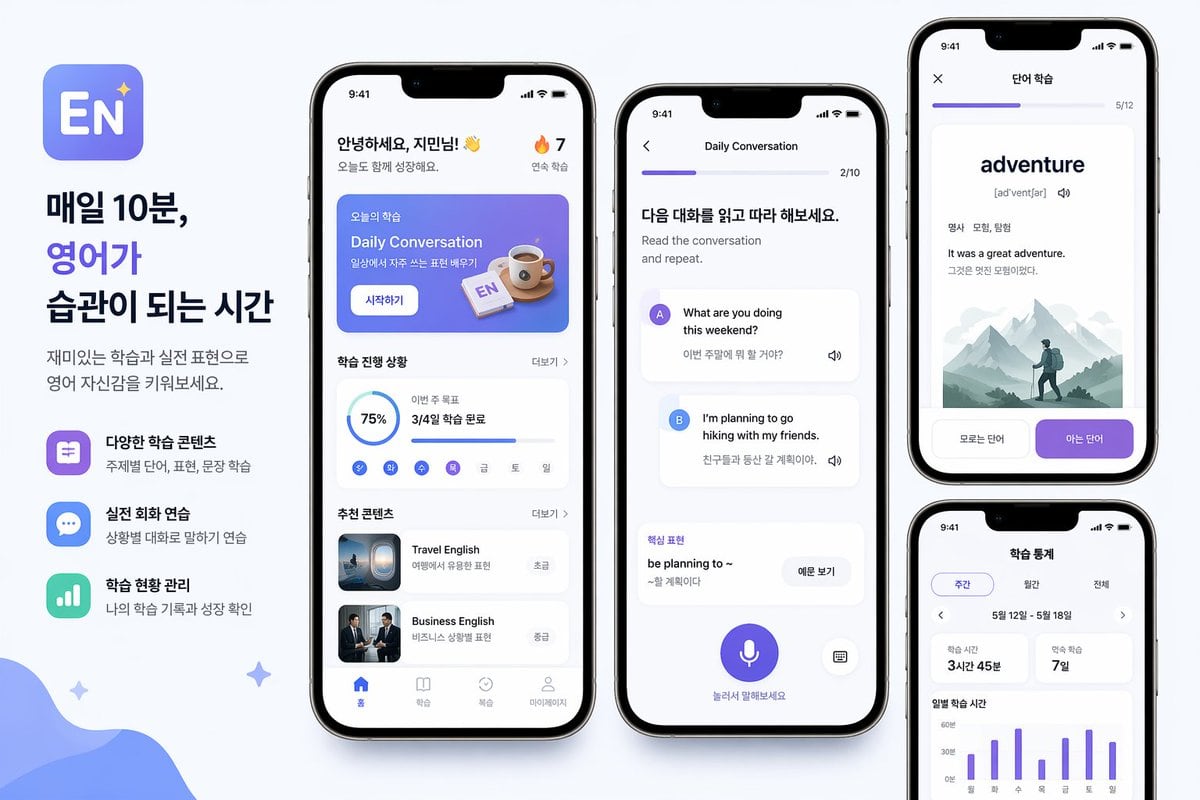
Prompt{"type":"mobile app promo poster mockup","style":"clean modern Korean edtech marketing graphic, soft light gray background, premium iPhone-style device renders, rounded UI cards, subtle shadows, blue and purple gradient accent palette, minimalist sans-serif typography","subject":"English learning mobile app advertisement layout","branding":{"app icon":"rounded square icon with a blue-to-purple gradient background, large white letters EN, small sparkle star in the top right","headline":["매일 10분,","영어가","습관이 되는 시간"],"body":"재미있는 학습과 실전 표현으로 영어 자신감을 키워보세요."},"layout":{"canvas":"wide horizontal poster","sections":[{"title":"left marketing text column","position":"far left","count":3,"labels":["다양한 학습 콘텐츠","실전 회화 연습","학습 현황 관리"]},{"title":"main app home screen","position":"center-left phone","count":6,"labels":["header greeting","today lesson banner","progress card","weekday mini tracker","recommended content card 1","recommended content card 2"]},{"title":"conversation practice screen","position":"center phone","count":6,"labels":["top progress bar","instruction header","speaker A message card","speaker B message card","key phrase card","bottom microphone button"]},{"title":"word learning screen","position":"top-right phone","count":5,"labels":["top progress bar","large vocabulary word","part-of-speech and meaning line","example sentence block","2 bottom choice buttons"]},{"title":"study statistics screen","position":"bottom-right phone","count":5,"labels":["tab selector","date range row","2 summary stat cards","weekly bar chart","chart labels"]}],"phone_count":4},"screens":{"home":{"status_bar_time":"9:41","greeting":"안녕하세요, {argument name=\"character name\" default=\"지민님\"}! 👋","streak":"🔥 7","banner":{"korean_label":"오늘의 학습","title":"Daily Conversation","subtitle":"일상에서 자주 쓰는 표현 배우기","button":"시작하기","illustration":"coffee cup and small EN flashcard on a blue gradient panel"},"progress":{"section_title":"학습 진행 상황","completion":"75%","monthly_goal_text":"이번 주 목표","monthly_goal_value":"3/4일 학습 완료","weekday_count":7,"weekday_labels":["월","화","수","목","금","토","일"]},"recommendations":{"section_title":"추천 콘텐츠","items":[{"title":"Travel English","subtitle":"여행에서 유용한 표현","level":"초급","thumbnail":"airplane window or travel scene"},{"title":"Business English","subtitle":"비즈니스 상황별 표현","level":"중급","thumbnail":"two business people in suits"}]},"bottom_nav":{"count":4,"labels":["홈","학습","복습","마이페이지"]}},"conversation":{"title":"Daily Conversation","progress":"2/10","header":"다음 대화를 읽고 따라 해보세요.","subheader":"Read the conversation and repeat.","messages":[{"speaker":"A","bubble_text":"What are you doing this weekend?","translation":"이번 주말에 뭐 할 거야?"},{"speaker":"B","bubble_text":"I'm planning to go hiking with my friends.","translation":"친구들과 등산 갈 계획이야."}],"phrase_box":{"label":"핵심 표현","phrase":"be planning to ~","meaning":"~할 계획이다","button":"이문 보기"},"bottom_hint":"눌러서 말해보세요","controls":{"microphone":true,"keyboard":true}},"vocabulary":{"title":"단어 학습","progress":"5/12","word":"{argument name=\"vocabulary word\" default=\"adventure\"}","pronunciation":"[ədˈventʃər]","meta":"명사 모험, 탐험","example_en":"It was a great adventure.","example_ko":"그것은 멋진 모험이었다.","illustration":"misty mountain landscape with a lone hiker wearing a backpack","buttons":["모르는 단어","아는 단어"]},"stats":{"title":"학습 통계","tabs":{"count":3,"labels":["주간","월간","전체"]},"date_range":"5월 12일 - 5월 18일","summary_cards":[{"label":"학습 시간","value":"3시간 45분"},{"label":"연속 학습","value":"7일"}],"chart":{"type":"weekly vertical bar chart","bar_count":7,"x_labels":["월","화","수","목","금","토","일"],"y_labels":["0분","30분","60분"]}}},"decor":{"background_shapes":["large soft blue organic wave in the bottom-left corner","3 small sparkle stars scattered around the composition"]},"rendering":"high-resolution product marketing render, straight-on front view phones, balanced spacing, crisp Korean UI text, polished app-store presentation"}