
Image2Studio
Examples

gpt-image-2

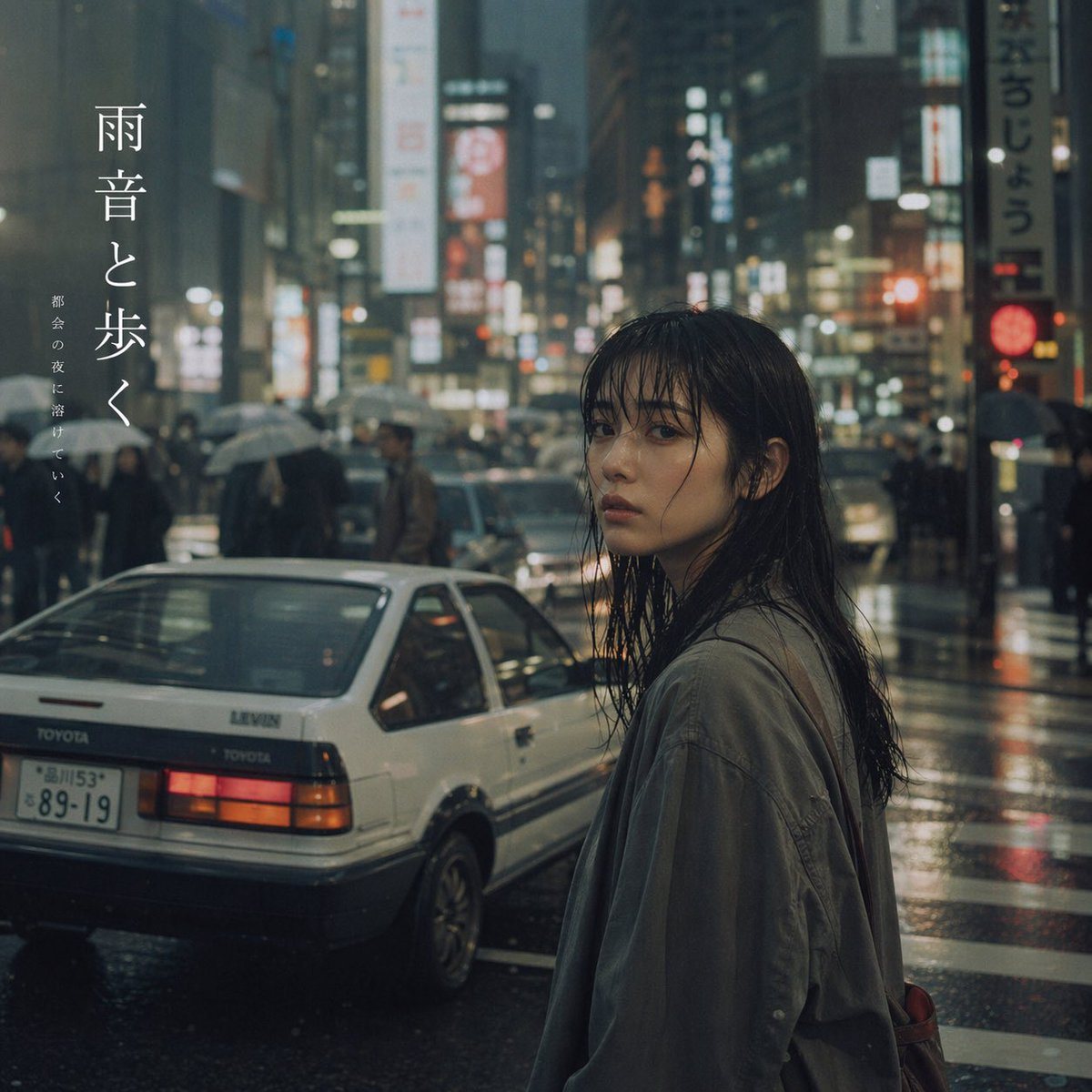
Cinematic Rainy City Portrait with Typography

Generates a photorealistic, moody portrait of a person on a rainy city street featuring a vintage car and elegant vertical text overlays.

Generates a photorealistic, moody portrait of a person on a rainy city street featuring a vintage car and elegant vertical text overlays.
Prompt

A cinematic, moody photograph of a young Asian woman looking back over her shoulder at the viewer on a rainy night in a bustling {argument name="city setting" default="Tokyo"} street. She has wet, stringy black hair plastered to her face and a {argument name="atmosphere" default="melancholic"} expression, wearing a loose, oversized greyish-green jacket. The street is wet, reflecting the blurred, glowing neon signs and traffic lights of the city. In the background, crowds of pedestrians hold umbrellas. Parked on the wet asphalt to her left is a {argument name="car model" default="white vintage Toyota Levin"} hatchback with its red taillights illuminated and a Japanese license plate. On the top left side of the image, there is elegant vertical Japanese text that reads "{argument name="main text" default="雨音と歩く"}" in a large serif font, with smaller vertical text beside it reading "{argument name="subtext" default="都会の夜に溶けていく"}". The overall aesthetic is atmospheric, photorealistic, and cinematic, capturing a quiet, introspective moment amidst the urban chaos.

Prompt structure
  • Modelgpt-image-2
  • Use caseavatar
  • Stylecinematic, photorealistic, luxury, cyberpunk
  • Aspect ratioFlexible
Best used for
  • Use caseavatar
  • Stylecinematic, photorealistic, luxury, cyberpunk
  • Recommended specs1:1, 4:5, 16:9, or 9:16
  • ModelGPT Image 2
How to customize

Use this Cinematic Rainy City Portrait with Typography prompt as a base. Replace the subject, product details, environment, lighting, brand colors, and output ratio while keeping the avatar intent and cinematic, photorealistic, luxury, cyberpunk direction stable.

Editable variables
  • SubjectReplace the product, person, scene, interface, or object being generated.
  • Use caseKeep or rewrite the destination as avatar, ad creative, cover image, poster, or ecommerce hero.
  • FrameChoose 1:1, 4:5, 16:9, or 9:16 based on the final placement.
  • Brand cuesAdd colors, materials, props, text-safe space, and the platform where the image will be used.
Recommended specs

Choose the frame for the destination first, then use 1K, 2K, or 4K based on output quality needs. Product images and posters usually benefit from higher resolution.

Pre-generation checklist
  • CheckSubject, lighting, composition, and frame are specific enough to review.
  • CheckText-safe space is included when the image will carry a headline or ad copy.
  • CheckResolution, credit cost, and final destination are checked before generation.
Why this prompt works

Cinematic Rainy City Portrait with Typography works because it starts from the image job, then controls subject, composition, lighting, style, and frame. It is best for avatar while keeping the cinematic, photorealistic, luxury, cyberpunk direction stable.

Common questions
  • Can I use it directly?Yes. Replace the subject, brand cues, and frame, then generate in Image2Studio.
  • Which ratio should I use?Choose 1:1, 4:5, 16:9, or 9:16 based on the destination.




