
Image2Studio
Examples

gpt-image-2

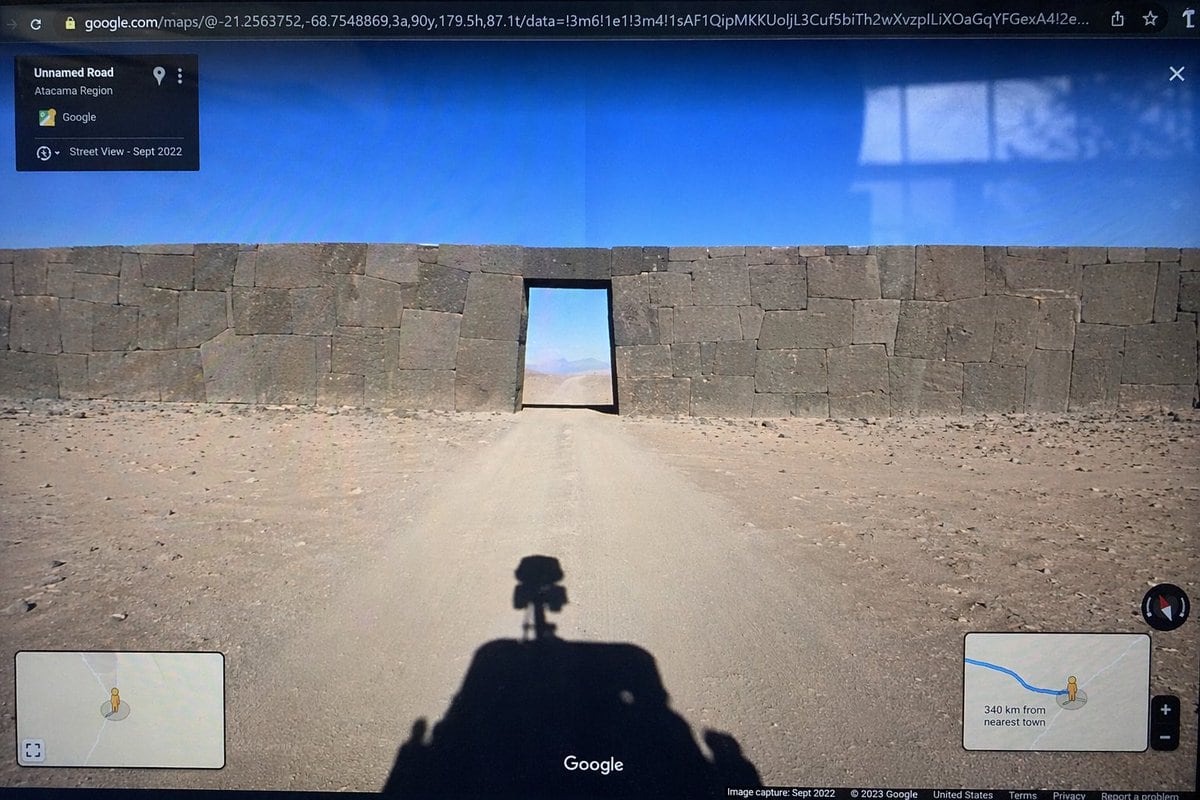
Photograph Of A Computer Monitor Displaying A Google Maps Street View In

Ready-to-edit photograph of a computer monitor displaying a Google Maps Street View interface image prompt.

Ready-to-edit photograph of a computer monitor displaying a Google Maps Street View interface image prompt.
Prompt

{ "type": "photograph of a computer monitor displaying a Google Maps Street View interface", "scene": { "environment": "{argument name=\"environment\" default=\"barren desert landscape under a clear blue sky\"}", "subject": "{argument name=\"subject\" default=\"massive ancient stone wall with perfectly fitted cyclopean masonry blocking a dirt road, with a rectangular doorway cut through the center\"}", "foreground": "shadow of a Google Street View car with a 360-degree camera mounted on top cast onto the dirt road" }, "ui_elements": { "browser_bar": "URL bar at the top showing google.com/maps with latitude and longitude coordinates", "top_left_panel": "black semi-transparent info box with text 'Unnamed Road', '{argument name=\"region\" default=\"Atacama Region\"}', and 'Street View - Sept 2022'", "bottom_left_panel": "minimap inset with a yellow Pegman icon", "bottom_right_panel": "minimap inset showing a blue route line, Pegman, zoom controls, and text '{argument name=\"distance text\" default=\"340 km from nearest town\"}'", "bottom_bar": "Google logo in the bottom center, compass icon on the right, and copyright/capture date text along the bottom edge" }, "style_details": "visible screen glare and slight monitor distortion to simulate a photograph taken of a physical screen with a smartphone" }

Prompt structure
  • Modelgpt-image-2
  • Use caseapp-ui-mockup
  • Stylephotorealistic
  • Aspect ratioFlexible
Best used for
  • Use caseapp-ui-mockup
  • Stylephotorealistic
  • Recommended specs1:1, 4:5, 16:9, or 9:16
  • ModelGPT Image 2
How to customize

Use this Photograph Of A Computer Monitor Displaying A Google Maps Street View In prompt as a base. Replace the subject, product details, environment, lighting, brand colors, and output ratio while keeping the app-ui-mockup intent and photorealistic direction stable.

Editable variables
  • SubjectReplace the product, person, scene, interface, or object being generated.
  • Use caseKeep or rewrite the destination as app ui mockup, ad creative, cover image, poster, or ecommerce hero.
  • FrameChoose 1:1, 4:5, 16:9, or 9:16 based on the final placement.
  • Brand cuesAdd colors, materials, props, text-safe space, and the platform where the image will be used.
Recommended specs

Choose the frame for the destination first, then use 1K, 2K, or 4K based on output quality needs. Product images and posters usually benefit from higher resolution.

Pre-generation checklist
  • CheckSubject, lighting, composition, and frame are specific enough to review.
  • CheckText-safe space is included when the image will carry a headline or ad copy.
  • CheckResolution, credit cost, and final destination are checked before generation.
Why this prompt works

Photograph Of A Computer Monitor Displaying A Google Maps Street View In works because it starts from the image job, then controls subject, composition, lighting, style, and frame. It is best for app ui mockup while keeping the photorealistic direction stable.

Common questions
  • Can I use it directly?Yes. Replace the subject, brand cues, and frame, then generate in Image2Studio.
  • Which ratio should I use?Choose 1:1, 4:5, 16:9, or 9:16 based on the destination.




