
Image2Studio
Examples

gpt-image-2

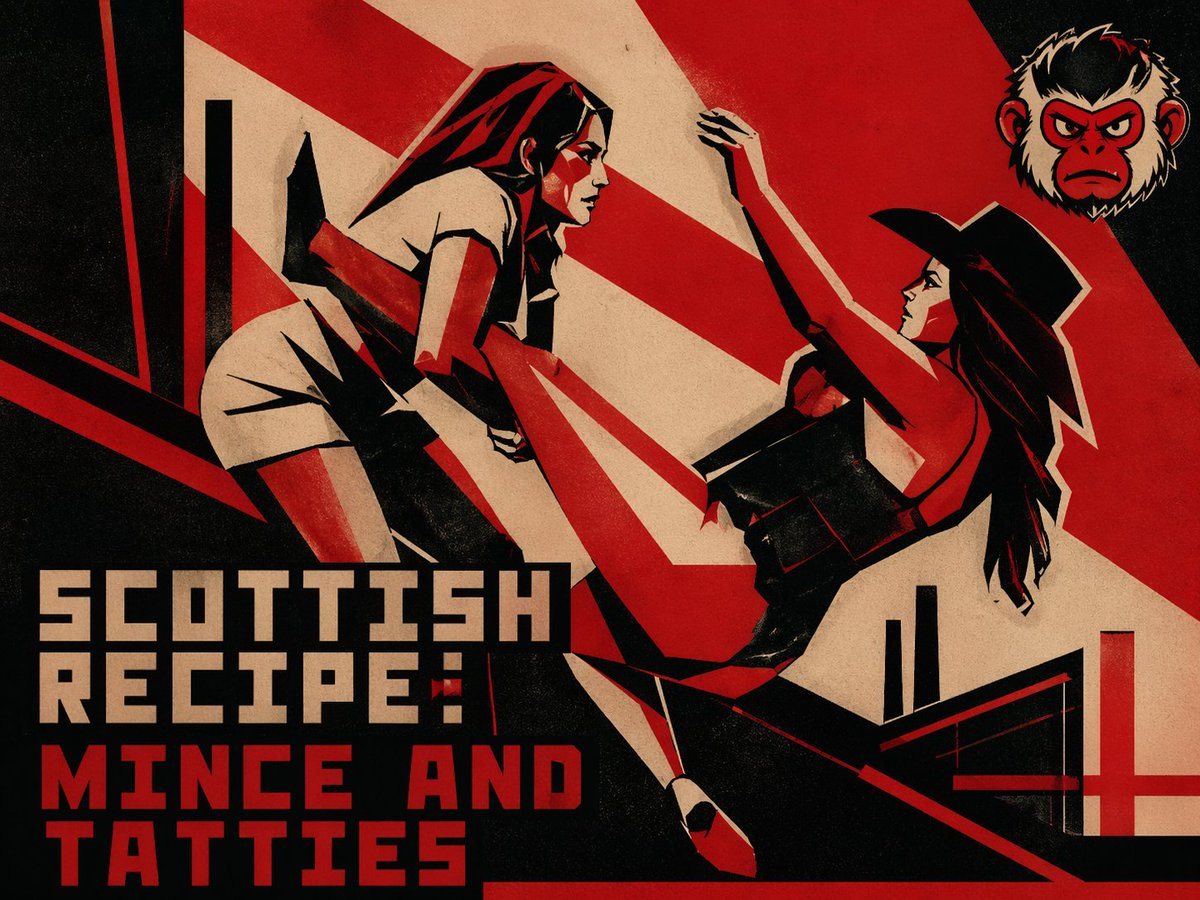
Gritty Retro Propaganda-style Poster Illustration

A gritty retro propaganda-style poster illustration with a limited palette of black, deep red, and aged beige paper texture, designed like a bold vintage screen-printed action poster. Sho...

A gritty retro propaganda-style poster illustration with a limited palette of black, deep red, and aged beige paper texture, designed like a bold vintage screen-printed action poster. Sho...
Prompt

A gritty retro propaganda-style poster illustration with a limited palette of black, deep red, and aged beige paper texture, designed like a bold vintage screen-printed action poster. Show 2 stylized women in a dramatic diagonal composition, frozen mid-fight. On the left, a woman dressed like a nurse in a short white uniform and angular nurse cap lunges forward with one knee raised and one arm bent, her body sharply foreshortened. On the right, a woman in a fitted black dress and wide-brim black hat leans backward in a defensive pose, one arm raised above her head and the other near her torso, long dark hair flowing behind her. Render both figures with hard-edged geometric shapes, exaggerated limbs, sharp shadows, and high-contrast noir facial planes. Use aggressive red diagonal rays sweeping across the background, with black architectural bars and abstract constructivist shapes framing the scene. Add distressed paper grain, ink wear, and slight misregistration for a worn print effect. Place a small blurred monkey head emblem in the upper-right corner. Include large blocky poster text in the lower left across 3 lines reading “SCOTTISH RECIPE:” then “MINCE AND” then “TATTIES”, with the first 2 lines in beige and the final 2 lines in strong red, using a heavy squared sans-serif display font. Add a red cross-like graphic element in the lower-right corner. The overall mood is violent, satirical, cinematic, and strikingly graphic, like a Soviet constructivist pulp film poster advertising {argument name="dish name" default="Scottish Recipe: Mince and Tatties"}.

Prompt structure
  • Modelgpt-image-2
  • Use caseapp-ui-mockup
  • Stylecinematic, 3d-render, editorial, watercolor
  • Aspect ratioFlexible
Best used for
  • Use caseapp-ui-mockup
  • Stylecinematic, 3d-render, editorial, watercolor
  • Recommended specs1:1, 4:5, 16:9, or 9:16
  • ModelGPT Image 2
How to customize

Use this Gritty Retro Propaganda-style Poster Illustration prompt as a base. Replace the subject, product details, environment, lighting, brand colors, and output ratio while keeping the app-ui-mockup intent and cinematic, 3d-render, editorial, watercolor direction stable.

Editable variables
  • SubjectReplace the product, person, scene, interface, or object being generated.
  • Use caseKeep or rewrite the destination as app ui mockup, ad creative, cover image, poster, or ecommerce hero.
  • FrameChoose 1:1, 4:5, 16:9, or 9:16 based on the final placement.
  • Brand cuesAdd colors, materials, props, text-safe space, and the platform where the image will be used.
Recommended specs

Choose the frame for the destination first, then use 1K, 2K, or 4K based on output quality needs. Product images and posters usually benefit from higher resolution.

Pre-generation checklist
  • CheckSubject, lighting, composition, and frame are specific enough to review.
  • CheckText-safe space is included when the image will carry a headline or ad copy.
  • CheckResolution, credit cost, and final destination are checked before generation.
Why this prompt works

Gritty Retro Propaganda-style Poster Illustration works because it starts from the image job, then controls subject, composition, lighting, style, and frame. It is best for app ui mockup while keeping the cinematic, 3d-render, editorial, watercolor direction stable.

Common questions
  • Can I use it directly?Yes. Replace the subject, brand cues, and frame, then generate in Image2Studio.
  • Which ratio should I use?Choose 1:1, 4:5, 16:9, or 9:16 based on the destination.




