
Image2Studio
Examples

gpt-image-2

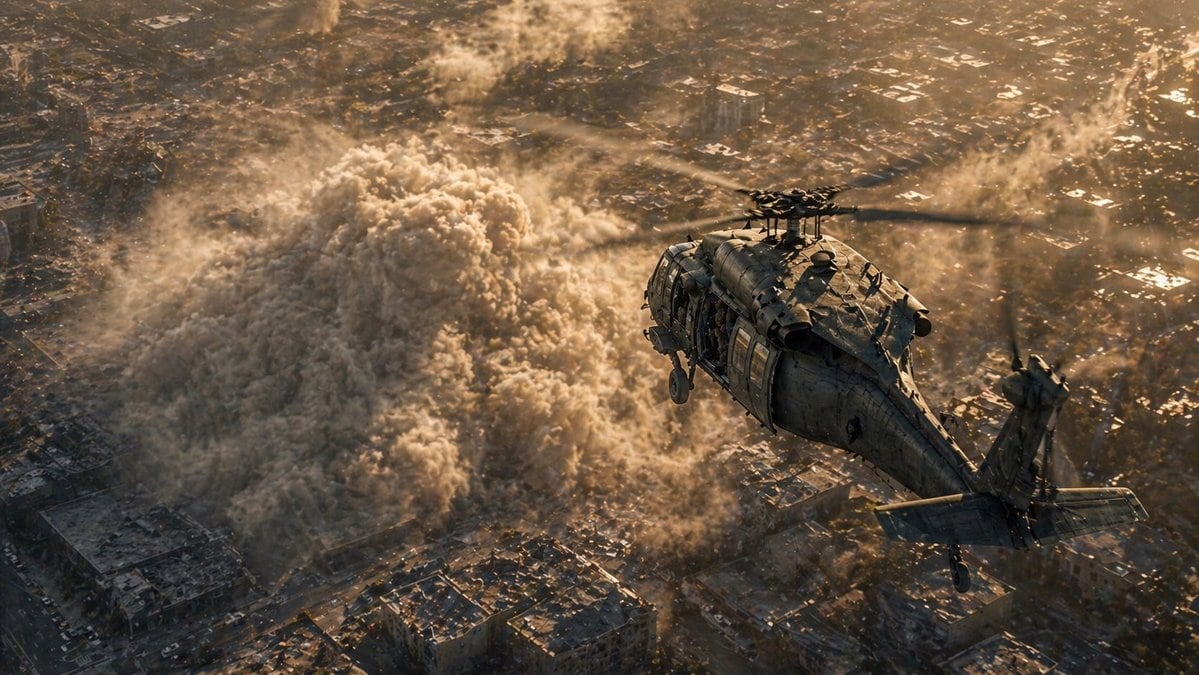
Cinematic Ultra-realistic Aerial Disaster Scene Viewed From Slightly Abo

A cinematic ultra-realistic aerial disaster scene viewed from slightly above and behind a single military transport helicopter flying over a dense urban neighborhood at golden hour. The h...

A cinematic ultra-realistic aerial disaster scene viewed from slightly above and behind a single military transport helicopter flying over a dense urban neighborhood at golden hour. The h...
Prompt

A cinematic ultra-realistic aerial disaster scene viewed from slightly above and behind a single military transport helicopter flying over a dense urban neighborhood at golden hour. The helicopter is a dark weathered matte-gray utility helicopter with 1 main rotor and 1 tail rotor, seen from the rear-right side, angled toward the upper right of the frame, with visible panel lines, antennas, landing gear, tail stabilizers, and an open side door. Below it, a massive rolling dust cloud from a building collapse or explosion surges through tightly packed city blocks, forming 1 huge mushrooming wall of beige-gray debris with turbulent texture, smaller plumes, and swirling particulate noise spreading between rooftops. The city beneath is sprawling, crowded, and sunlit in warm amber tones, with low-rise buildings, narrow streets, scattered highlights on roofs, and haze in the distance. Emphasize rotor motion blur, volumetric dust, dramatic scale, harsh backlit sunset lighting, long shadows, atmospheric perspective, intense contrast between the dark helicopter and glowing dust, and a tense war-zone or rescue-operation mood. Photorealistic, blockbuster cinematography, high detail, realistic materials, dynamic composition, wide aerial shot, no text, no interface, no extra aircraft.

Prompt structure
  • Modelgpt-image-2
  • Use caseapp-ui-mockup
  • Stylephotorealistic, cinematic
  • Aspect ratioFlexible
Best used for
  • Use caseapp-ui-mockup
  • Stylephotorealistic, cinematic
  • Recommended specs1:1, 4:5, 16:9, or 9:16
  • ModelGPT Image 2
How to customize

Use this Cinematic Ultra-realistic Aerial Disaster Scene Viewed From Slightly Abo prompt as a base. Replace the subject, product details, environment, lighting, brand colors, and output ratio while keeping the app-ui-mockup intent and photorealistic, cinematic direction stable.

Editable variables
  • SubjectReplace the product, person, scene, interface, or object being generated.
  • Use caseKeep or rewrite the destination as app ui mockup, ad creative, cover image, poster, or ecommerce hero.
  • FrameChoose 1:1, 4:5, 16:9, or 9:16 based on the final placement.
  • Brand cuesAdd colors, materials, props, text-safe space, and the platform where the image will be used.
Recommended specs

Choose the frame for the destination first, then use 1K, 2K, or 4K based on output quality needs. Product images and posters usually benefit from higher resolution.

Pre-generation checklist
  • CheckSubject, lighting, composition, and frame are specific enough to review.
  • CheckText-safe space is included when the image will carry a headline or ad copy.
  • CheckResolution, credit cost, and final destination are checked before generation.
Why this prompt works

Cinematic Ultra-realistic Aerial Disaster Scene Viewed From Slightly Abo works because it starts from the image job, then controls subject, composition, lighting, style, and frame. It is best for app ui mockup while keeping the photorealistic, cinematic direction stable.

Common questions
  • Can I use it directly?Yes. Replace the subject, brand cues, and frame, then generate in Image2Studio.
  • Which ratio should I use?Choose 1:1, 4:5, 16:9, or 9:16 based on the destination.




