
Image2Studio
Examples

gpt-image-2

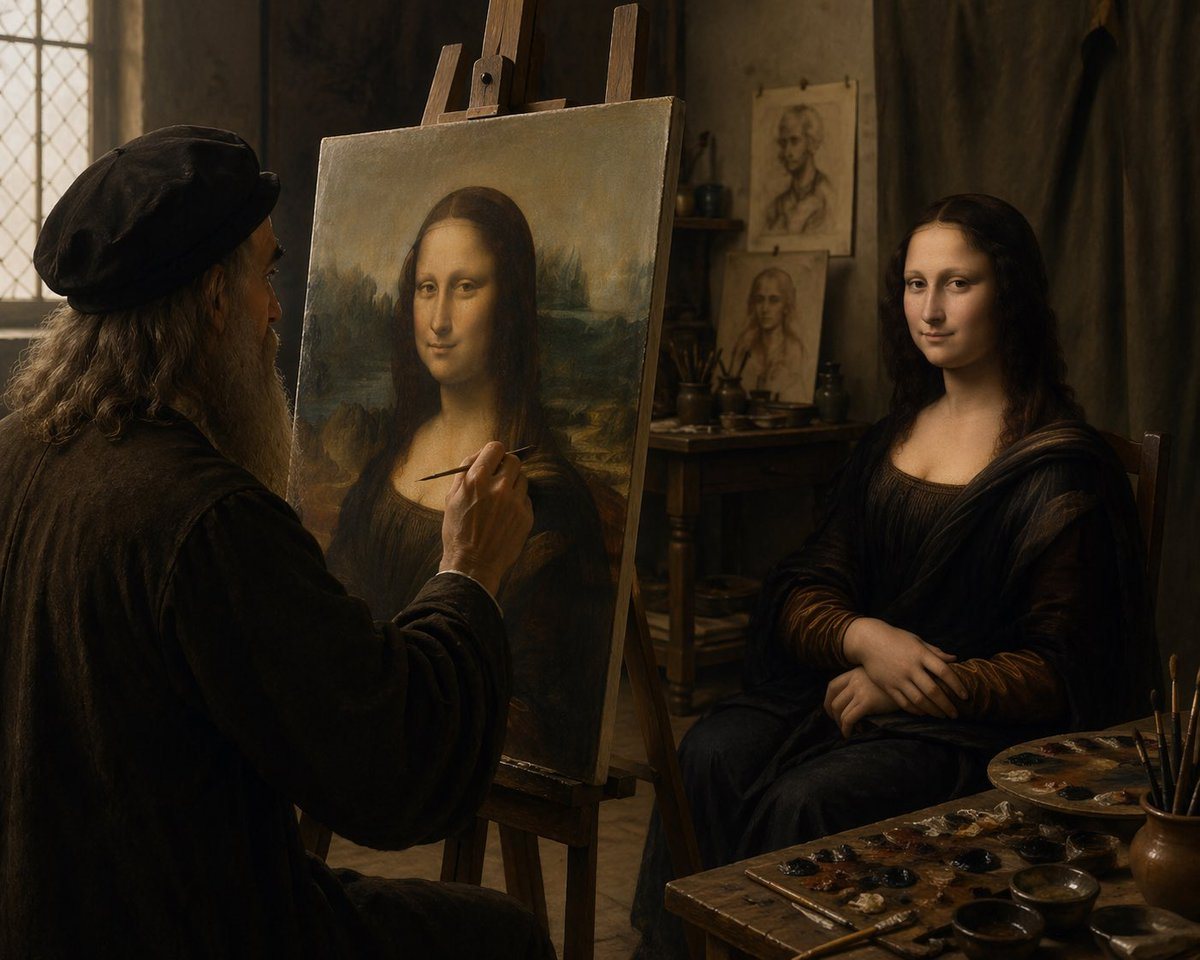
Cinematic Renaissance Art Studio Interior Lit By Soft Warm Window Light

A cinematic Renaissance art studio interior lit by soft warm window light, showing an elderly Leonardo da Vinci-like painter in left profile, seated at an easel and painting the Mona Lisa...

A cinematic Renaissance art studio interior lit by soft warm window light, showing an elderly Leonardo da Vinci-like painter in left profile, seated at an easel and painting the Mona Lisa...
Prompt

A cinematic Renaissance art studio interior lit by soft warm window light, showing an elderly Leonardo da Vinci-like painter in left profile, seated at an easel and painting the Mona Lisa from a live model. The painter has long gray hair, a full gray beard, and wears a dark period cap and heavy dark robe. In the center foreground stands a large canvas on a wooden easel displaying the Mona Lisa composition, while on the right a live female sitter poses in the same iconic posture with folded hands, wearing a dark Renaissance dress and veil-like drapery. The mood is intimate, quiet, and painterly, with rich brown and amber tones, dramatic chiaroscuro, aged plaster walls, a leaded-glass window on the left, and a wooden table in the back holding brushes and studies. Include 2 portrait sketches pinned or propped in the background behind the model. In the lower right foreground, show a cluttered painter’s worktable with 1 paint palette, multiple small paint dabs, several brushes in a cup, and a few shallow bowls. Compose the scene as a realistic historical photograph of the moment the masterpiece is being created, medium-wide shot, slightly over-the-shoulder from behind the artist, extremely detailed textures, old master atmosphere, soft focus falloff, no modern objects.

Prompt structure
  • Modelgpt-image-2
  • Use caseavatar
  • Stylecinematic, photorealistic
  • Aspect ratioFlexible
Best used for
  • Use caseavatar
  • Stylecinematic, photorealistic
  • Recommended specs1:1, 4:5, 16:9, or 9:16
  • ModelGPT Image 2
How to customize

Use this Cinematic Renaissance Art Studio Interior Lit By Soft Warm Window Light prompt as a base. Replace the subject, product details, environment, lighting, brand colors, and output ratio while keeping the avatar intent and cinematic, photorealistic direction stable.

Editable variables
  • SubjectReplace the product, person, scene, interface, or object being generated.
  • Use caseKeep or rewrite the destination as avatar, ad creative, cover image, poster, or ecommerce hero.
  • FrameChoose 1:1, 4:5, 16:9, or 9:16 based on the final placement.
  • Brand cuesAdd colors, materials, props, text-safe space, and the platform where the image will be used.
Recommended specs

Choose the frame for the destination first, then use 1K, 2K, or 4K based on output quality needs. Product images and posters usually benefit from higher resolution.

Pre-generation checklist
  • CheckSubject, lighting, composition, and frame are specific enough to review.
  • CheckText-safe space is included when the image will carry a headline or ad copy.
  • CheckResolution, credit cost, and final destination are checked before generation.
Why this prompt works

Cinematic Renaissance Art Studio Interior Lit By Soft Warm Window Light works because it starts from the image job, then controls subject, composition, lighting, style, and frame. It is best for avatar while keeping the cinematic, photorealistic direction stable.

Common questions
  • Can I use it directly?Yes. Replace the subject, brand cues, and frame, then generate in Image2Studio.
  • Which ratio should I use?Choose 1:1, 4:5, 16:9, or 9:16 based on the destination.




