
Image2Studio
Examples

gpt-image-2

Using The Provided Reference Image

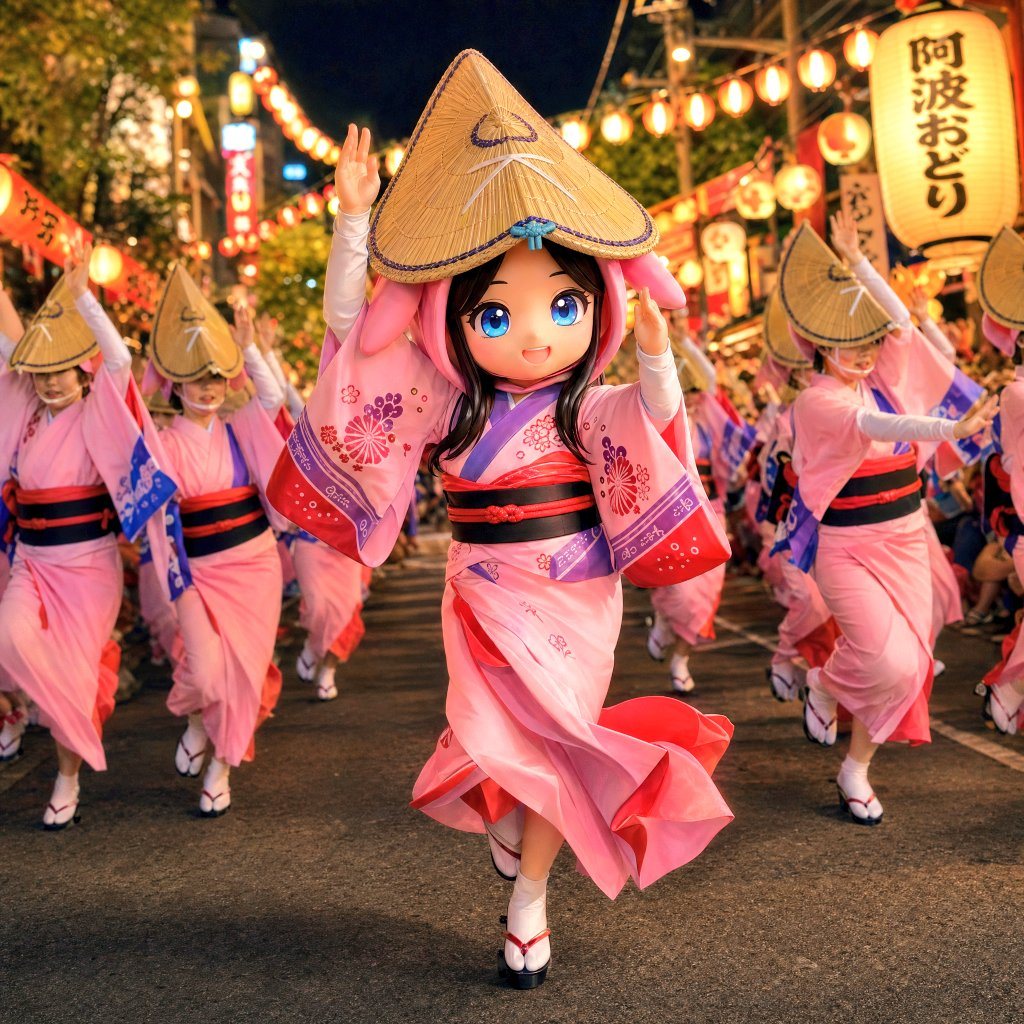
Using the provided reference image, transform the front-center dancer into a more dynamic, cinematic Awa Odori festival scene at night. Keep the same pink kimono, amigasa hat, and overall...

Using the provided reference image, transform the front-center dancer into a more dynamic, cinematic Awa Odori festival scene at night. Keep the same pink kimono, amigasa hat, and overall...
Prompt

Using the provided reference image, transform the front-center dancer into a more dynamic, cinematic Awa Odori festival scene at night. Keep the same pink kimono, amigasa hat, and overall festival identity, but push the pose into active mid-dance motion with one leg stepping forward, the skirt and sleeves swirling, and both arms raised expressively. Recompose the image into a tighter, lower-angle street-level shot centered on the lead dancer, with additional dancers in matching formation behind her for depth and movement. Change the setting from the wide parade crowd to a lantern-lit festival street with warm glowing paper lanterns, illuminated stalls, and visible vertical signage including Japanese text reading "阿波おどり". Emphasize motion, energy, and warm nighttime atmosphere, with vivid lighting, shallow depth of field, and a polished photoreal festival look.

Prompt structure
  • Modelgpt-image-2
  • Use caseavatar
  • Stylecinematic, photorealistic
  • Aspect ratioFlexible
Best used for
  • Use caseavatar
  • Stylecinematic, photorealistic
  • Recommended specs1:1, 4:5, 16:9, or 9:16
  • ModelGPT Image 2
How to customize

Use this Using The Provided Reference Image prompt as a base. Replace the subject, product details, environment, lighting, brand colors, and output ratio while keeping the avatar intent and cinematic, photorealistic direction stable.

Editable variables
  • SubjectReplace the product, person, scene, interface, or object being generated.
  • Use caseKeep or rewrite the destination as avatar, ad creative, cover image, poster, or ecommerce hero.
  • FrameChoose 1:1, 4:5, 16:9, or 9:16 based on the final placement.
  • Brand cuesAdd colors, materials, props, text-safe space, and the platform where the image will be used.
Recommended specs

Choose the frame for the destination first, then use 1K, 2K, or 4K based on output quality needs. Product images and posters usually benefit from higher resolution.

Pre-generation checklist
  • CheckSubject, lighting, composition, and frame are specific enough to review.
  • CheckText-safe space is included when the image will carry a headline or ad copy.
  • CheckResolution, credit cost, and final destination are checked before generation.
Why this prompt works

Using The Provided Reference Image works because it starts from the image job, then controls subject, composition, lighting, style, and frame. It is best for avatar while keeping the cinematic, photorealistic direction stable.

Common questions
  • Can I use it directly?Yes. Replace the subject, brand cues, and frame, then generate in Image2Studio.
  • Which ratio should I use?Choose 1:1, 4:5, 16:9, or 9:16 based on the destination.




