Prompt{
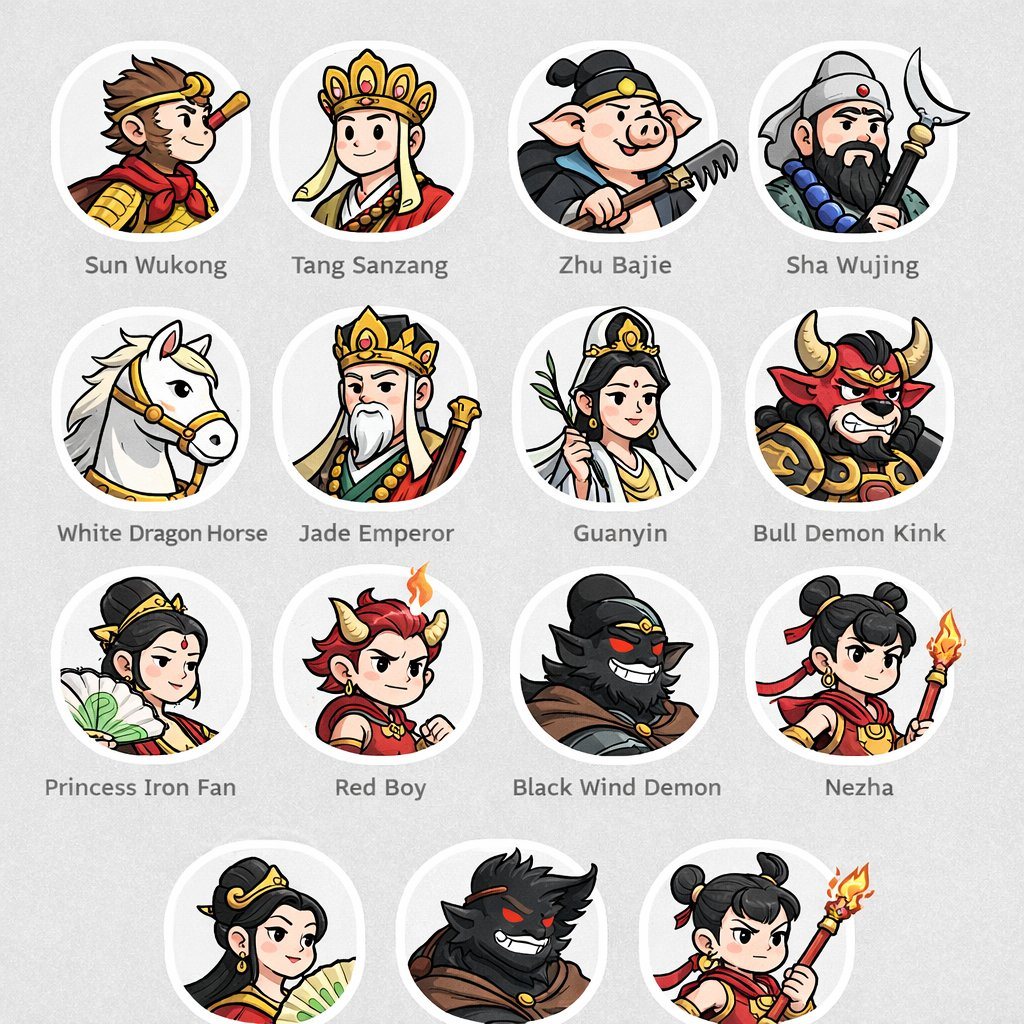
"type": "character avatar grid",
"theme": "{argument name=\"theme\" default=\"Journey to the West mythology\"}",
"style": "{argument name=\"art style\" default=\"clean 2D cartoon vector illustration, thick outlines, flat colors\"}",
"layout": {
"background": "{argument name=\"background color\" default=\"light gray\"} subtle texture",
"format": "grid of circular portraits with text labels centered below each circle",
"rows": [
{
"count": 4,
"items": [
{"label": "Sun Wukong", "description": "monkey boy with golden headband and red scarf"},
{"label": "Tang Sanzang", "description": "monk with ornate golden crown"},
{"label": "Zhu Bajie", "description": "pig man holding a rake"},
{"label": "Sha Wujing", "description": "bearded man holding a crescent moon staff"}
]
},
{
"count": 4,
"items": [
{"label": "White Dragon Horse", "description": "white horse with golden bridle"},
{"label": "Jade Emperor", "description": "older man with white beard and golden crown"},
{"label": "Guanyin", "description": "goddess holding a willow branch"},
{"label": "Bull Demon Kink", "description": "fierce bull demon in armor"}
]
},
{
"count": 4,
"items": [
{"label": "Princess Iron Fan", "description": "woman holding a green palm leaf fan"},
{"label": "Red Boy", "description": "boy with red hair, horns, and a small flame"},
{"label": "Black Wind Demon", "description": "dark shadowy demon with glowing red eyes"},
{"label": "Nezha", "description": "boy with double hair buns holding a flaming spear"}
]
},
{
"count": 3,
"description": "partial row repeating Princess Iron Fan, Black Wind Demon, and Nezha, slightly cropped at the bottom"
}
]
}
}
Prompt structure- Modelgpt-image-2
- Use caseavatar
- Styleeditorial, minimal, watercolor
- Aspect ratioFlexible
Best used for- Use caseavatar
- Styleeditorial, minimal, watercolor
- Recommended specs1:1, 4:5, 16:9, or 9:16
- ModelGPT Image 2
How to customizeUse this Character Avatar Grid prompt as a base. Replace the subject, product details, environment, lighting, brand colors, and output ratio while keeping the avatar intent and editorial, minimal, watercolor direction stable.
Editable variables- SubjectReplace the product, person, scene, interface, or object being generated.
- Use caseKeep or rewrite the destination as avatar, ad creative, cover image, poster, or ecommerce hero.
- FrameChoose 1:1, 4:5, 16:9, or 9:16 based on the final placement.
- Brand cuesAdd colors, materials, props, text-safe space, and the platform where the image will be used.
Recommended specsChoose the frame for the destination first, then use 1K, 2K, or 4K based on output quality needs. Product images and posters usually benefit from higher resolution.
Pre-generation checklist- CheckSubject, lighting, composition, and frame are specific enough to review.
- CheckText-safe space is included when the image will carry a headline or ad copy.
- CheckResolution, credit cost, and final destination are checked before generation.
Why this prompt worksCharacter Avatar Grid works because it starts from the image job, then controls subject, composition, lighting, style, and frame. It is best for avatar while keeping the editorial, minimal, watercolor direction stable.
Common questions- Can I use it directly?Yes. Replace the subject, brand cues, and frame, then generate in Image2Studio.
- Which ratio should I use?Choose 1:1, 4:5, 16:9, or 9:16 based on the destination.