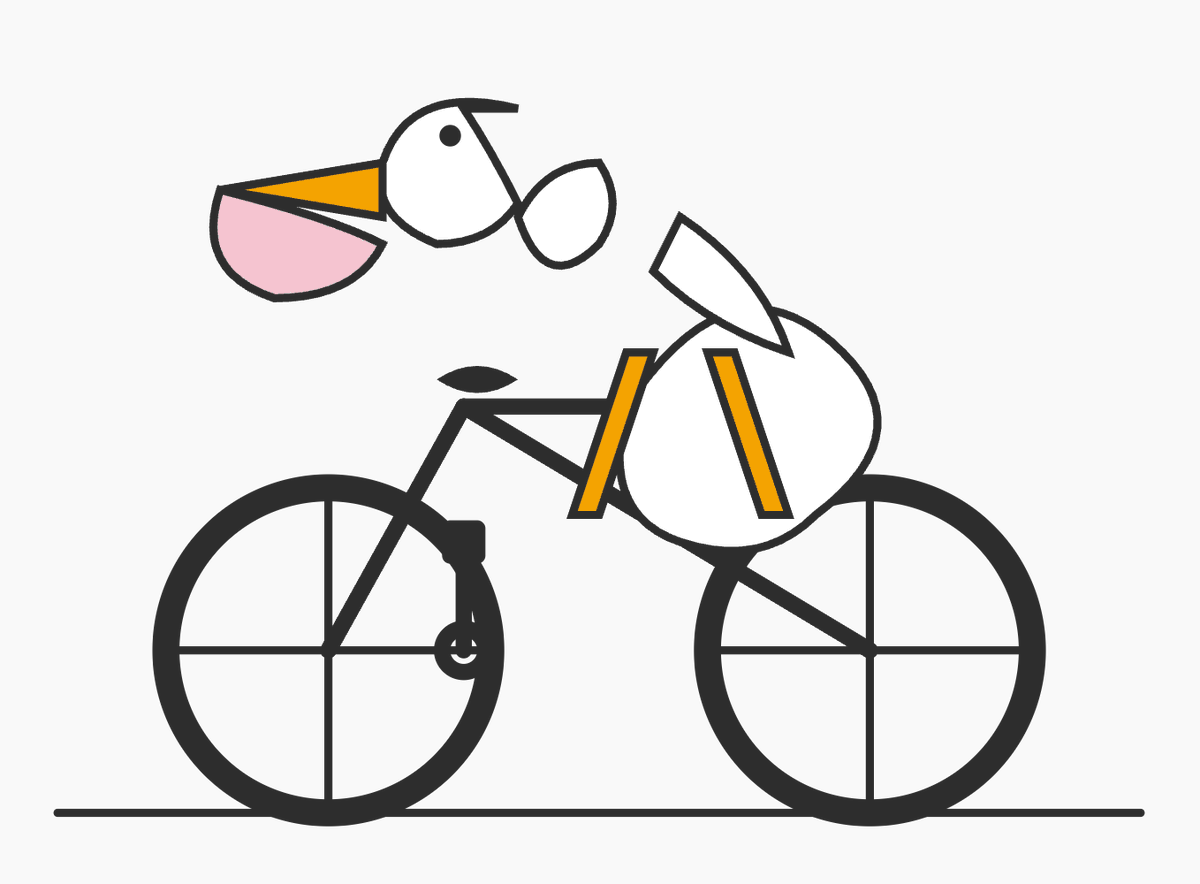
PromptA minimalist vector-style illustration on a flat light gray background showing a pelican riding a bicycle, drawn from simple geometric shapes with thick dark charcoal outlines. The composition is wide and centered, with the bicycle occupying the lower two-thirds of the image and the bird’s head floating slightly above and forward of the handlebars in a deliberately abstract, diagram-like way. The bicycle is a simple black road-bike silhouette in side view with exactly 2 large wheels, each with a thick outer rim and exactly 4 visible spoke lines forming a cross, a straight horizontal ground line beneath both wheels, a triangular frame, a short black saddle, and simplified crank and pedal details near the rear of the frame. The pelican is constructed from clean abstract pieces: a white rounded head with a small black circular eye, a long open beak pointing left made of 2 parts with an upper orange triangular section and a lower pale pink pouch section, a short dark curve on top of the head, a small separate white oval neck/body connector, a larger white rounded body positioned over the bike, and a single white wing-like shape angled upward over the back. Add exactly 2 orange leg shapes, long narrow rectangles leaning downward from the body toward the bicycle frame, suggesting the bird is pedaling. Keep the forms intentionally sparse and slightly surreal, like a logo test or simple code-editor doodle, with no shading, no gradients, no textures, no text, and lots of negative space.
Prompt structure- Modelgpt-image-2
- Use caseavatar
- Styleminimal, watercolor
- Aspect ratioFlexible
Best used for- Use caseavatar
- Styleminimal, watercolor
- Recommended specs1:1, 4:5, 16:9, or 9:16
- ModelGPT Image 2
How to customizeUse this Minimalist Vector-style Illustration On A Flat Light Gray Background prompt as a base. Replace the subject, product details, environment, lighting, brand colors, and output ratio while keeping the avatar intent and minimal, watercolor direction stable.
Editable variables- SubjectReplace the product, person, scene, interface, or object being generated.
- Use caseKeep or rewrite the destination as avatar, ad creative, cover image, poster, or ecommerce hero.
- FrameChoose 1:1, 4:5, 16:9, or 9:16 based on the final placement.
- Brand cuesAdd colors, materials, props, text-safe space, and the platform where the image will be used.
Recommended specsChoose the frame for the destination first, then use 1K, 2K, or 4K based on output quality needs. Product images and posters usually benefit from higher resolution.
Pre-generation checklist- CheckSubject, lighting, composition, and frame are specific enough to review.
- CheckText-safe space is included when the image will carry a headline or ad copy.
- CheckResolution, credit cost, and final destination are checked before generation.
Why this prompt worksMinimalist Vector-style Illustration On A Flat Light Gray Background works because it starts from the image job, then controls subject, composition, lighting, style, and frame. It is best for avatar while keeping the minimal, watercolor direction stable.
Common questions- Can I use it directly?Yes. Replace the subject, brand cues, and frame, then generate in Image2Studio.
- Which ratio should I use?Choose 1:1, 4:5, 16:9, or 9:16 based on the destination.