
Image2Studio
Examples

gpt-image-2

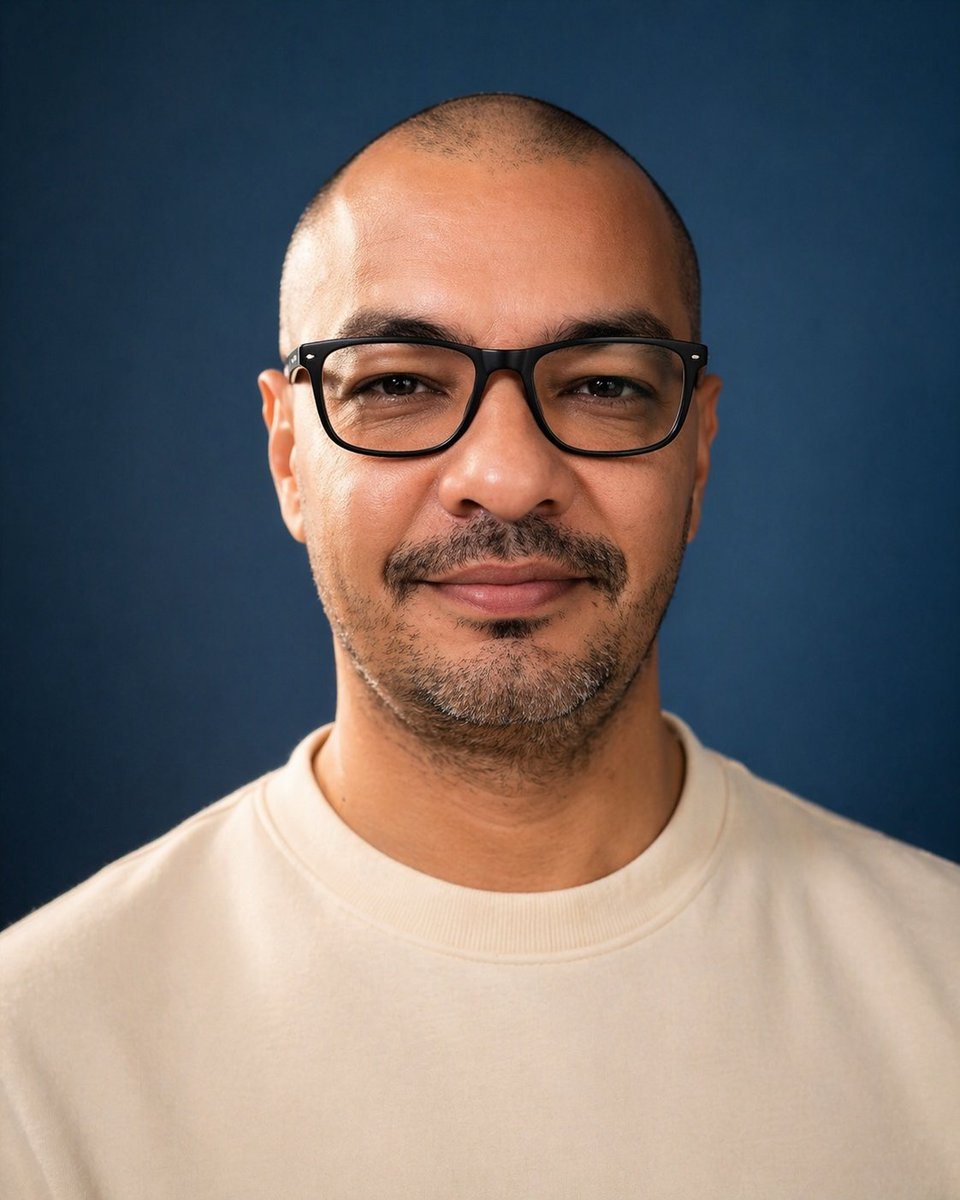
Centered Studio Portrait Photo Of A Single Adult Man From Upper Chest To

A centered studio portrait photo of a single adult man from upper chest to top of head, facing straight toward the camera against a smooth deep navy-blue backdrop. He has a very closely s...

A centered studio portrait photo of a single adult man from upper chest to top of head, facing straight toward the camera against a smooth deep navy-blue backdrop. He has a very closely s...
Prompt

A centered studio portrait photo of a single adult man from upper chest to top of head, facing straight toward the camera against a smooth deep navy-blue backdrop. He has a very closely shaved buzz cut, visible ears on both sides, medium tan skin, and short dark facial hair concentrated along the chin and jawline with a faint mustache. Dress him in a plain off-white or cream crewneck sweatshirt with no logo. Use soft professional studio lighting with gentle highlights on the scalp, ears, neck, and sweatshirt, realistic skin texture, shallow depth of field, and a clean photographic look. Compose it symmetrically with the head near the top of frame and broad shoulders filling the lower half, in a vertical portrait orientation. Overlay 1 large opaque rectangular censor block centered over the face, covering from forehead to below the nose area and spanning most of the facial width; make the block a flat muted brown tone with slightly soft edges so the facial features are completely hidden.

Prompt structure
  • Modelgpt-image-2
  • Use caseavatar
  • Stylephotorealistic, minimal
  • Aspect ratioFlexible
Best used for
  • Use caseavatar
  • Stylephotorealistic, minimal
  • Recommended specs1:1, 4:5, 16:9, or 9:16
  • ModelGPT Image 2
How to customize

Use this Centered Studio Portrait Photo Of A Single Adult Man From Upper Chest To prompt as a base. Replace the subject, product details, environment, lighting, brand colors, and output ratio while keeping the avatar intent and photorealistic, minimal direction stable.

Editable variables
  • SubjectReplace the product, person, scene, interface, or object being generated.
  • Use caseKeep or rewrite the destination as avatar, ad creative, cover image, poster, or ecommerce hero.
  • FrameChoose 1:1, 4:5, 16:9, or 9:16 based on the final placement.
  • Brand cuesAdd colors, materials, props, text-safe space, and the platform where the image will be used.
Recommended specs

Choose the frame for the destination first, then use 1K, 2K, or 4K based on output quality needs. Product images and posters usually benefit from higher resolution.

Pre-generation checklist
  • CheckSubject, lighting, composition, and frame are specific enough to review.
  • CheckText-safe space is included when the image will carry a headline or ad copy.
  • CheckResolution, credit cost, and final destination are checked before generation.
Why this prompt works

Centered Studio Portrait Photo Of A Single Adult Man From Upper Chest To works because it starts from the image job, then controls subject, composition, lighting, style, and frame. It is best for avatar while keeping the photorealistic, minimal direction stable.

Common questions
  • Can I use it directly?Yes. Replace the subject, brand cues, and frame, then generate in Image2Studio.
  • Which ratio should I use?Choose 1:1, 4:5, 16:9, or 9:16 based on the destination.




