
Image2Studio
Examples

gpt-image-2

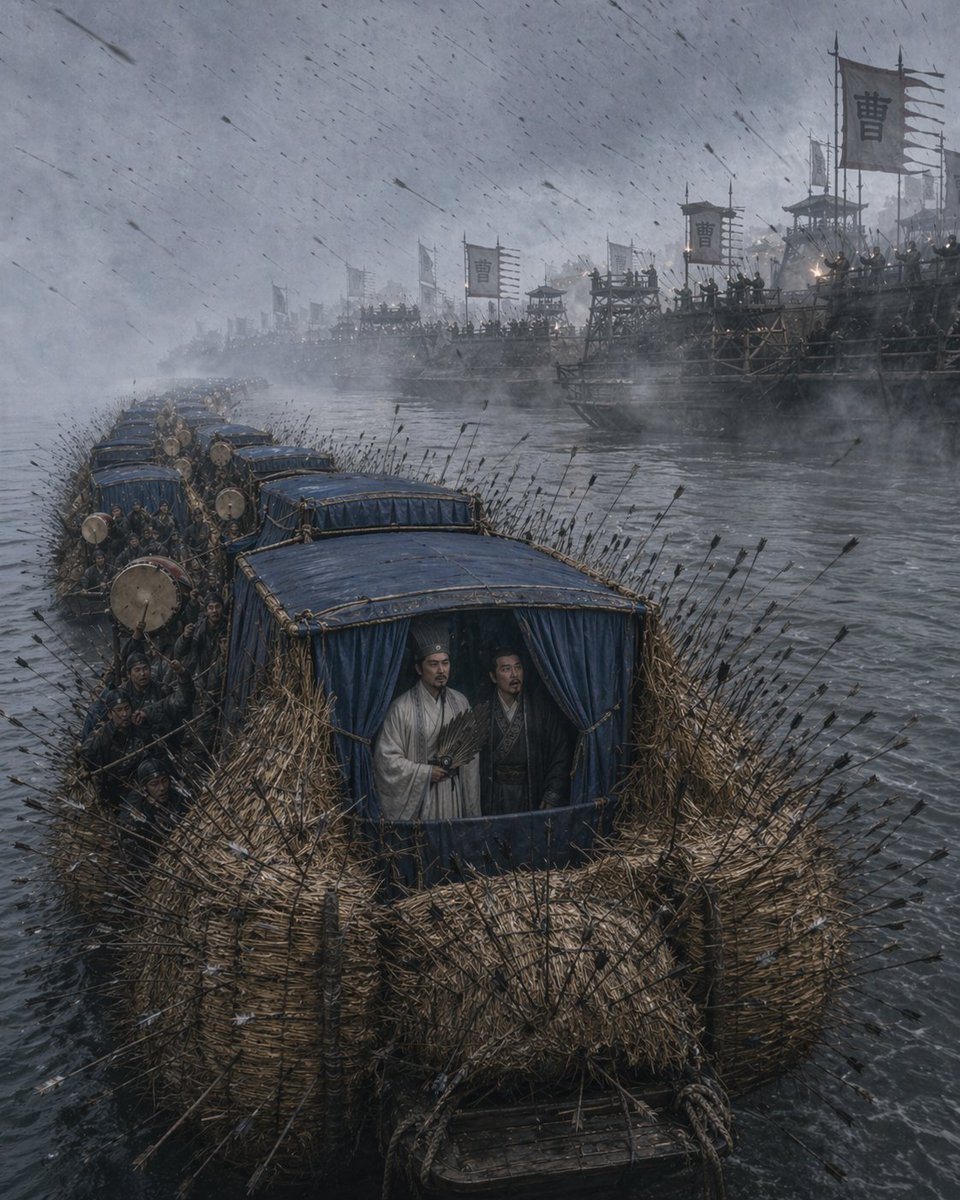
Cinematic Historical War Scene From Romance Of The Three Kingdoms Depict

A cinematic historical war scene from Romance of the Three Kingdoms depicting the straw boat borrowing arrows on a wide gray river during a violent rainstorm, viewed from a slightly eleva...

A cinematic historical war scene from Romance of the Three Kingdoms depicting the straw boat borrowing arrows on a wide gray river during a violent rainstorm, viewed from a slightly eleva...
Prompt

A cinematic historical war scene from Romance of the Three Kingdoms depicting the straw boat borrowing arrows on a wide gray river during a violent rainstorm, viewed from a slightly elevated front angle. In the foreground, a convoy of 6 narrow wooden boats is lashed together in a line, each boat wrapped thickly with dense bundles of straw along the sides and bow, creating rough protective walls. Hundreds of black-feathered arrows are embedded all over the straw armor, sticking out in every direction, with more arrows flying diagonally through the air in heavy wind and rain. The lead boat dominates the frame; its cabin is covered with dark blue fabric curtains and blue roof panels. Standing calmly inside the front cabin are 2 robed ancient Chinese strategists, one in a pale white robe holding a feather fan and one darker-robed companion beside him, both composed and unhurried amid the chaos. Along the left side of the boats are clustered oarsmen and soldiers in dark period clothing, with several large war drums visible on the decks. In the background across the river, a massive enemy river fleet fills the misty distance: dozens of tall wooden warships, watchtowers, and platforms crowded with troops and archers. Multiple military banners bearing the single large Chinese character "曹" rise above the fleet, indicating Cao Cao's forces. The atmosphere is cold, desaturated, and epic, with fog, smoke, rain streaks, rough water, low contrast blue-gray lighting, and highly detailed realistic textures in wet wood, straw, fabric, and river spray. Ultra-detailed, photorealistic ancient Chinese battlefield tableau, dramatic scale, moody historical realism, vertical composition.

Prompt structure
  • Modelgpt-image-2
  • Use caseavatar
  • Stylephotorealistic, cinematic
  • Aspect ratioFlexible
Best used for
  • Use caseavatar
  • Stylephotorealistic, cinematic
  • Recommended specs1:1, 4:5, 16:9, or 9:16
  • ModelGPT Image 2
How to customize

Use this Cinematic Historical War Scene From Romance Of The Three Kingdoms Depict prompt as a base. Replace the subject, product details, environment, lighting, brand colors, and output ratio while keeping the avatar intent and photorealistic, cinematic direction stable.

Editable variables
  • SubjectReplace the product, person, scene, interface, or object being generated.
  • Use caseKeep or rewrite the destination as avatar, ad creative, cover image, poster, or ecommerce hero.
  • FrameChoose 1:1, 4:5, 16:9, or 9:16 based on the final placement.
  • Brand cuesAdd colors, materials, props, text-safe space, and the platform where the image will be used.
Recommended specs

Choose the frame for the destination first, then use 1K, 2K, or 4K based on output quality needs. Product images and posters usually benefit from higher resolution.

Pre-generation checklist
  • CheckSubject, lighting, composition, and frame are specific enough to review.
  • CheckText-safe space is included when the image will carry a headline or ad copy.
  • CheckResolution, credit cost, and final destination are checked before generation.
Why this prompt works

Cinematic Historical War Scene From Romance Of The Three Kingdoms Depict works because it starts from the image job, then controls subject, composition, lighting, style, and frame. It is best for avatar while keeping the photorealistic, cinematic direction stable.

Common questions
  • Can I use it directly?Yes. Replace the subject, brand cues, and frame, then generate in Image2Studio.
  • Which ratio should I use?Choose 1:1, 4:5, 16:9, or 9:16 based on the destination.




