
Image2Studio
Prompts

gpt-image-2

Photorealistic Cinematic Shot

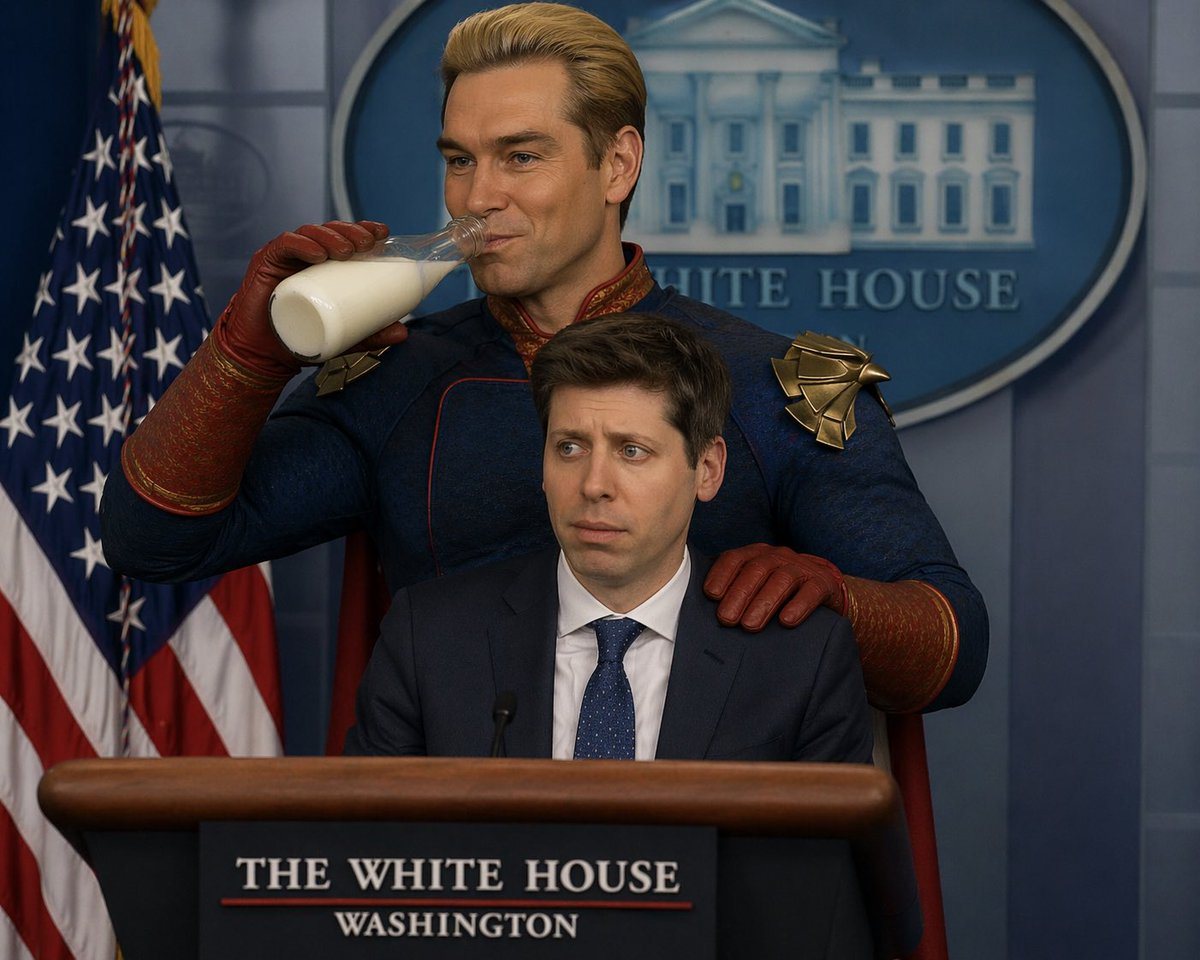
A photorealistic, cinematic shot set in the White House press briefing room. At the podium sits Sam Altman, wearing a dark suit and blue tie, looking visibly uncomfortable and nervous, st...

A photorealistic, cinematic shot set in the White House press briefing room. At the podium sits Sam Altman, wearing a dark suit and blue tie, looking visibly uncomfortable and nervous, st...
Prompt

A photorealistic, cinematic shot set in the {argument name="location" default="White House press briefing room"}. At the podium sits {argument name="seated character" default="Sam Altman"}, wearing a dark suit and blue tie, looking visibly uncomfortable and nervous, staring blankly ahead. Standing directly behind him is {argument name="standing character" default="Homelander from The Boys"}, wearing his signature blue superhero suit with red gloves and gold eagle shoulder pads. The standing character has one red-gloved hand resting heavily and intimidatingly on the seated character's shoulder, while using his other hand to drink from a {argument name="beverage" default="glass bottle of milk"} with a confident, slightly unhinged smirk. In the background, there is a US flag on the left and a blue oval White House seal on the wall behind them. The podium has a sign reading "THE WHITE HOUSE WASHINGTON".

Prompt structure
  • Modelgpt-image-2
  • Use caseavatar
  • Stylephotorealistic, cinematic, luxury
  • Aspect ratioFlexible
Best used for
  • Use caseavatar
  • Stylephotorealistic, cinematic, luxury
  • Recommended specs1:1, 4:5, 16:9, or 9:16
  • ModelGPT Image 2
How to customize

Use this Photorealistic Cinematic Shot prompt as a base. Replace the subject, product details, environment, lighting, brand colors, and output ratio while keeping the avatar intent and photorealistic, cinematic, luxury direction stable.

Editable variables
  • SubjectReplace the product, person, scene, interface, or object being generated.
  • Use caseKeep or rewrite the destination as avatar, ad creative, cover image, poster, or ecommerce hero.
  • FrameChoose 1:1, 4:5, 16:9, or 9:16 based on the final placement.
  • Brand cuesAdd colors, materials, props, text-safe space, and the platform where the image will be used.
Recommended specs

Choose the frame for the destination first, then use 1K, 2K, or 4K based on output quality needs. Product images and posters usually benefit from higher resolution.

Pre-generation checklist
  • CheckSubject, lighting, composition, and frame are specific enough to review.
  • CheckText-safe space is included when the image will carry a headline or ad copy.
  • CheckResolution, credit cost, and final destination are checked before generation.
Why this prompt works

Photorealistic Cinematic Shot works because it starts from the image job, then controls subject, composition, lighting, style, and frame. It is best for avatar while keeping the photorealistic, cinematic, luxury direction stable.

Common questions
  • Can I use it directly?Yes. Replace the subject, brand cues, and frame, then generate in Image2Studio.
  • Which ratio should I use?Choose 1:1, 4:5, 16:9, or 9:16 based on the destination.




