
Image2Studio
Examples

gpt-image-2

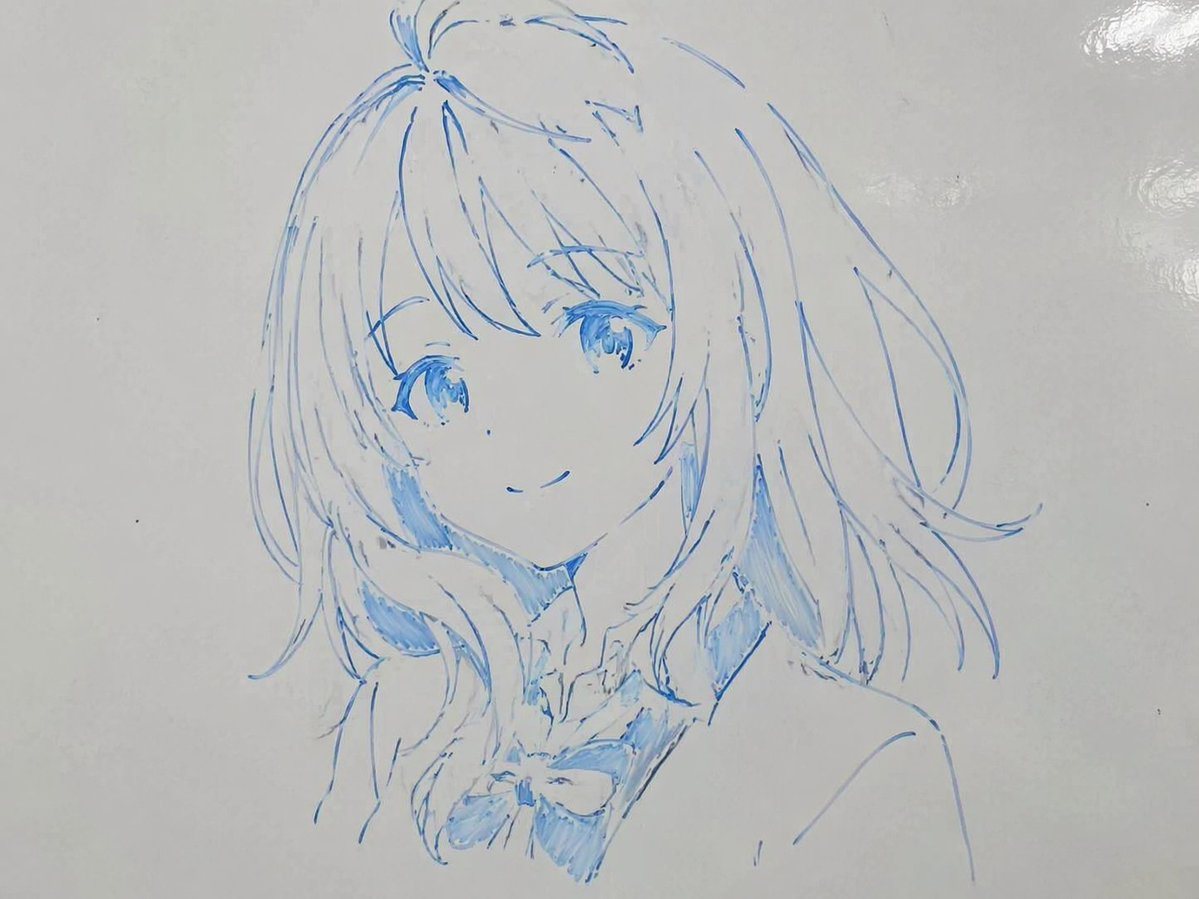
Close-up Portrait Of An Anime Girl

A close-up portrait of an anime girl with shoulder-length wavy hair and a gentle smile, wearing a school uniform with a bow tie. The image is a hand-drawn sketch on a glossy white whitebo...

A close-up portrait of an anime girl with shoulder-length wavy hair and a gentle smile, wearing a school uniform with a bow tie. The image is a hand-drawn sketch on a glossy white whitebo...
Prompt

A close-up portrait of an {argument name="character description" default="anime girl with shoulder-length wavy hair and a gentle smile"}, wearing a {argument name="outfit" default="school uniform with a bow tie"}. The image is a hand-drawn sketch on a glossy white whiteboard, created entirely with a {argument name="marker color" default="blue"} dry-erase marker. The art style features sketchy, varying line weights and rough marker shading, capturing a casual yet highly skilled anime illustration. Subtle light reflections on the top right of the whiteboard surface enhance the realistic photograph-of-a-drawing aesthetic.

Prompt structure
  • Modelgpt-image-2
  • Use caseavatar
  • Stylephotorealistic, anime, watercolor
  • Aspect ratioFlexible
Best used for
  • Use caseavatar
  • Stylephotorealistic, anime, watercolor
  • Recommended specs1:1, 4:5, 16:9, or 9:16
  • ModelGPT Image 2
How to customize

Use this Close-up Portrait Of An Anime Girl prompt as a base. Replace the subject, product details, environment, lighting, brand colors, and output ratio while keeping the avatar intent and photorealistic, anime, watercolor direction stable.

Editable variables
  • SubjectReplace the product, person, scene, interface, or object being generated.
  • Use caseKeep or rewrite the destination as avatar, ad creative, cover image, poster, or ecommerce hero.
  • FrameChoose 1:1, 4:5, 16:9, or 9:16 based on the final placement.
  • Brand cuesAdd colors, materials, props, text-safe space, and the platform where the image will be used.
Recommended specs

Choose the frame for the destination first, then use 1K, 2K, or 4K based on output quality needs. Product images and posters usually benefit from higher resolution.

Pre-generation checklist
  • CheckSubject, lighting, composition, and frame are specific enough to review.
  • CheckText-safe space is included when the image will carry a headline or ad copy.
  • CheckResolution, credit cost, and final destination are checked before generation.
Why this prompt works

Close-up Portrait Of An Anime Girl works because it starts from the image job, then controls subject, composition, lighting, style, and frame. It is best for avatar while keeping the photorealistic, anime, watercolor direction stable.

Common questions
  • Can I use it directly?Yes. Replace the subject, brand cues, and frame, then generate in Image2Studio.
  • Which ratio should I use?Choose 1:1, 4:5, 16:9, or 9:16 based on the destination.




