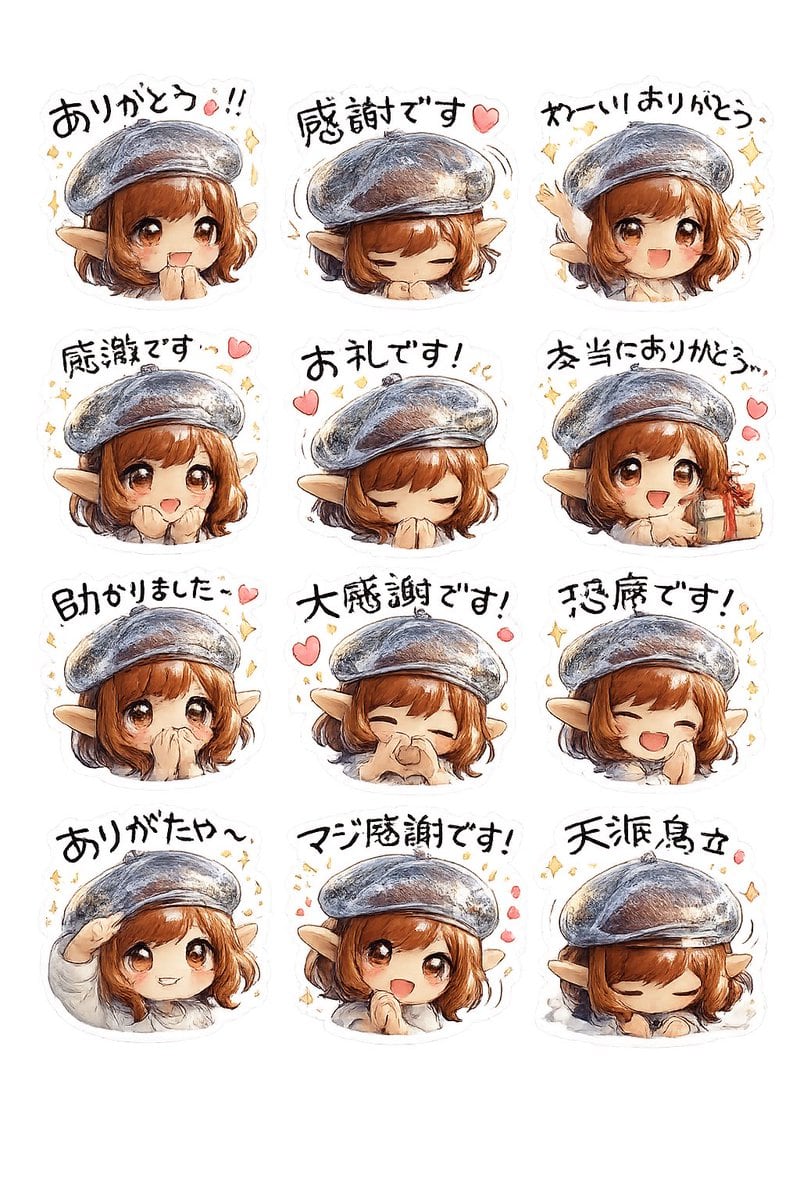
Prompt{"type":"sticker sheet","style":"hand-painted watercolor anime chibi stickers with soft pencil outlines, warm textured brushwork, subtle paper grain, white die-cut sticker borders, transparent background look","subject":{"character":"cute fantasy elf girl","age_appearance":"young adult chibi","hair":{"color":"{argument name=\"hair color\" default=\"auburn brown\"}","style":"short bob with bangs and slight curls at the sides"},"ears":"large pointed elf ears","hat":"oversized gray-blue beret with painterly highlights","clothing":"light cream top visible at the shoulders and sleeves","expression_style":"grateful, cheerful, shy, emotional"},"layout":{"grid":{"columns":3,"rows":4,"count":12},"sections":[{"position":"row 1 col 1","text":"ありがとう!!","pose":"front-facing head-and-shoulders, eyes gently closed, grateful expression, confetti sparkles around head"},{"position":"row 1 col 2","text":"感謝です♡","pose":"head bowed with hands tucked under chin, eyes closed, small motion lines around beret, one pink heart"},{"position":"row 1 col 3","text":"わー!! ありがとう","pose":"excited side-facing chibi, one arm raised in celebration, sparkles around head"},{"position":"row 2 col 1","text":"感謝です…♡","pose":"slight side angle, calm thankful smile, pink heart and small sparkles"},{"position":"row 2 col 2","text":"お礼です!","pose":"deep polite bow with both hands covering mouth, eyes closed, two pink hearts and tiny yellow marks"},{"position":"row 2 col 3","text":"本当にありがとう…","pose":"turned to the side, emotional thankful pose with hands near chest, pink hearts floating on the right"},{"position":"row 3 col 1","text":"助かりました…♡","pose":"small shy grateful pose, facing forward with soft expression, one pink heart and sparkles"},{"position":"row 3 col 2","text":"大感謝です!","pose":"laughing with eyes closed, one hand pinching near nose or cheek, joyful grateful smile, pink hearts around"},{"position":"row 3 col 3","text":"恐縮です!","pose":"big open-mouth smile, eyes closed, one hand at cheek, sparkles around head"},{"position":"row 4 col 1","text":"ありがたや〜","pose":"playful salute with one hand at forehead, soft smile"},{"position":"row 4 col 2","text":"マジ感謝です!","pose":"centered happy grateful pose with cheeks lifted, surrounded by pink hearts and sparkles"},{"position":"row 4 col 3","text":"天涙烏立","pose":"sleepy or deeply bowed pose with eyes closed and head lowered, small motion line by beret"}]},"decorations":{"count":12,"items":["yellow sparkles scattered around multiple stickers","pink hearts beside grateful phrases","subtle motion lines around the beret on some stickers","soft white sticker cutline around each design","clean empty background","loose handwritten brush lettering above each character","pastel watercolor shading","gentle rosy skin tones","text integrated as sticker caption","slight variation in character angle across stickers","consistent hat and hairstyle across all 12 stickers","cute emotive manga sticker aesthetic"]},"text_style":"bold hand-drawn Japanese brush lettering in black, slightly irregular and playful, one caption per sticker","quality":"high legibility, clean composition, evenly spaced 3x4 arrangement"}