
Image2Studio
Examples

gpt-image-2

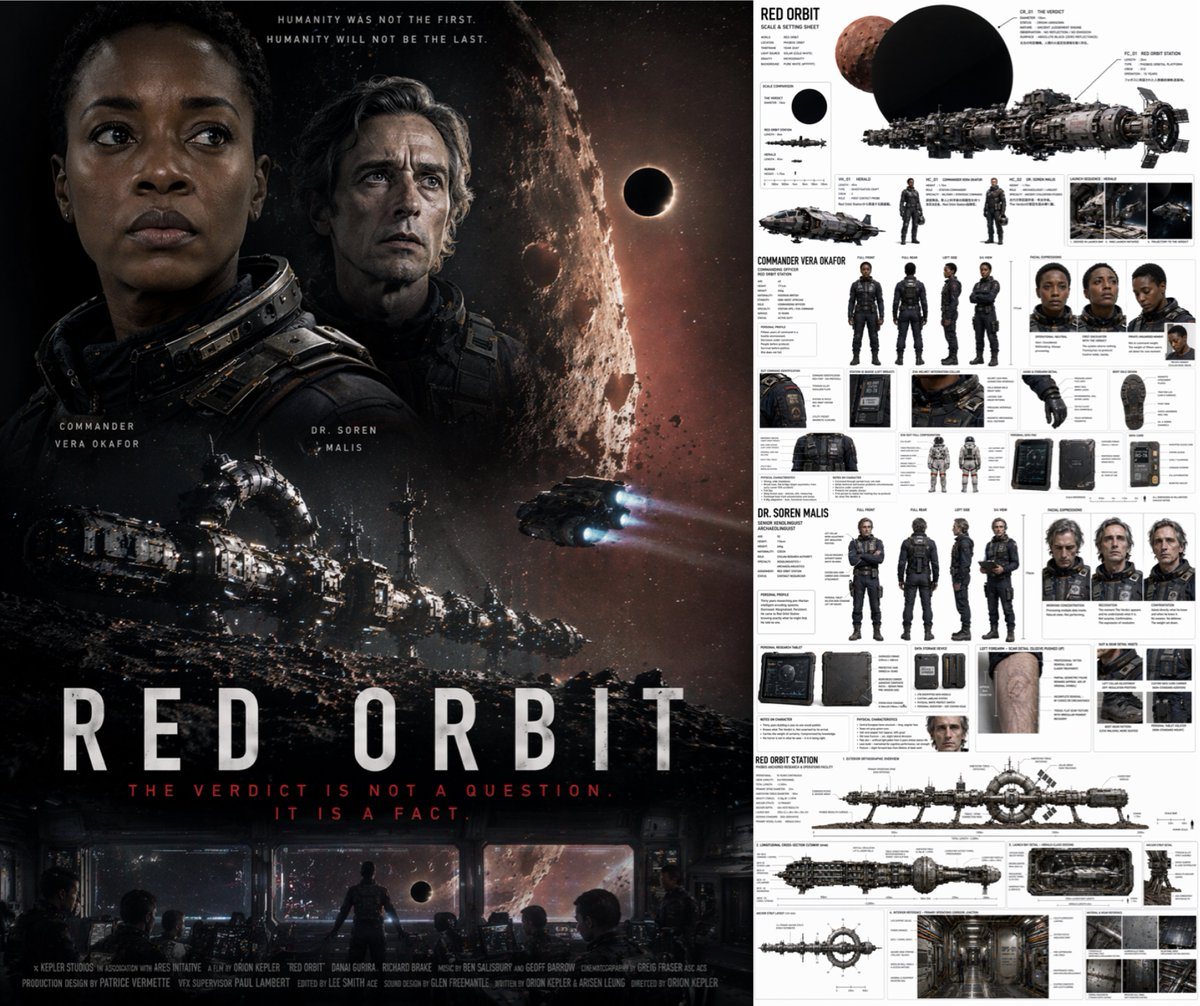
Split-panel Cinematic Movie Poster And Production Design Reference Sheet

Ready-to-edit split-panel cinematic movie poster and production design reference sheet image prompt.

Ready-to-edit split-panel cinematic movie poster and production design reference sheet image prompt.
Prompt

{ "type": "split-panel cinematic movie poster and production design reference sheet", "left_panel": { "type": "movie poster", "title": "{argument name=\"movie title\" default=\"RED ORBIT\"}", "taglines": [ "{argument name=\"main tagline\" default=\"HUMANITY WAS NOT THE FIRST. HUMANITY WILL NOT BE THE LAST.\"}", "THE VERDICT IS NOT A QUESTION. IT IS A FACT." ], "characters": [ { "name": "{argument name=\"lead character one\" default=\"COMMANDER VERA OKAFOR\"}", "description": "Black woman, serious expression, dark sci-fi spacesuit collar" }, { "name": "{argument name=\"lead character two\" default=\"DR. SOREN MALIS\"}", "description": "Older white man, intense expression, dark sci-fi spacesuit collar" } ], "imagery": "Large cratered moon, black eclipse, massive ringed spaceship, smaller dropship, bottom control room view, bottom credits block" }, "right_panel": { "type": "production design sheet", "title": "RED ORBIT SCALE & SETTING SHEET", "sections": [ { "title": "Spacecraft & Scale", "elements": [ "Red planet and black eclipse graphics", "Massive spaceship {argument name=\"main spaceship\" default=\"CR_01 THE VERDICT\"}", "3 scale comparison silhouettes", "Smaller ship VK_01 HERALD", "2 character scale figures", "3 launch sequence thumbnails" ] }, { "title": "COMMANDER VERA OKAFOR", "elements": [ "4 full-body turnarounds (front, back, side, 3/4)", "3 facial expression portraits", "8 detail callouts (suit, helmet, gloves, boots, tablet)", "2 full-body spacesuit figures" ] }, { "title": "DR. SOREN MALIS", "elements": [ "4 full-body turnarounds (front, back, side, 3/4)", "3 facial expression portraits", "6 detail callouts (tablet, storage, arm scar, boots)", "1 extra portrait" ] }, { "title": "RED ORBIT STATION", "elements": [ "1 exterior orthographic overview", "1 longitudinal cross-section cutaway", "6 structural details, interior corridor, and material reference thumbnails" ] } ] } }

Prompt structure
  • Modelgpt-image-2
  • Use casecampaign-poster
  • Stylecinematic, cyberpunk
  • Aspect ratioFlexible
Best used for
  • Use casecampaign-poster
  • Stylecinematic, cyberpunk
  • Recommended specs1:1, 4:5, 16:9, or 9:16
  • ModelGPT Image 2
How to customize

Use this Split-panel Cinematic Movie Poster And Production Design Reference Sheet prompt as a base. Replace the subject, product details, environment, lighting, brand colors, and output ratio while keeping the campaign-poster intent and cinematic, cyberpunk direction stable.

Editable variables
  • SubjectReplace the product, person, scene, interface, or object being generated.
  • Use caseKeep or rewrite the destination as campaign poster, ad creative, cover image, poster, or ecommerce hero.
  • FrameChoose 1:1, 4:5, 16:9, or 9:16 based on the final placement.
  • Brand cuesAdd colors, materials, props, text-safe space, and the platform where the image will be used.
Recommended specs

Choose the frame for the destination first, then use 1K, 2K, or 4K based on output quality needs. Product images and posters usually benefit from higher resolution.

Pre-generation checklist
  • CheckSubject, lighting, composition, and frame are specific enough to review.
  • CheckText-safe space is included when the image will carry a headline or ad copy.
  • CheckResolution, credit cost, and final destination are checked before generation.
Why this prompt works

Split-panel Cinematic Movie Poster And Production Design Reference Sheet works because it starts from the image job, then controls subject, composition, lighting, style, and frame. It is best for campaign poster while keeping the cinematic, cyberpunk direction stable.

Common questions
  • Can I use it directly?Yes. Replace the subject, brand cues, and frame, then generate in Image2Studio.
  • Which ratio should I use?Choose 1:1, 4:5, 16:9, or 9:16 based on the destination.




