
Image2Studio
Examples

gpt-image-2

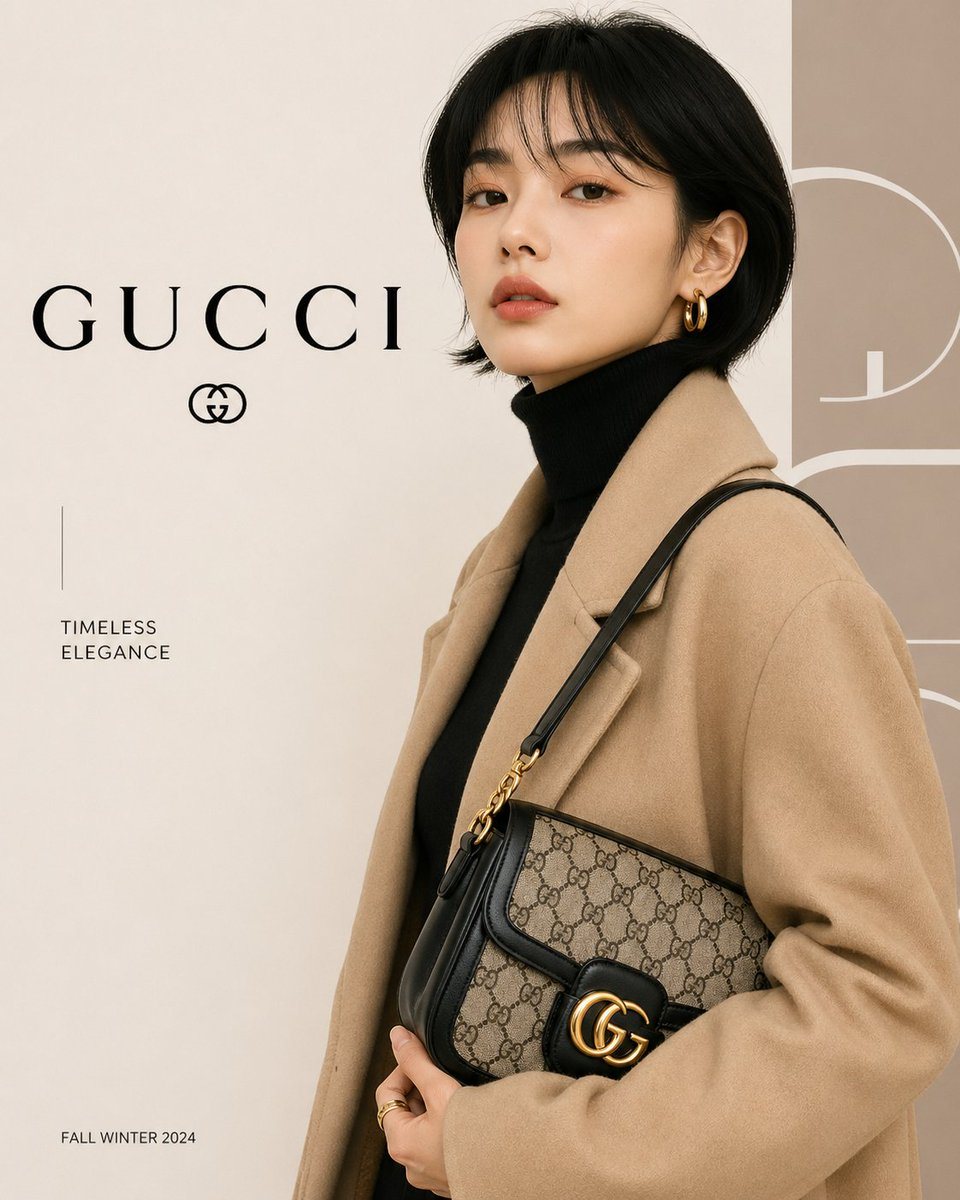
Minimalist Luxury Fashion Advertisement Poster

A minimalist luxury fashion advertisement poster for GUCCI, editorial studio photography on a soft warm beige background with a clean high-end magazine layout. Show a stylish woman from a...

A minimalist luxury fashion advertisement poster for GUCCI, editorial studio photography on a soft warm beige background with a clean high-end magazine layout. Show a stylish woman from a...
Prompt

A minimalist luxury fashion advertisement poster for {argument name="brand name" default="GUCCI"}, editorial studio photography on a soft warm beige background with a clean high-end magazine layout. Show a stylish woman from about mid-thigh up in a three-quarter side profile facing right, with a short sleek black bob haircut, a single visible gold hoop earring, and her face intentionally obscured by a large vertical blurred rectangular block centered over the face. She wears a camel wool overcoat layered over a black turtleneck sweater and carries a classic designer shoulder bag tucked under her arm. The bag is beige canvas with a repeating monogram pattern, black leather trim and strap, and a prominent interlocking gold hardware emblem on the flap. Her pose is poised and refined, one hand lightly holding the coat and the other supporting the bag, conveying quiet luxury. Use soft diffused lighting, muted neutral tones, sharp fashion-editorial styling, premium texture detail in the wool coat, leather, canvas, and metallic hardware. On the left side of the composition, place the large serif wordmark {argument name="brand name" default="GUCCI"} in black with a small luxury-style emblem directly beneath it, a thin vertical divider line below, then the stacked tagline {argument name="tagline" default="TIMELESS ELEGANCE"} in small uppercase sans serif, and near the bottom left the season text {argument name="season text" default="FALL WINTER 2024"}. On the right edge, add oversized cropped abstract numeral-like graphic forms in a pale taupe tone as a background design element. Keep the overall composition clean, balanced, and sophisticated, like a luxury campaign poster or magazine cover.

Prompt structure
  • Modelgpt-image-2
  • Use casecampaign-poster
  • Styleluxury, editorial, photorealistic, minimal
  • Aspect ratioFlexible
Best used for
  • Use casecampaign-poster
  • Styleluxury, editorial, photorealistic, minimal
  • Recommended specs1:1, 4:5, 16:9, or 9:16
  • ModelGPT Image 2
How to customize

Use this Minimalist Luxury Fashion Advertisement Poster prompt as a base. Replace the subject, product details, environment, lighting, brand colors, and output ratio while keeping the campaign-poster intent and luxury, editorial, photorealistic, minimal direction stable.

Editable variables
  • SubjectReplace the product, person, scene, interface, or object being generated.
  • Use caseKeep or rewrite the destination as campaign poster, ad creative, cover image, poster, or ecommerce hero.
  • FrameChoose 1:1, 4:5, 16:9, or 9:16 based on the final placement.
  • Brand cuesAdd colors, materials, props, text-safe space, and the platform where the image will be used.
Recommended specs

Choose the frame for the destination first, then use 1K, 2K, or 4K based on output quality needs. Product images and posters usually benefit from higher resolution.

Pre-generation checklist
  • CheckSubject, lighting, composition, and frame are specific enough to review.
  • CheckText-safe space is included when the image will carry a headline or ad copy.
  • CheckResolution, credit cost, and final destination are checked before generation.
Why this prompt works

Minimalist Luxury Fashion Advertisement Poster works because it starts from the image job, then controls subject, composition, lighting, style, and frame. It is best for campaign poster while keeping the luxury, editorial, photorealistic, minimal direction stable.

Common questions
  • Can I use it directly?Yes. Replace the subject, brand cues, and frame, then generate in Image2Studio.
  • Which ratio should I use?Choose 1:1, 4:5, 16:9, or 9:16 based on the destination.




