
Image2Studio
Examples

gpt-image-2

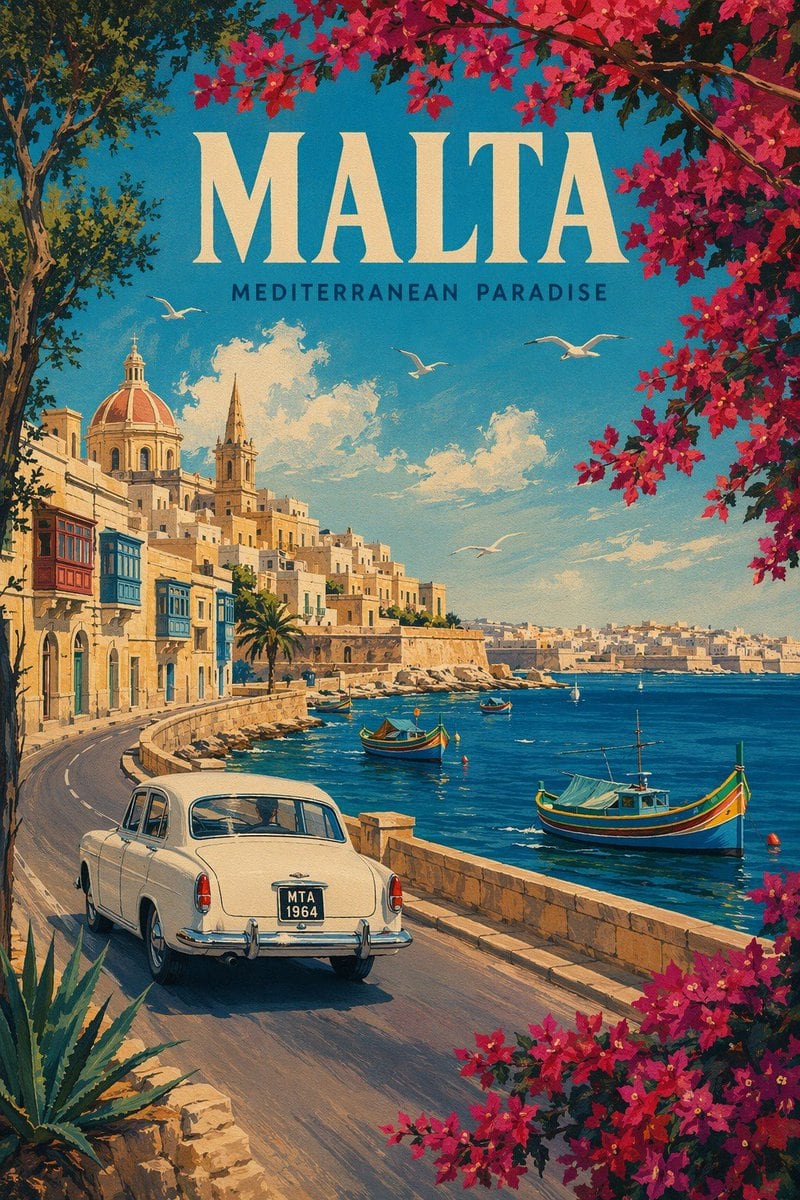
Vintage Travel Poster Illustration

A vintage travel poster illustration for MALTA, with the subtitle MEDITERRANEAN PARADISE centered near the top. The composition is a sunlit Mediterranean coastal cityscape viewed from a c...

A vintage travel poster illustration for MALTA, with the subtitle MEDITERRANEAN PARADISE centered near the top. The composition is a sunlit Mediterranean coastal cityscape viewed from a c...
Prompt

A vintage travel poster illustration for {argument name="destination name" default="MALTA"}, with the subtitle {argument name="tagline" default="MEDITERRANEAN PARADISE"} centered near the top. The composition is a sunlit Mediterranean coastal cityscape viewed from a curving seaside road in the foreground, painted in a richly textured retro poster style with warm cream stone architecture, saturated turquoise-blue sea, and a bright azure sky with soft white clouds. On the left, a hillside of tightly packed historic limestone buildings rises above the waterfront, including colorful enclosed wooden balconies, a large domed church with a reddish terracotta roof, and a slender church spire. In the foreground on the road, place a classic mid-century white sedan seen from the rear three-quarter angle, driving along the curve, with a dark license plate reading {argument name="license plate text" default="MTA 1964"}. A low stone seawall runs along the right edge of the road beside the harbor. In the bay, include exactly 4 boats: 2 colorful Maltese luzzu fishing boats in the near and mid water, plus 2 smaller distant boats farther back. Add exactly 4 white seagulls gliding across the sky above the water. Frame the scene with lush flowering bougainvillea branches in vivid magenta-pink arching across the upper right and lower right corners, and leafy tree branches along the upper left edge; include a spiky agave plant in the lower left foreground. The distant shoreline across the bay should show a pale sunlit city stretching along the horizon. Use a nostalgic 1950s–1960s tourism poster aesthetic, painterly brushwork, crisp composition, romantic travel mood, and elegant typography with the main title in large cream serif capitals and the subtitle in smaller dark sans-serif capitals.

Prompt structure
  • Modelgpt-image-2
  • Use casecampaign-poster
  • Stylewatercolor, luxury
  • Aspect ratioFlexible
Best used for
  • Use casecampaign-poster
  • Stylewatercolor, luxury
  • Recommended specs1:1, 4:5, 16:9, or 9:16
  • ModelGPT Image 2
How to customize

Use this Vintage Travel Poster Illustration prompt as a base. Replace the subject, product details, environment, lighting, brand colors, and output ratio while keeping the campaign-poster intent and watercolor, luxury direction stable.

Editable variables
  • SubjectReplace the product, person, scene, interface, or object being generated.
  • Use caseKeep or rewrite the destination as campaign poster, ad creative, cover image, poster, or ecommerce hero.
  • FrameChoose 1:1, 4:5, 16:9, or 9:16 based on the final placement.
  • Brand cuesAdd colors, materials, props, text-safe space, and the platform where the image will be used.
Recommended specs

Choose the frame for the destination first, then use 1K, 2K, or 4K based on output quality needs. Product images and posters usually benefit from higher resolution.

Pre-generation checklist
  • CheckSubject, lighting, composition, and frame are specific enough to review.
  • CheckText-safe space is included when the image will carry a headline or ad copy.
  • CheckResolution, credit cost, and final destination are checked before generation.
Why this prompt works

Vintage Travel Poster Illustration works because it starts from the image job, then controls subject, composition, lighting, style, and frame. It is best for campaign poster while keeping the watercolor, luxury direction stable.

Common questions
  • Can I use it directly?Yes. Replace the subject, brand cues, and frame, then generate in Image2Studio.
  • Which ratio should I use?Choose 1:1, 4:5, 16:9, or 9:16 based on the destination.




