
Image2Studio
Examples

gpt-image-2

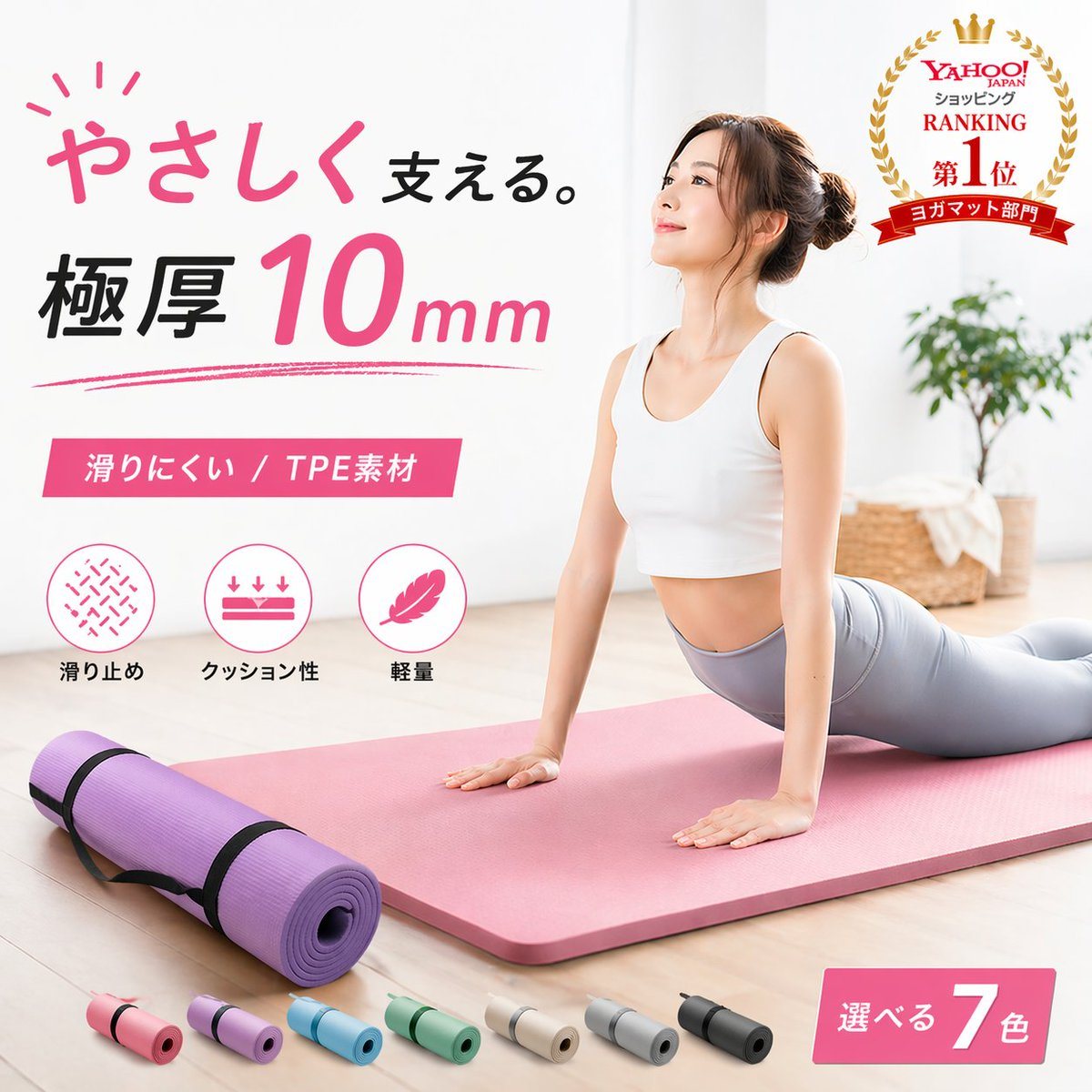
Create A Clean Japanese E-commerce Advertisement Image

Create a clean Japanese e-commerce advertisement image for a premium yoga mat in a bright minimalist home interior. The main scene shows 1 woman with her face softly blurred, doing an upw...

Create a clean Japanese e-commerce advertisement image for a premium yoga mat in a bright minimalist home interior. The main scene shows 1 woman with her face softly blurred, doing an upw...
Prompt

Create a clean Japanese e-commerce advertisement image for a premium yoga mat in a bright minimalist home interior. The main scene shows 1 woman with her face softly blurred, doing an upward-facing dog yoga pose on a thick pastel pink yoga mat placed diagonally across a pale wood floor. She wears a white sports bra and light gray leggings, with her hair in a neat bun. In the left foreground, show 1 rolled purple yoga mat secured with 2 black straps. Along the bottom edge, display exactly 7 small rolled mat color variations in a row: pink, lavender, sky blue, mint green, beige, light gray, and black. Add large Japanese promotional typography on the left in a stylish modern layout: the headline reads "やさしく支える。" with "やさしく" in handwritten pink script and "支える。" in black, followed by a bold large line "極厚 10mm" with "10" oversized in pink and "mm" smaller in pink italic style. Under that, add a pink rectangular banner with white text reading "滑りにくい / TPE素材". Beneath the banner, place exactly 3 circular feature icons with labels in Japanese: 1) a non-slip texture icon labeled "滑り止め", 2) a cushioning icon with downward arrows labeled "クッション性", 3) a feather icon labeled "軽量". In the upper right corner, add a gold laurel award badge with a crown and layered red ribbons, containing the Japanese text "Yahoo! JAPAN ショッピング RANKING 第1位 ヨガマット部門". In the lower right corner, add a pink angled label reading "選べる 7色" with the number 7 large and white. The background should be soft, airy, and high-key with a white wall, natural daylight, and a slightly out-of-focus potted green plant and woven basket on the right side. Use a polished commercial product-photography style, soft shadows, pastel color palette, luxury wellness branding, sharp layout, and realistic materials, suitable for an online marketplace hero image.

Prompt structure
  • Modelgpt-image-2
  • Use caseecommerce-product-image
  • Stylephotorealistic, luxury, editorial, minimal
  • Aspect ratioFlexible
Best used for
  • Use caseecommerce-product-image
  • Stylephotorealistic, luxury, editorial, minimal
  • Recommended specs1:1, 4:5, 16:9, or 9:16
  • ModelGPT Image 2
How to customize

Use this Create A Clean Japanese E-commerce Advertisement Image prompt as a base. Replace the subject, product details, environment, lighting, brand colors, and output ratio while keeping the ecommerce-product-image intent and photorealistic, luxury, editorial, minimal direction stable.

Editable variables
  • SubjectReplace the product, person, scene, interface, or object being generated.
  • Use caseKeep or rewrite the destination as ecommerce product image, ad creative, cover image, poster, or ecommerce hero.
  • FrameChoose 1:1, 4:5, 16:9, or 9:16 based on the final placement.
  • Brand cuesAdd colors, materials, props, text-safe space, and the platform where the image will be used.
Recommended specs

Choose the frame for the destination first, then use 1K, 2K, or 4K based on output quality needs. Product images and posters usually benefit from higher resolution.

Pre-generation checklist
  • CheckSubject, lighting, composition, and frame are specific enough to review.
  • CheckText-safe space is included when the image will carry a headline or ad copy.
  • CheckResolution, credit cost, and final destination are checked before generation.
Why this prompt works

Create A Clean Japanese E-commerce Advertisement Image works because it starts from the image job, then controls subject, composition, lighting, style, and frame. It is best for ecommerce product image while keeping the photorealistic, luxury, editorial, minimal direction stable.

Common questions
  • Can I use it directly?Yes. Replace the subject, brand cues, and frame, then generate in Image2Studio.
  • Which ratio should I use?Choose 1:1, 4:5, 16:9, or 9:16 based on the destination.




