
Image2Studio
Prompts

gpt-image-2

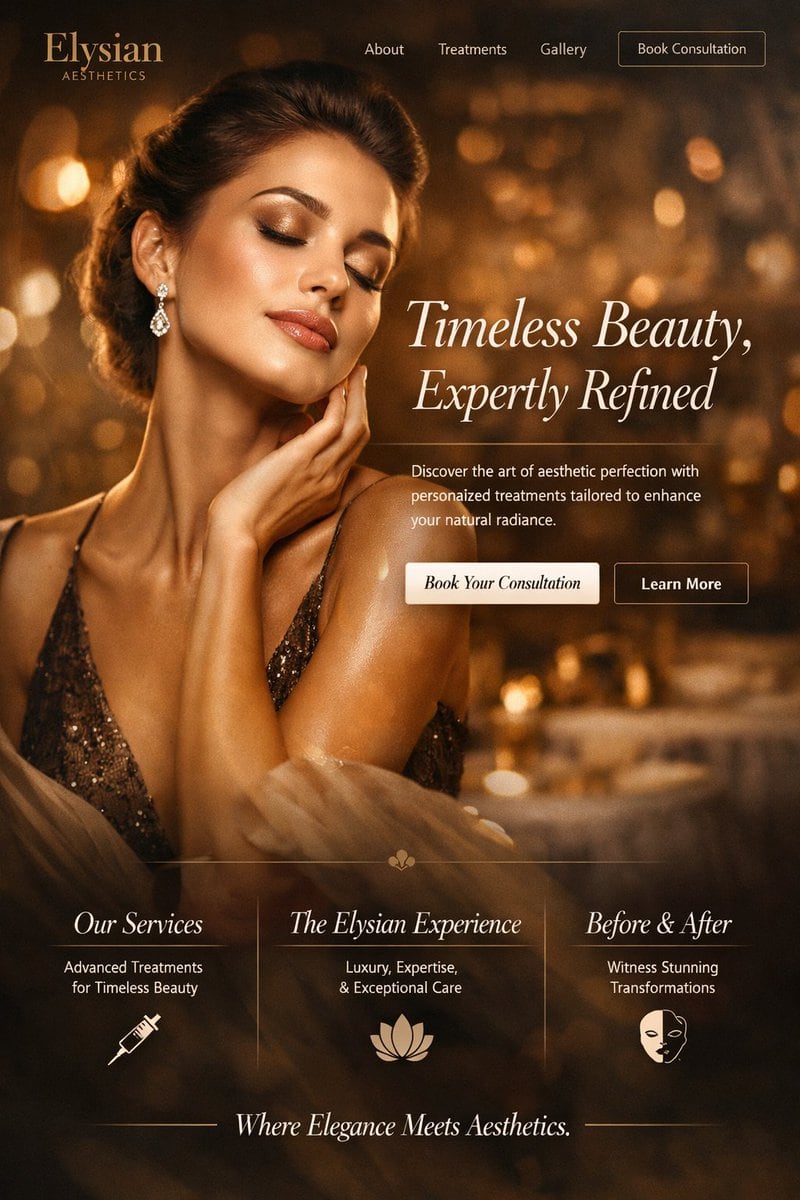
Website Landing Page Mockup

Structured website landing page mockup prompt for GPT Image 2.

Structured website landing page mockup prompt for GPT Image 2.
Prompt

{ "type": "website landing page mockup", "industry": "{argument name=\"industry\" default=\"luxury aesthetics clinic\"}", "style": { "color_palette": "{argument name=\"color theme\" default=\"warm golden and bronze\"}", "typography": "elegant serif fonts", "atmosphere": "high-end, luxurious, glowing bokeh background" }, "layout": { "header": { "logo": "{argument name=\"brand name\" default=\"Elysian\"} AESTHETICS", "navigation_links": ["About", "Treatments", "Gallery"], "cta_button": "Book Consultation" }, "hero_section": { "imagery": "portrait of an {argument name=\"hero subject\" default=\"elegant woman with glowing skin and closed eyes touching her neck\"}, wearing a sparkly bronze dress and diamond drop earrings", "typography": { "headline": "{argument name=\"headline text\" default=\"Timeless Beauty, Expertly Refined\"}", "subheadline": "Discover the art of aesthetic perfection with personalized treatments tailored to enhance your natural radiance." }, "buttons": [ {"text": "Book Your Consultation", "style": "solid light cream"}, {"text": "Learn More", "style": "outline"} ] }, "features_section": { "count": 3, "columns": [ { "title": "Our Services", "subtitle": "Advanced Treatments for Timeless Beauty", "icon": "syringe" }, { "title": "The Elysian Experience", "subtitle": "Luxury, Expertise, & Exceptional Care", "icon": "lotus flower" }, { "title": "Before & After", "subtitle": "Witness Stunning Transformations", "icon": "half-face mask" } ], "divider": "thin vertical lines between columns" }, "footer": { "tagline": "Where Elegance Meets Aesthetics.", "styling": "flanked by horizontal lines" } } }

Prompt structure
  • Modelgpt-image-2
  • Use caseproduct-hero-shot
  • Styleluxury, photorealistic, editorial
  • Aspect ratioFlexible
Best used for
  • Use caseproduct-hero-shot
  • Styleluxury, photorealistic, editorial
  • Recommended specs1:1, 4:5, 16:9, or 9:16
  • ModelGPT Image 2
How to customize

Use this Website Landing Page Mockup prompt as a base. Replace the subject, product details, environment, lighting, brand colors, and output ratio while keeping the product-hero-shot intent and luxury, photorealistic, editorial direction stable.

Editable variables
  • SubjectReplace the product, person, scene, interface, or object being generated.
  • Use caseKeep or rewrite the destination as product hero shot, ad creative, cover image, poster, or ecommerce hero.
  • FrameChoose 1:1, 4:5, 16:9, or 9:16 based on the final placement.
  • Brand cuesAdd colors, materials, props, text-safe space, and the platform where the image will be used.
Recommended specs

Choose the frame for the destination first, then use 1K, 2K, or 4K based on output quality needs. Product images and posters usually benefit from higher resolution.

Pre-generation checklist
  • CheckSubject, lighting, composition, and frame are specific enough to review.
  • CheckText-safe space is included when the image will carry a headline or ad copy.
  • CheckResolution, credit cost, and final destination are checked before generation.
Why this prompt works

Website Landing Page Mockup works because it starts from the image job, then controls subject, composition, lighting, style, and frame. It is best for product hero shot while keeping the luxury, photorealistic, editorial direction stable.

Common questions
  • Can I use it directly?Yes. Replace the subject, brand cues, and frame, then generate in Image2Studio.
  • Which ratio should I use?Choose 1:1, 4:5, 16:9, or 9:16 based on the destination.




