
Image2Studio
Examples

gpt-image-2

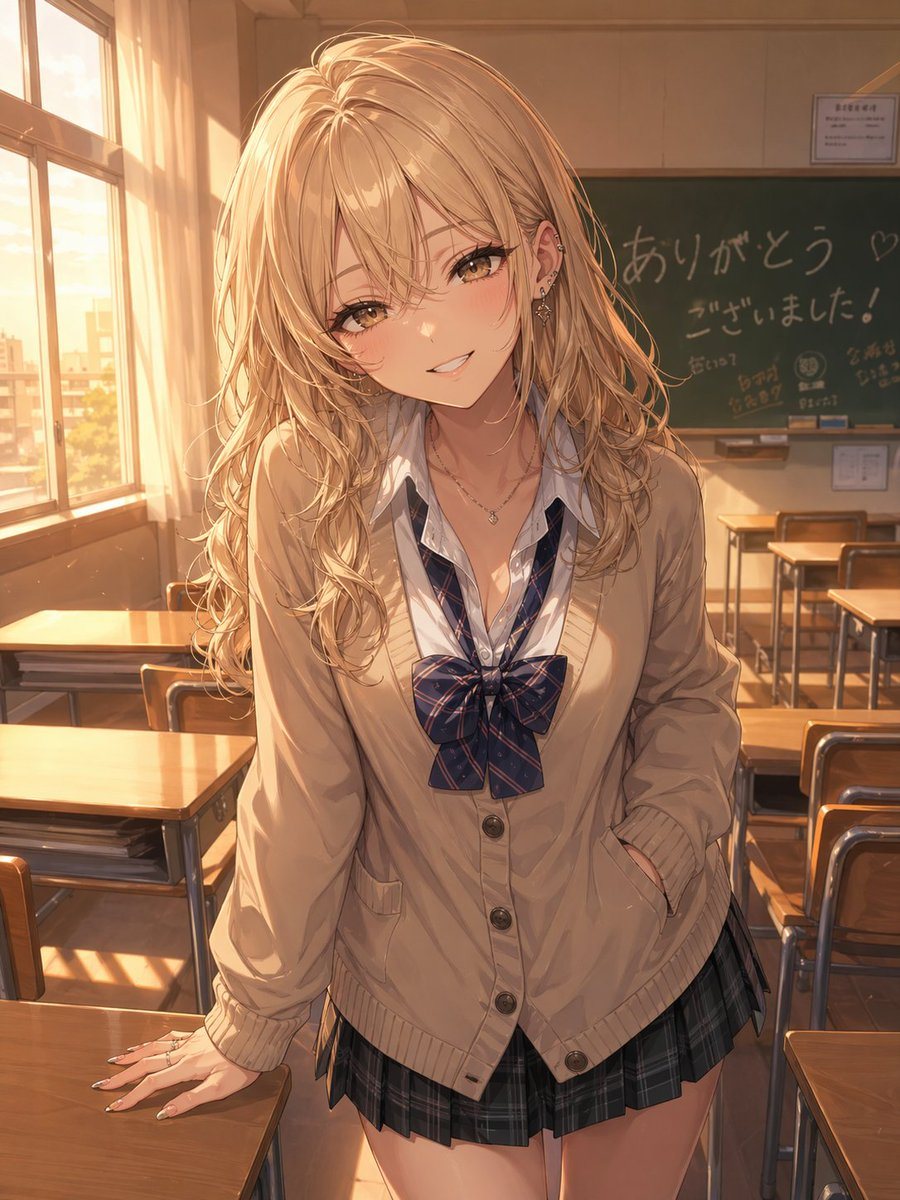
Warm Golden-hour Anime Illustration Of A Fashionable High School Gyaru G

A warm, golden-hour anime illustration of a fashionable high school gyaru girl standing in an empty classroom, leaning slightly forward between wooden desks with one hand resting on a des...

A warm, golden-hour anime illustration of a fashionable high school gyaru girl standing in an empty classroom, leaning slightly forward between wooden desks with one hand resting on a des...
Prompt

A warm, golden-hour anime illustration of a fashionable high school gyaru girl standing in an empty classroom, leaning slightly forward between wooden desks with one hand resting on a desk and the other tucked into her cardigan pocket. She has long, voluminous wavy {argument name="hair color" default="bleached blonde"} hair with soft shine and layered strands, a trendy, approachable gal aesthetic, and multiple ear piercings with delicate jewelry. Her face is intentionally obscured by a flat square censor block in the center of the image. She wears a Japanese school uniform consisting of 4 visible outfit pieces: a loose cream-beige cardigan with buttons, a white shirt with the collar open, a large navy plaid ribbon bow, and a short dark plaid pleated skirt. Add subtle accessories including 2 necklaces and manicured nails. The classroom is lit by strong sunset light streaming from tall windows on the left, casting long warm shadows across the desks, floor, and her clothes. In the background, show a green chalkboard with handwritten Japanese farewell-style messages including "ありがとう♡" and "ございました!", plus a few small doodles, and several neatly arranged desks and chairs. The mood should be soft, nostalgic, flirtatious, and kindhearted, capturing the feeling of an otaku-friendly gal after school. Highly detailed anime painting, soft rim light, cinematic composition, shallow depth of field, polished linework, luminous hair highlights, realistic fabric folds, and a vertical portrait framing.

Prompt structure
  • Modelgpt-image-2
  • Use casesocial-media-post
  • Styleanime, cinematic, photorealistic, watercolor
  • Aspect ratioFlexible
Best used for
  • Use casesocial-media-post
  • Styleanime, cinematic, photorealistic, watercolor
  • Recommended specs1:1, 4:5, 16:9, or 9:16
  • ModelGPT Image 2
How to customize

Use this Warm Golden-hour Anime Illustration Of A Fashionable High School Gyaru G prompt as a base. Replace the subject, product details, environment, lighting, brand colors, and output ratio while keeping the social-media-post intent and anime, cinematic, photorealistic, watercolor direction stable.

Editable variables
  • SubjectReplace the product, person, scene, interface, or object being generated.
  • Use caseKeep or rewrite the destination as social media post, ad creative, cover image, poster, or ecommerce hero.
  • FrameChoose 1:1, 4:5, 16:9, or 9:16 based on the final placement.
  • Brand cuesAdd colors, materials, props, text-safe space, and the platform where the image will be used.
Recommended specs

Choose the frame for the destination first, then use 1K, 2K, or 4K based on output quality needs. Product images and posters usually benefit from higher resolution.

Pre-generation checklist
  • CheckSubject, lighting, composition, and frame are specific enough to review.
  • CheckText-safe space is included when the image will carry a headline or ad copy.
  • CheckResolution, credit cost, and final destination are checked before generation.
Why this prompt works

Warm Golden-hour Anime Illustration Of A Fashionable High School Gyaru G works because it starts from the image job, then controls subject, composition, lighting, style, and frame. It is best for social media post while keeping the anime, cinematic, photorealistic, watercolor direction stable.

Common questions
  • Can I use it directly?Yes. Replace the subject, brand cues, and frame, then generate in Image2Studio.
  • Which ratio should I use?Choose 1:1, 4:5, 16:9, or 9:16 based on the destination.




