
Image2Studio
Examples

gpt-image-2

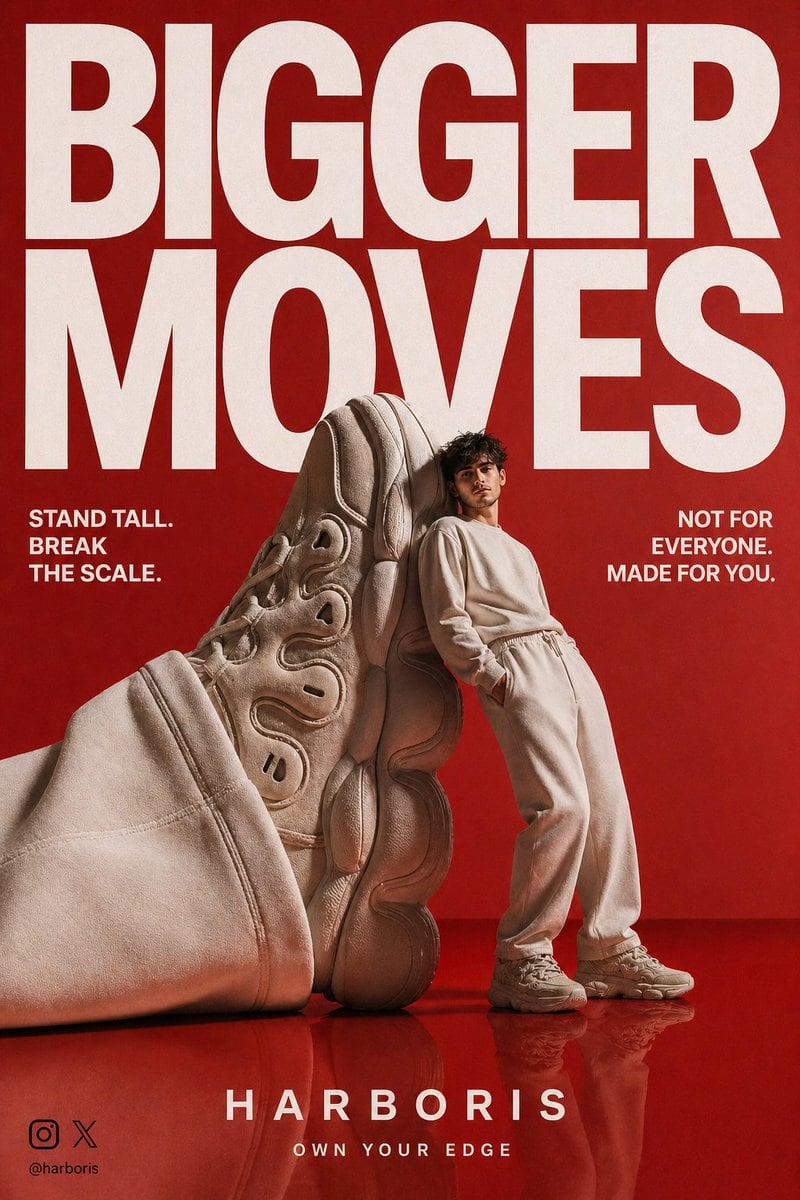
High-End Streetwear Campaign Poster

A detailed prompt for creating a luxury streetwear poster using a reference image, featuring dramatic lighting and bold typography.

A detailed prompt for creating a luxury streetwear poster using a reference image, featuring dramatic lighting and bold typography.
Prompt

Use the uploaded reference image as the identity source. Create a premium streetwear campaign poster designed to stop people mid-scroll. Show the same person leaning confidently against a giant oversized {argument name="item" default="beige sneaker"} nearly the same height as the model. Rich glossy {argument name="background color" default="red"} seamless studio background and reflective {argument name="floor color" default="red"} floor. Minimal but dramatic composition with luxury editorial lighting, sharp shadows, polished reflections, cinematic depth, realistic textures. The person wears a monochrome beige tracksuit with matching chunky sneakers, relaxed confident pose, hands in pockets. The giant sneaker is sculptural, futuristic, detailed sole patterns, premium suede and leather textures. Add bold oversized headline typography at the top in clean modern sans serif font: “BIGGER MOVES”. Large white text dominating the frame. Add secondary copy on left: “STAND TALL. BREAK THE SCALE.” Add right side text: “NOT FOR EVERYONE. MADE FOR YOU.” Add bottom center brand text: “HARBORIS” with tagline below: “OWN YOUR EDGE”. Add small left bottom watermark: black Instagram logo, black X logo, harboris. High-end fashion advertising aesthetic, luxury sneaker campaign, sharp focus, ultra realistic, scroll-stopping social media poster, premium branding, balanced layout.

Prompt structure
  • Modelgpt-image-2
  • Use casecampaign-poster
  • Styleluxury, cinematic, photorealistic, editorial
  • Aspect ratioFlexible
Best used for
  • Use casecampaign-poster
  • Styleluxury, cinematic, photorealistic, editorial
  • Recommended specs1:1, 4:5, 16:9, or 9:16
  • ModelGPT Image 2
How to customize

Use this High-End Streetwear Campaign Poster prompt as a base. Replace the subject, product details, environment, lighting, brand colors, and output ratio while keeping the campaign-poster intent and luxury, cinematic, photorealistic, editorial direction stable.

Editable variables
  • SubjectReplace the product, person, scene, interface, or object being generated.
  • Use caseKeep or rewrite the destination as campaign poster, ad creative, cover image, poster, or ecommerce hero.
  • FrameChoose 1:1, 4:5, 16:9, or 9:16 based on the final placement.
  • Brand cuesAdd colors, materials, props, text-safe space, and the platform where the image will be used.
Recommended specs

Choose the frame for the destination first, then use 1K, 2K, or 4K based on output quality needs. Product images and posters usually benefit from higher resolution.

Pre-generation checklist
  • CheckSubject, lighting, composition, and frame are specific enough to review.
  • CheckText-safe space is included when the image will carry a headline or ad copy.
  • CheckResolution, credit cost, and final destination are checked before generation.
Why this prompt works

High-End Streetwear Campaign Poster works because it starts from the image job, then controls subject, composition, lighting, style, and frame. It is best for campaign poster while keeping the luxury, cinematic, photorealistic, editorial direction stable.

Common questions
  • Can I use it directly?Yes. Replace the subject, brand cues, and frame, then generate in Image2Studio.
  • Which ratio should I use?Choose 1:1, 4:5, 16:9, or 9:16 based on the destination.




