Prompt{
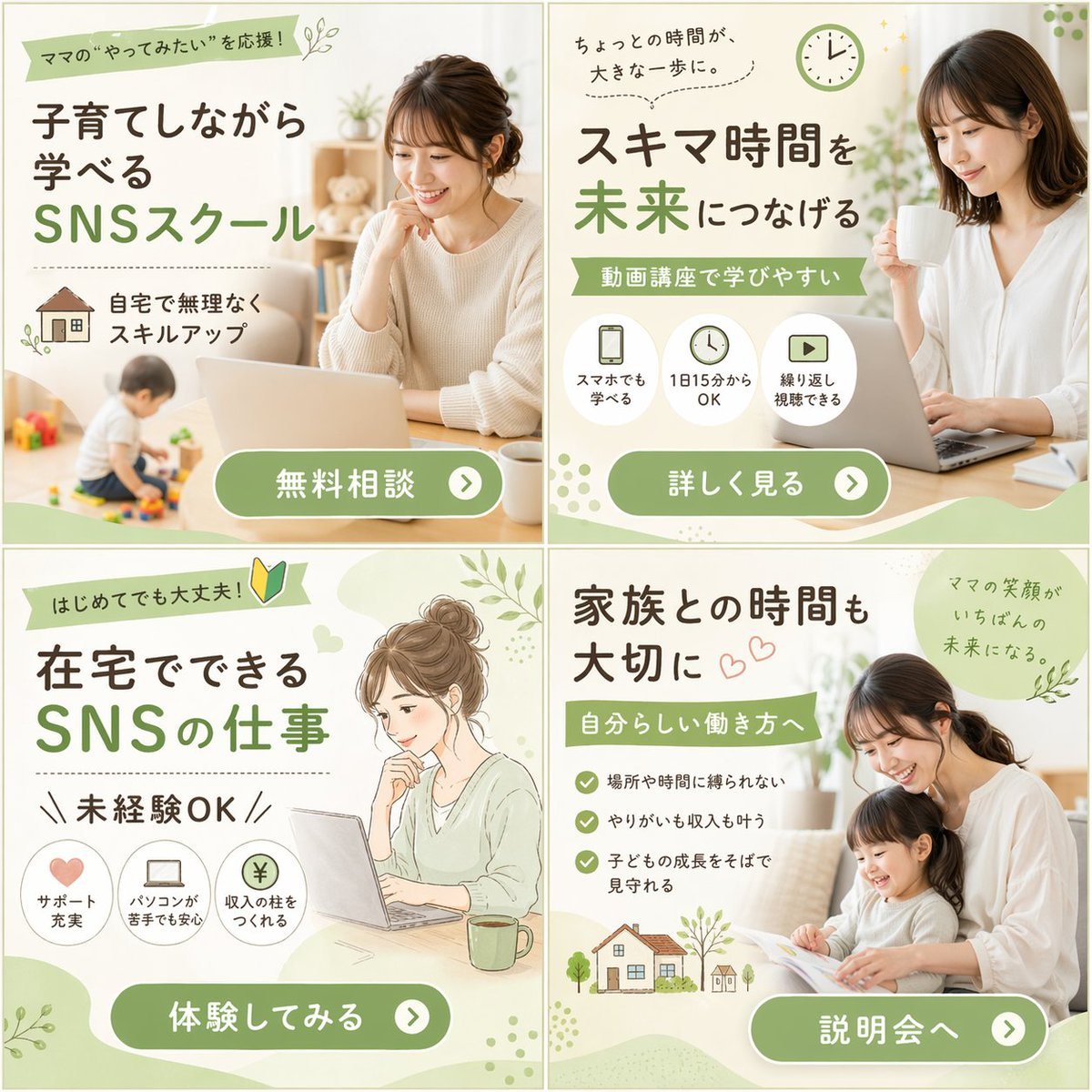
"type": "2x2 grid of banner advertisements",
"theme": "{argument name=\"main theme\" default=\"SNSスクール\"} for {argument name=\"target audience\" default=\"ママ\"}",
"design_style": "soft, approachable, bright lighting, featuring {argument name=\"color palette\" default=\"soft green, white, and natural beige tones\"}",
"layout": {
"sections": [
{
"position": "top-left",
"visual_style": "photography",
"image_description": "Smiling woman working on a laptop at a table, a toddler playing with toys in the blurred background.",
"headlines": ["ママの“やってみたい”を応援!", "子育てしながら学べる", "SNSスクール"],
"features": {
"count": 1,
"type": "icon with text",
"labels": ["自宅で無理なくスキルアップ (with house icon)"]
},
"call_to_action_button": "無料相談"
},
{
"position": "top-right",
"visual_style": "photography",
"image_description": "Smiling woman holding a white mug, looking at a laptop.",
"headlines": ["ちょっとの時間が、大きな一歩に。", "スキマ時間を未来につなげる", "動画講座で学びやすい"],
"features": {
"count": 3,
"type": "circular icons with text below",
"labels": ["スマホでも学べる (smartphone icon)", "1日15分からOK (clock icon)", "繰り返し視聴できる (play button icon)"]
},
"call_to_action_button": "詳しく見る"
},
{
"position": "bottom-left",
"visual_style": "watercolor illustration",
"image_description": "Illustration of a woman with hair in a bun, smiling at a laptop with a green mug nearby.",
"headlines": ["はじめてでも大丈夫! (with beginner mark)", "在宅でできるSNSの仕事", "未経験OK"],
"features": {
"count": 3,
"type": "circular icons with text below",
"labels": ["サポート充実 (heart icon)", "パソコンが苦手でも安心 (laptop icon)", "収入の柱をつくれる (yen coin icon)"]
},
"call_to_action_button": "体験してみる"
},
{
"position": "bottom-right",
"visual_style": "photography",
"image_description": "Smiling mother and young daughter sitting on a sofa reading a picture book together.",
"headlines": ["家族との時間も大切に", "自分らしい働き方へ", "ママの笑顔がいちばんの未来になる。"],
"features": {
"count": 3,
"type": "checkmark bullet points",
"labels": ["場所や時間に縛られない", "やりがいも収入も叶う", "子どもの成長をそばで見守れる"]
},
"extra_graphics": "Small illustration of a house and trees at the bottom left.",
"call_to_action_button": "説明会へ"
}
],
"common_elements": "All panels feature a {argument name=\"button style\" default=\"rounded green pill button with white text and a right-pointing arrow icon\"} at the bottom."
}
}
Prompt structure- Modelgpt-image-2
- Use casesocial-media-post
- Stylephotorealistic, watercolor, editorial
- Aspect ratioFlexible
Best used for- Use casesocial-media-post
- Stylephotorealistic, watercolor, editorial
- Recommended specs1:1, 4:5, 16:9, or 9:16
- ModelGPT Image 2
How to customizeUse this 2x2 Grid of Online School Banner Ads prompt as a base. Replace the subject, product details, environment, lighting, brand colors, and output ratio while keeping the social-media-post intent and photorealistic, watercolor, editorial direction stable.
Editable variables- SubjectReplace the product, person, scene, interface, or object being generated.
- Use caseKeep or rewrite the destination as social media post, ad creative, cover image, poster, or ecommerce hero.
- FrameChoose 1:1, 4:5, 16:9, or 9:16 based on the final placement.
- Brand cuesAdd colors, materials, props, text-safe space, and the platform where the image will be used.
Recommended specsChoose the frame for the destination first, then use 1K, 2K, or 4K based on output quality needs. Product images and posters usually benefit from higher resolution.
Pre-generation checklist- CheckSubject, lighting, composition, and frame are specific enough to review.
- CheckText-safe space is included when the image will carry a headline or ad copy.
- CheckResolution, credit cost, and final destination are checked before generation.
Why this prompt works2x2 Grid of Online School Banner Ads works because it starts from the image job, then controls subject, composition, lighting, style, and frame. It is best for social media post while keeping the photorealistic, watercolor, editorial direction stable.
Common questions- Can I use it directly?Yes. Replace the subject, brand cues, and frame, then generate in Image2Studio.
- Which ratio should I use?Choose 1:1, 4:5, 16:9, or 9:16 based on the destination.