
Image2Studio
Prompts

gpt-image-2

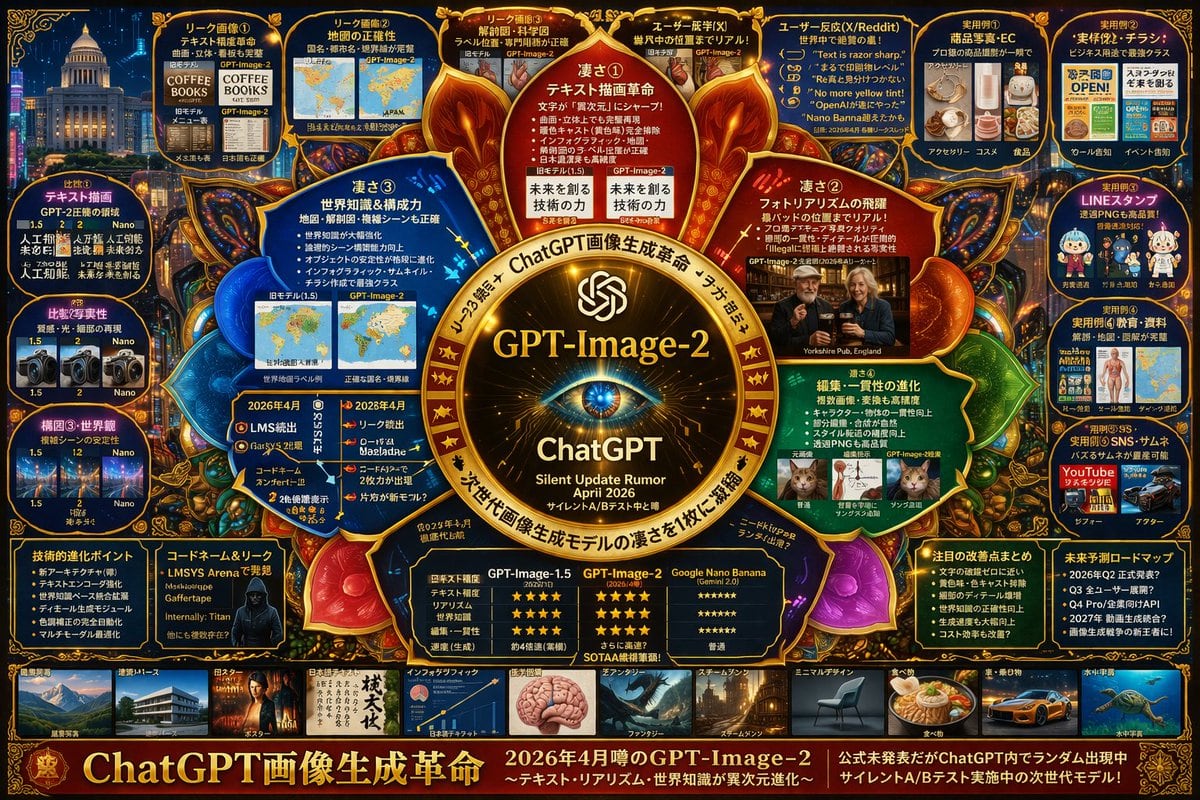
复杂 AI 模型信息图项目

生成一个高密度、具有未来感的信息图项目,详细展示下一代 AI 模型的功能、对比及相关传闻。

Copy this GPT Image 2 prompt for youtube thumbnail and infographics with Photorealistic, Editorial, Cyberpunk, Minimal styling. Use it in Image2Studio to.
Prompt

{ "type": "highly dense futuristic tech infographic board", "theme": { "colors": "{argument name=\"theme color\" default=\"gold and deep blue\"}", "style": "dark mode, glowing neon borders, complex mind-map layout, cyber-tech aesthetic" }, "centerpiece": { "description": "glowing golden circular emblem resembling an eye or camera lens", "text": ["{argument name=\"main title\" default=\"GPT-Image-2\"}", "ChatGPT", "Silent Update Rumor {argument name=\"release date\" default=\"April 2026\"}"] }, "layout": { "top_left": { "title": "Leak Images", "count": 4, "items": ["text rendering coffee menu", "world map", "anatomical diagram", "photorealistic pub"] }, "top_right": { "title": "Use Cases and Reactions", "count": 5, "items": ["e-commerce products", "business flyers", "chat stickers", "educational materials", "YouTube thumbnails"] }, "left_side": { "title": "Version Comparisons", "count": 3, "items": ["text rendering comparison", "photorealism comparison", "composition stability comparison"] }, "inner_ring": { "title": "Core Features", "count": 4, "items": ["text drawing revolution", "photorealism leap", "world knowledge", "editing consistency"] }, "bottom_left": { "title": "Technical Specs", "count": 2, "items": ["technical evolution bullet points", "hacker silhouette with codenames"] }, "bottom_center": { "title": "Model Comparison Table", "columns": 3, "headers": ["GPT-Image-1.5", "{argument name=\"main title\" default=\"GPT-Image-2\"}", "{argument name=\"competitor model\" default=\"Google Nano Banana\"}"], "rows": ["text accuracy", "realism", "world knowledge", "editing", "speed"] }, "bottom_right": { "title": "Future Outlook", "count": 2, "items": ["notable improvements list", "future roadmap timeline"] }, "bottom_edge": { "title": "Genre Gallery", "count": 10, "items": ["architecture", "poster", "japanese text", "infographic", "fantasy", "steampunk", "minimal design", "food", "car", "underwater"] }, "footer": { "title": "Main Banner", "text": ["{argument name=\"subtitle\" default=\"ChatGPT 画像生成革命\"}", "Next generation model in silent A/B testing"] } } }

Prompt structure
  • Modelgpt-image-2
  • Use caseyoutube-thumbnail
  • Stylephotorealistic, editorial, cyberpunk, minimal
  • Aspect ratioFlexible
Best used for
  • Use caseyoutube-thumbnail
  • Stylephotorealistic, editorial, cyberpunk, minimal
  • Recommended specs1:1, 4:5, 16:9, or 9:16
  • ModelGPT Image 2
How to customize

Use this 复杂 AI 模型信息图项目 prompt as a base. Replace the subject, product details, environment, lighting, brand colors, and output ratio while keeping the youtube-thumbnail intent and photorealistic, editorial, cyberpunk, minimal direction stable.

Editable variables
  • SubjectReplace the product, person, scene, interface, or object being generated.
  • Use caseKeep or rewrite the destination as youtube thumbnail, ad creative, cover image, poster, or ecommerce hero.
  • FrameChoose 1:1, 4:5, 16:9, or 9:16 based on the final placement.
  • Brand cuesAdd colors, materials, props, text-safe space, and the platform where the image will be used.
Recommended specs

Choose the frame for the destination first, then use 1K, 2K, or 4K based on output quality needs. Product images and posters usually benefit from higher resolution.

Pre-generation checklist
  • CheckSubject, lighting, composition, and frame are specific enough to review.
  • CheckText-safe space is included when the image will carry a headline or ad copy.
  • CheckResolution, credit cost, and final destination are checked before generation.
Why this prompt works

复杂 AI 模型信息图项目 works because it starts from the image job, then controls subject, composition, lighting, style, and frame. It is best for youtube thumbnail while keeping the photorealistic, editorial, cyberpunk, minimal direction stable.

Common questions
  • Can I use it directly?Yes. Replace the subject, brand cues, and frame, then generate in Image2Studio.
  • Which ratio should I use?Choose 1:1, 4:5, 16:9, or 9:16 based on the destination.




